IKARAO Sparkle K1 Review: AR Games, Features, Cost & What Parents Should Know
The IKARAO Sparkle K1 is an interactive karaoke and gaming system designed for children ages 3–12. Unlike a conventional kids’ karaoke machine that primarily combines a speaker and microphones, Sparkle K1 connects to a television and uses a built-in camera, augmented-reality effects, wireless microphone controllers, and interactive games.
Table of Contents
IKARAO includes two wireless microphones, two unlocked content worlds, and 40 games. The system also features a manufacturer-described 2K camera with AI auto-framing, four NFC cards, and an optional Content Pass that provides access to additional content.
Those features make the Sparkle K1 different from the company’s Break and Shell karaoke machines. Its main attraction is not simply amplifying a child’s voice. It is combining singing, movement, visual effects, and interactive activities on a television.
However, there are several important buying considerations. Additional content involves a separate purchase, the system uses a camera, and the manufacturer’s accessible privacy documentation does not fully explain every aspect of recording storage and deletion.
This IKARAO Sparkle K1 review examines its features, TV setup, included games, Content Pass, camera, parental considerations, and limitations to help determine whether it is suitable for your household.
Research note: This review is based on official IKARAO product information and the Sparkle K1 quick-start guide, not physical hands-on testing. Pricing, software features, subscriptions, and manufacturer specifications may change.
IKARAO Sparkle K1 at a Glance
| Feature | IKARAO Sparkle K1 |
|---|---|
| Product type | Interactive TV karaoke and gaming system |
| Manufacturer age recommendation | 3–12 years |
| Display | Connects to external television through HDMI |
| Camera | Manufacturer-described 2K wide-angle camera |
| Camera technology | AI Spotlight auto-framing and AR effects |
| Wireless microphones | Two self-charging microphones |
| Microphone navigation | Point-and-hover cursor control |
| NFC cards | Four included |
| Included content | Two unlocked worlds and 40 games |
| Included worlds | Melody Forest and Harmony Ocean |
| Additional content | Optional Content Pass |
| Pass durations advertised | 3 months and 12 months |
| Wireless networking | Wi-Fi setup supported |
| Wi-Fi configuration | Phone-assisted QR-code procedure |
| HDMI cable | Included |
| Performance highlights | Automatic capture advertised |
| Manufacturer-listed US price | $279.99, checked October 16, 2026 |
The specifications above come from the current IKARAO product listing and official quick-start documentation. Details such as microphone battery runtime, camera frame rate, and exact recording-storage behavior are not established by those sources.
What Is the IKARAO Sparkle K1?
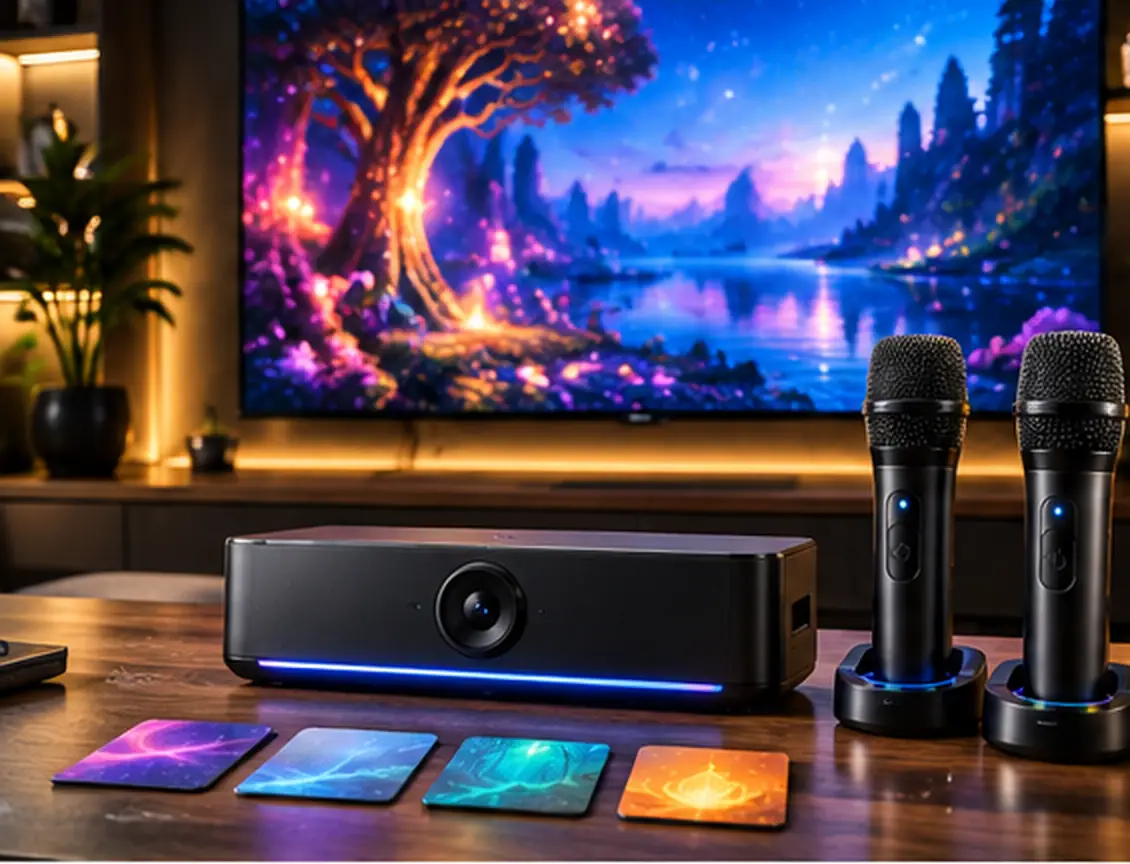
The Sparkle K1 is best understood as a TV-connected interactive entertainment system for children.
Most conventional children’s karaoke machines focus on microphones, a speaker, and some form of playback connection. Sparkle K1 takes a different approach.
Its camera captures the play area so children can appear within the TV experience. Augmented-reality effects add animated visuals, while the interactive worlds contain activities that combine singing, movement, and game-like progression.
The microphones have another important function: they can be used to navigate the interface.
Instead of relying only on touchscreen controls or a conventional remote, children can point a microphone toward the television and move an on-screen cursor.
The included NFC cards add another interaction method.
This makes Sparkle K1 closer to a child-oriented karaoke gaming console than a traditional portable karaoke speaker.
That distinction is important for buyers. Someone looking for a simple standalone microphone-and-speaker toy may not need these extra features. A family specifically interested in interactive TV activities may find them more relevant.
IKARAO Sparkle K1 Price: How Much Does It Cost?
IKARAO’s US product page listed the Sparkle K1 at $279.99 when checked on October 16, 2026.
Some other recent listings have shown higher prices, so the current manufacturer price should always be checked before buying.
The hardware price is only one part of the cost calculation.
Sparkle K1 includes two interactive worlds and 40 games, but IKARAO also offers a separately purchased Content Pass for additional content.
Therefore, potential buyers should consider two questions:
Is the included content enough for the household?
Will the family want access to the larger paid library?
If the included worlds provide sufficient variety, the initial hardware purchase may cover the family’s main needs.
If a child frequently wants new activities or additional worlds, the optional pass becomes more relevant to long-term ownership cost.
The current product description does not provide enough subscription billing detail to establish a complete multiyear cost reliably, so avoid relying on assumptions about renewals or future content pricing.
What Comes in the Box?
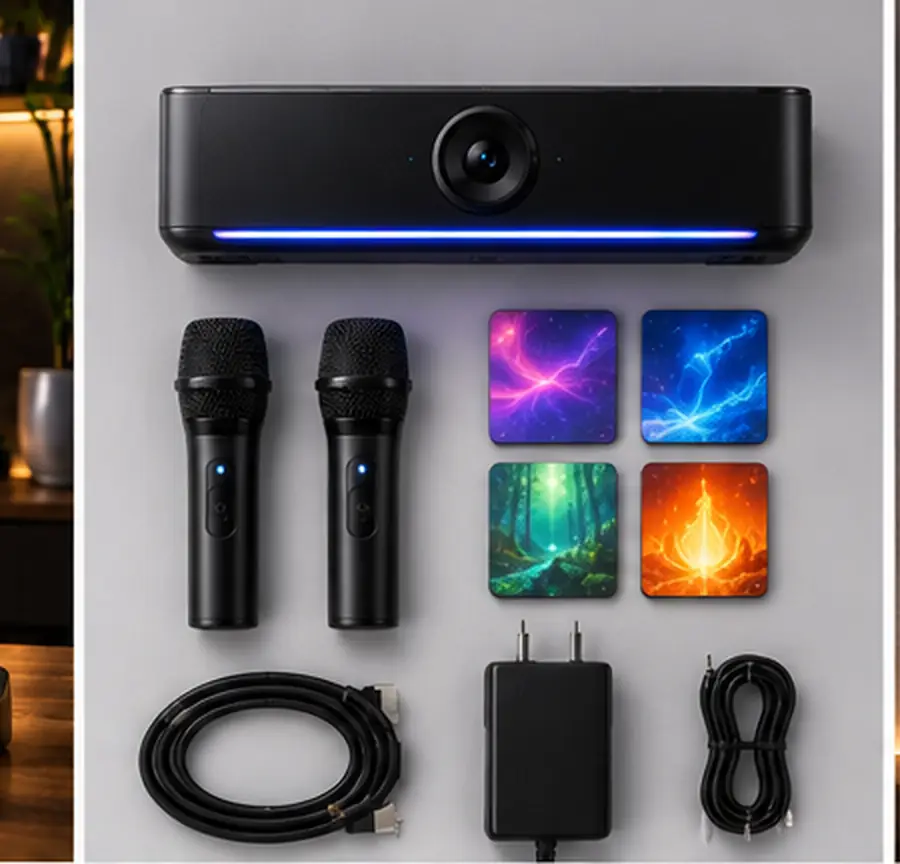
The official Sparkle K1 quick-start guide lists the following accessories:
- Sparkle K1 main unit
- Two wireless microphones
- HDMI cable
- Power adapter
- AUX-out cable
- Four NFC cards
- Quick-start guide
- Extended warranty card
The included HDMI cable is important because the Sparkle K1’s main visual experience is designed around a television.
The four NFC cards also deserve attention. They are not simply decorative accessories; the quick-start guide describes using them to access additional interactive features.
The included power adapter is used to run the main unit, with the official connection diagram identifying a DC 20V power input.
Before first use, confirm that all expected accessories are present and that the television has a suitable HDMI input.
Sparkle K1 User Manual
You can read the official Sparkle K1 user manual below, or download the PDF to keep offline.
How Does the IKARAO Sparkle K1 Work?
The basic experience involves three connected elements:
The Sparkle K1 unit: runs the interactive system and camera-based features.
The television: displays the interface, characters, activities, and visual effects.
The wireless microphones: provide voice input and act as pointing controllers.
Once the system is connected and configured, children can navigate its content worlds, select activities, and participate while the camera adds visual effects.
The official guide also shows progress tracking and NFC-card interactions.
This arrangement explains why Sparkle K1 should not be evaluated solely by the criteria used for conventional karaoke speakers.
Display interaction, game variety, parental controls, and the subscription model are equally important parts of the product.
Does the IKARAO Sparkle K1 Need a TV?
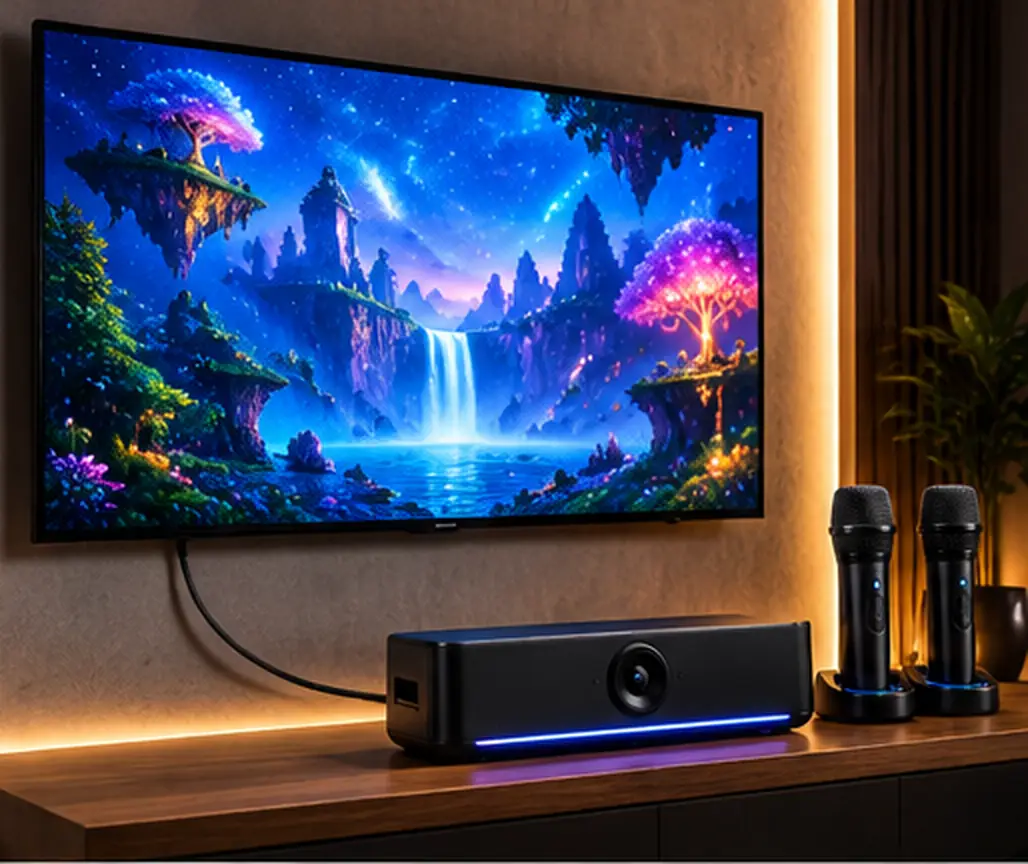
Yes, the documented primary experience is designed around an external television.
IKARAO describes Sparkle K1 as a plug-and-play interactive TV system and includes an HDMI cable for connecting it to a larger screen.
The official quick-start guide begins with TV connection instructions rather than a built-in touchscreen setup.
That makes it different from IKARAO Shell and Break machines, which use integrated touchscreens.
If you are looking for a karaoke machine that can be used independently with its own built-in display, Sparkle K1 should not automatically be treated as a substitute for those models.
How to Connect Sparkle K1 to a TV
The official setup procedure is straightforward.
- Connect the included HDMI cable between the Sparkle K1 and an available HDMI input on the TV.
- Connect the included power adapter to the Sparkle K1.
- Turn on the television and the Sparkle K1.
- Open the TV’s Source or Input menu.
- Select the HDMI input where the cable is connected.
- Wait for the Sparkle K1 interface to appear.
For example, if the cable is connected to HDMI 2, the television should normally be switched to HDMI 2.
If the TV shows No Signal, check the selected input and cable connection before attempting more complicated troubleshooting.
An important distinction: Sparkle K1 has its own setup documentation. Do not automatically apply the HDMI audio behavior of IKARAO Break and Shell models to it without verifying the Sparkle K1’s specific output behavior.
Built-In 2K Camera and AI Spotlight

The Sparkle K1’s camera is one of its main differences from a conventional karaoke machine.
IKARAO advertises a 2K wide-angle camera with AI Spotlight auto-framing.
The manufacturer describes the camera as helping keep children in view on the television while they participate in activities.
The system also introduces camera-based visual effects, such as animated stickers, costume effects, and other augmented-reality elements.
What Does AI Auto-Framing Mean?
In this context, auto-framing refers to the manufacturer’s described ability to adjust the on-screen presentation around the person participating.
That may be particularly relevant when children move around rather than remaining in one fixed position.
However, the published 2K camera specification does not establish how accurately the system tracks movement or performs under every lighting condition.
It also does not establish the frame rate, exact field of view, or recording resolution.
Those should not be inferred from the term “2K.”
Augmented Reality Games and Visual Effects
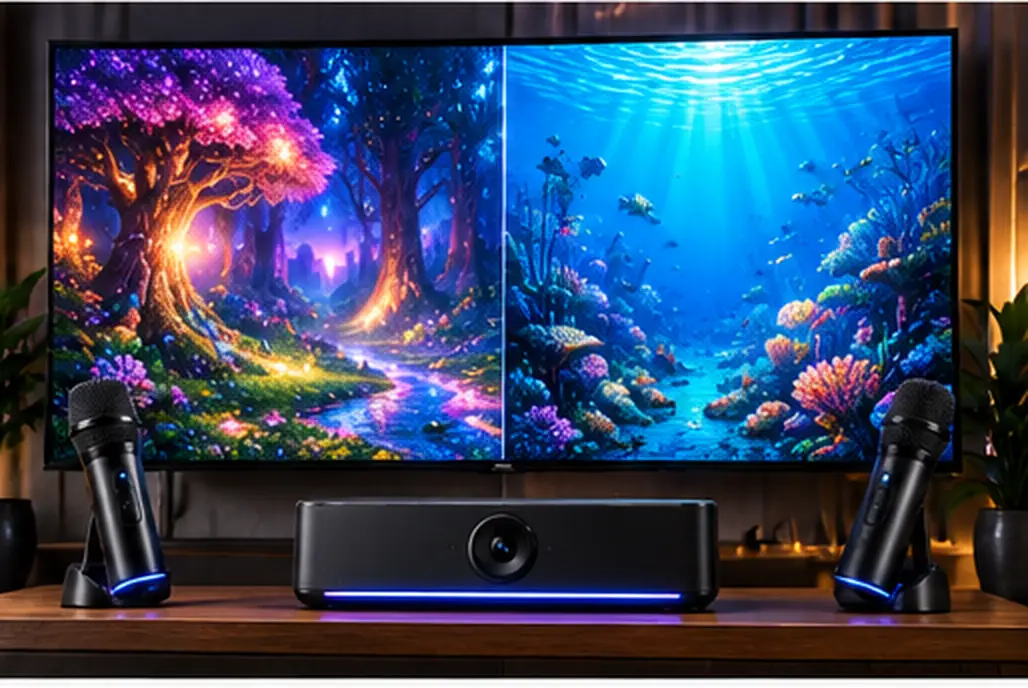
Augmented reality, or AR, combines the camera view with digital visuals.
In Sparkle K1, IKARAO describes effects that can place animated elements around children on the television.
Instead of watching an ordinary video while using a microphone, children become part of the on-screen activity.
This is the basis for the product’s interactive positioning.
Depending on the activity, the visual experience may involve characters, costumes, stickers, and other animated elements.
The concept is appealing for families looking for indoor entertainment that involves more participation than simply watching a television.
However, the manufacturer’s claims about confidence, creativity, and development should be treated as intended benefits rather than proven outcomes.
The available documentation does not establish that using Sparkle K1 produces measurable improvements in children’s learning or coordination.
Two Wireless Microphones Included
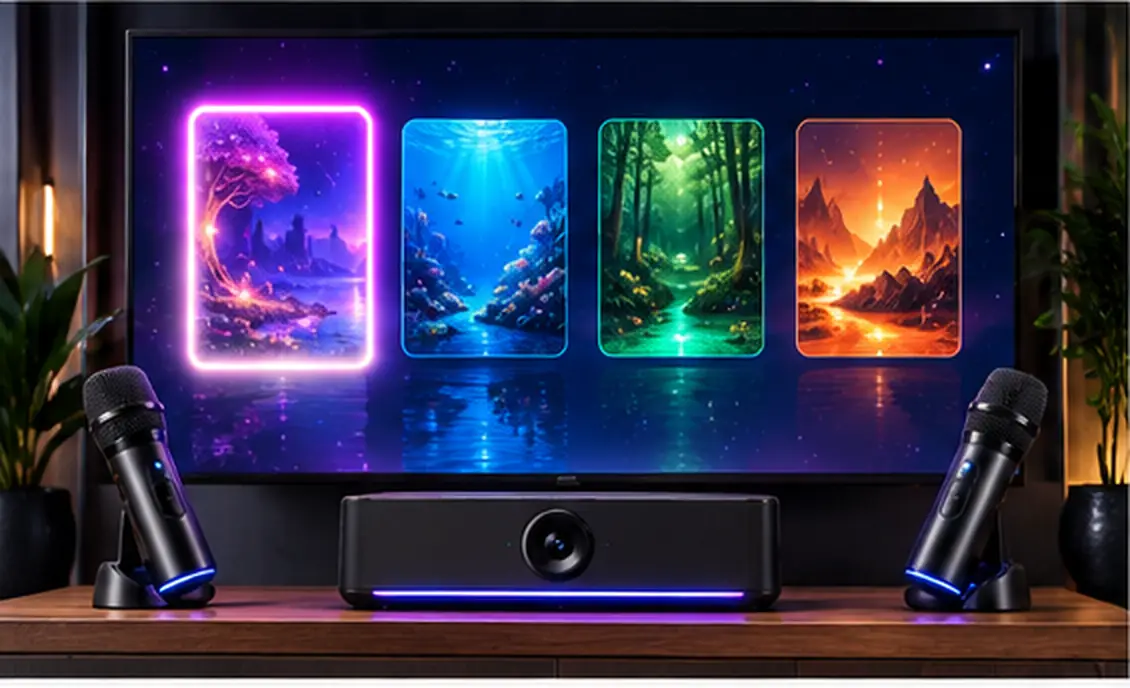
Sparkle K1 comes with two self-charging wireless microphones.
That allows the system to support activities involving siblings, friends, or family members.
The microphones also make the product more flexible than a single-microphone system.
However, two microphones in the box do not necessarily mean that every game offers an independent two-player mode or separate player scoring.
Those details depend on the activity.
IKARAO does not provide the same detailed microphone battery and wireless-range specifications for Sparkle K1 in the core product description as it does for some of its Break and Shell machines.
For that reason, it would be inaccurate to borrow microphone runtime or range figures from another IKARAO product.
The Microphones Also Work as Controllers
One of the Sparkle K1’s most distinctive features is that its microphones are used to navigate the interface.
The official quick-start guide explains a point-and-hover process.
How Microphone Cursor Control Works
- Point the top of the microphone toward the television.
- Wait for a star-shaped cursor to appear.
- Move the microphone to position the cursor.
- Move the cursor over the item you want to select.
- Hold it there until the progress indicator completes.
The guide says the system generally selects an item automatically after approximately one second of hovering.
A separate confirmation button is usually unnecessary.
To return to a previous screen, the user moves the cursor to the on-screen Back button and waits for the progress indicator to complete.
This is a meaningful feature difference.
The microphones are not limited to amplifying voices. They also form part of the system’s navigation controls.
For young children, whether that interaction feels intuitive will be an important aspect of everyday use, although it has not been independently tested for this review.
Four NFC Cards: What Are They For?
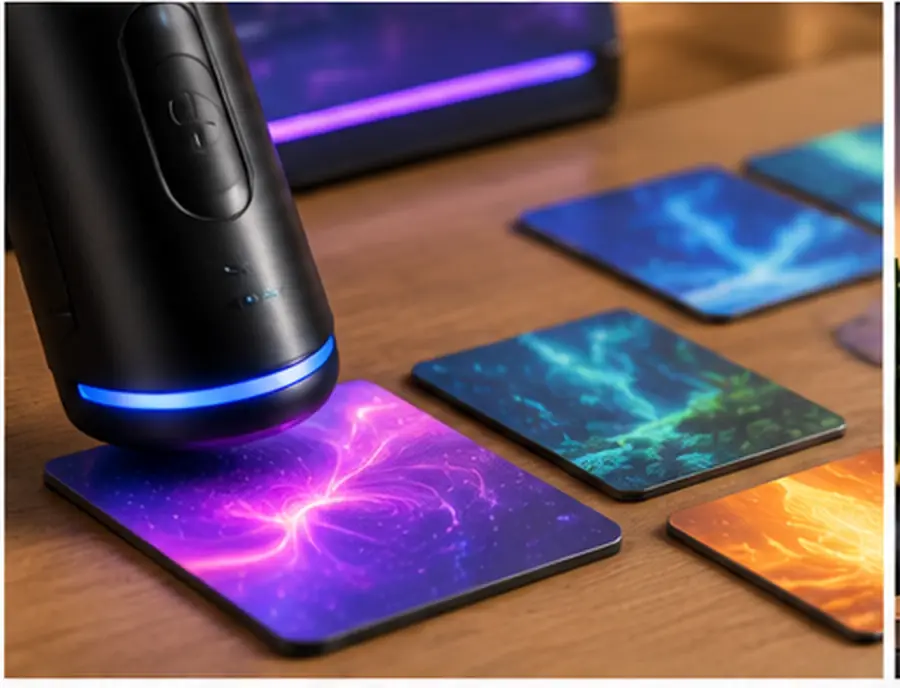
The Sparkle K1 quick-start guide lists four NFC cards among the included accessories.
NFC stands for near-field communication.
The guide describes tapping an NFC card with the bottom of the microphone to activate additional features.
That means the microphone serves another purpose beyond singing and cursor navigation.
The NFC system introduces physical card interaction into an otherwise screen-based experience.
It is a notable feature because many conventional karaoke machines do not include card-based controls.
However, do not assume these cards unlock the complete paid library or provide permanent access to all additional worlds.
The exact entitlements associated with each NFC card should follow current IKARAO documentation.
How Many Games Come With Sparkle K1?
IKARAO advertises 40 included interactive games across two fully unlocked worlds.
The included worlds are:
Melody Forest
Harmony Ocean
These are the starting content areas included with the product.
That gives buyers a documented amount of content before considering any paid expansion.
However, the manufacturer calls these interactive games. It would be misleading to automatically interpret the number 40 as exactly 40 independent licensed karaoke tracks.
Some activities may differ in structure, presentation, and interaction.
Another detail worth distinguishing is offline access.
IKARAO describes the two worlds as fully unlocked, but the currently reviewed product information does not establish every offline-access condition for all included games.
What Is the IKARAO Sparkle K1 Content Pass?
The Content Pass is an optional paid content offering for Sparkle K1.
IKARAO advertises pass durations of:
- three months;
- twelve months.
The pass provides access to additional interactive content beyond the two worlds and 40 games included with the system.
The product description references additional worlds such as Cyber City and Magic Academy, along with further content in the expanded library.
This is an important distinction because the hardware purchase and ongoing content access are separate.
What Do You Get Without a Content Pass?
Based on the current product description, the purchase includes two unlocked worlds and 40 games.
That makes the Content Pass an expansion option rather than a stated requirement for accessing the included starting library.
However, the precise offline-access and long-term entitlement terms should be checked before relying on them.
What Does the Content Pass Add?
IKARAO describes access to a larger library and additional worlds.
The manufacturer also advertises quarterly content updates for pass members involving three new worlds and 60 new games.
That should be treated as an advertised content-update plan, not independent confirmation that every scheduled release has already occurred.
Is the Content Pass Worth Buying?
That depends on usage.
A family satisfied with the included activities may not need the expanded library immediately.
A family whose children regularly want additional experiences may value access to more worlds and games.
Before buying a pass, check the current price and billing conditions, particularly whether renewal is automatic, how cancellation works, and which content remains available after the pass ends.
Those terms should not be assumed.
Does Sparkle K1 Require a Subscription?
A paid subscription is not presented as necessary for the two included worlds and 40 included games.
The separately purchased Content Pass expands the content available.
Therefore, the most accurate distinction is:
Sparkle K1 hardware: includes the initial two worlds and 40 games.
Optional Content Pass: provides access to additional content under the current subscription terms.
Parents should not assume either that all content requires payment or that the entire expanding library is permanently included in the hardware price.
How to Connect Sparkle K1 to Wi-Fi
Sparkle K1’s official setup process differs from the conventional touchscreen Wi-Fi configuration used on some other IKARAO models.
The quick-start guide describes a phone-assisted QR-code workflow.
The general sequence is:
- Open the Wi-Fi selection interface on the television.
- Select the desired wireless network.
- Scan the QR code displayed on the TV using a phone.
- Enter the wireless network password through the phone-assisted setup.
- Follow the generated QR-code instructions to provide the connection information to Sparkle K1.
- Wait for the television to show that the connection succeeded.
The official illustrated guide shows the generated phone QR code being presented to the Sparkle K1 during the process.
This creates an important distinction from the manufacturer’s description of smartphone-independent entertainment.
A phone may be needed during initial Wi-Fi configuration even though children do not need to use a smartphone to navigate the normal TV experience.
Those are not contradictory ideas, but they refer to different stages of use.
Does Sparkle K1 Work Without Wi-Fi?
The device’s official quick-start guide documents Wi-Fi setup, and IKARAO advertises online content and additional updates.
However, the available documentation does not clearly establish the offline availability of every included game and feature.
Therefore, it would be too broad to claim that all activities work offline or that the entire device is unusable without internet.
If offline operation is essential—for example, in a location without reliable home internet—confirm the current offline-access rules with IKARAO before purchasing.
Sparkle K1 Home Screen and Navigation
The official guide identifies several parts of the interface.
Assistant
An animated helper intended to guide children through the system.
World Map
The area used to explore the different content worlds.
Timeline
A section associated with progress and activity history.
Karaoke Station
An interface for choosing the available content.
These sections indicate that Sparkle K1 is built around a structured interactive environment rather than a simple list of tracks.
The quick-start guide also shows progress mechanics and a playlist function associated with phone-based QR-code interaction.
Progress Tracking and Rewards
The official guide illustrates an energy progress bar.
It describes building progress through participation, with rewards and further advancement connected to that progression.
This adds a game-like structure to the experience.
Rather than simply choosing an activity and finishing it, children can encounter visual progression and rewards.
However, those progress indicators should not be confused with validated educational or physical-development measurements.
The manual demonstrates a reward system. It does not establish that the device accurately measures learning, health, or developmental outcomes.
Does Sparkle K1 Record Children?
This is one of the most important considerations for parents.
IKARAO’s product description says Sparkle K1 automatically captures performance highlights, allowing families to save and revisit moments.
That indicates a recording-related feature in addition to the live camera experience.
However, several details remain unclear in the publicly accessible documentation reviewed.
These include:
- where captured highlights are stored;
- whether any video or images are uploaded;
- whether automatic captures require separate permission;
- whether parents can disable the recording feature;
- how recordings are deleted;
- whether saved clips can be shared outside the device.
It is important to distinguish the live camera view from stored recordings.
A product may use a camera for real-time AR effects without all frames being saved, but Sparkle K1 also explicitly advertises highlight capture.
The exact relationship between these functions should be confirmed through current manufacturer documentation.
Sparkle K1 Camera Privacy: What Parents Should Know
Because Sparkle K1 is marketed for children and includes a camera, its privacy controls deserve specific attention.
IKARAO links to a Sparkle K1 privacy page. However, the accessible version checked for this review displayed a privacy-page heading without substantive explanatory text.
That does not prove the system collects no information, and it does not establish whether recordings are stored locally or remotely.
Parents should clarify the following before enabling recording features:
Camera control: Can the camera be disabled when it is not needed?
Recording control: Can highlight capture be turned off?
Storage: Where are videos or images stored?
Deletion: Can parents inspect and permanently delete saved recordings?
Sharing: Can clips leave the device or be shared with other services?
Accounts and consent: What personal information is collected during setup, and how is parental authorization handled?
Without clear current documentation, it would be inappropriate to describe Sparkle K1 as having verified local-only storage, automatic deletion, or independent privacy certification.
This does not establish that those safeguards are absent. It means the reviewed sources do not provide enough detail to verify them.
For parents who prioritize camera privacy, those unanswered questions are a significant part of the buying decision.
Is the IKARAO Sparkle K1 Safe for Young Children?
IKARAO markets Sparkle K1 for ages 3–12.
That is the manufacturer’s intended age range, not an independent assurance that every feature is appropriate for every child.
Parents should evaluate the system in terms of:
- comfortable speaker volume;
- length of listening and play sessions;
- supervision;
- age-appropriate activities;
- safe placement of cables and the main unit;
- a clear area for movement;
- access to camera and recording functions;
- the current content and privacy settings.
The manufacturer also promotes an ad-free, child-oriented environment.
That is a product claim rather than evidence of an independently audited child-safety system.
The available product specifications do not establish a particular maximum output level, a tested volume limiter, or a formal developmental-safety certification.
Is Sparkle K1 Educational?
IKARAO describes some activities as involving daily habits, growth skills, creativity, confidence, and self-expression.
The product’s game structure may provide opportunities for participation and practice.
However, there is a difference between educationally themed entertainment and a product with independently demonstrated educational outcomes.
The available manufacturer information does not establish that Sparkle K1 produces specific measurable improvements in learning, communication, coordination, or confidence.
Parents can consider its content themes while avoiding stronger claims that have not been independently supported.
Can Two Children Use Sparkle K1 Together?
Sparkle K1 includes two wireless microphones and is marketed for activities involving siblings and friends.
This makes shared participation part of its intended use.
However, individual game mechanics can differ.
Two included microphones do not establish that every game supports simultaneous independent two-player scoring or that both microphones control the interface in exactly the same way during every activity.
The safest expectation is that two microphones are provided for the system’s shared entertainment experience, while the details of multiplayer interaction depend on the specific content.
IKARAO Sparkle K1 vs a Traditional Kids’ Karaoke Machine
The main difference is the experience each product is designed to deliver.
| Feature | IKARAO Sparkle K1 | Traditional Kids’ Karaoke Machine |
|---|---|---|
| Main focus | TV-based interactive play | Singing and playback |
| Television | Central to the documented setup | Depends on model |
| Camera | Built-in AR camera | Often absent |
| Microphones | Two included | Varies |
| Navigation | Microphone cursor control | Usually buttons or other controls |
| NFC cards | Four included | Product-dependent |
| Interactive worlds | Two included | Not usually the central feature |
| Additional content | Optional paid pass | Depends on product |
| Recording considerations | Camera and highlight capture | Depends on model |
For a broader comparison, see our best karaoke machines for kids guide.
A traditional kids’ karaoke machine may make more sense when simplicity and portability are the priorities.
Sparkle K1 is more relevant when the household specifically wants a television-based combination of karaoke, games, and augmented reality.
IKARAO Sparkle K1 vs Shell S3
The <a href=”https://smartkaraokemachine.com/reviews/ikarao-shell-s3-review/”>IKARAO Shell S3</a> is another product in the company’s lineup, but it serves a different purpose.
| Feature | Sparkle K1 | Shell S3 |
|---|---|---|
| Primary use | Interactive children’s TV experience | All-in-one karaoke |
| Display | External television | Built-in 7-inch touchscreen |
| Camera | 2K camera with AR effects | Not a headline feature |
| Included microphones | Two | Two |
| Content | Interactive worlds and games | Karaoke-oriented apps |
| Additional content model | Optional Content Pass | Different app/service ecosystem |
| Navigation | Microphone cursor and NFC cards | Touchscreen |
| HDMI | Central to standard setup | Version-dependent |
The distinction is not that one is universally better.
Sparkle K1 is more specialized for interactive TV play.
Shell S3 is more conventional as a self-contained karaoke machine.
Families should choose according to the experience they actually want rather than assuming the newer or more unusual product is automatically preferable.
IKARAO Sparkle K1 Pros and Cons
The following strengths and limitations are based on published features rather than physical testing.
| Potential advantages | Potential limitations |
|---|---|
| Two wireless microphones included | External television central to use |
| 2K camera and AR effects | Camera/privacy questions need clarification |
| Microphones also act as controllers | No independently verified tracking performance |
| Four NFC cards included | NFC access should not be confused with paid content entitlement |
| Two unlocked worlds and 40 games | Larger library requires separate Content Pass |
| Interactive progress and rewards | Educational outcomes not independently established |
| HDMI cable included | Phone-assisted Wi-Fi setup |
| Designed for shared family activities | Offline access rules not fully documented |
| Additional content advertised | Long-term pass costs and conditions need verification |
Who Should Consider the IKARAO Sparkle K1?
Sparkle K1 may be a suitable option for families who already have a television and want a more interactive experience than a conventional karaoke machine provides.
Its combination of camera effects, microphone navigation, NFC cards, and included game worlds gives it a distinct purpose.
It may particularly appeal to households that value indoor activities involving movement and participation.
However, it is less suitable for buyers who want:
- a simple standalone karaoke speaker;
- a device with a built-in touchscreen;
- a fully documented offline library;
- no camera-equipped entertainment devices;
- access to every available game without additional purchases;
- clearly verified recording-storage and deletion controls before purchase.
The optional Content Pass and camera are not minor details. They are central to understanding the product’s long-term suitability.
Is the IKARAO Sparkle K1 Worth It?
The Sparkle K1 has a genuinely different feature set from a typical children’s karaoke machine.
Its strongest selling points on paper are the combination of:
interactive TV activities, two wireless microphone controllers, camera-based AR effects, NFC cards, and 40 included games.
For a family specifically interested in that combination, those features provide a clear reason to consider Sparkle K1.
However, buyers should not judge it by the number of included games alone.
The product’s long-term value also depends on whether the initial library remains engaging, how much additional content costs, and whether the camera and recording controls meet the family’s expectations.
The manufacturer-listed price of $279.99, checked in October 2026, places it in a category where these ownership considerations deserve attention.
Sparkle K1 is therefore most compelling for buyers seeking an interactive children’s entertainment system centered on a TV, not simply an inexpensive karaoke microphone set.
Frequently Asked Questions
The IKARAO Sparkle K1 is an interactive TV karaoke and gaming system designed for children ages 3–12. It includes two wireless microphones, a camera with AR effects, interactive games, and microphone-based screen navigation.
Yes, its documented primary experience is designed around an external television connected through HDMI. It should not be treated as a conventional karaoke machine with its own built-in touchscreen.
Two self-charging wireless microphones are included.
Yes. The official guide explains how to point a microphone toward the screen, move a star-shaped cursor, and select items by hovering over them.
IKARAO advertises 40 included games across two unlocked worlds: Melody Forest and Harmony Ocean.
The two included worlds and 40 games are advertised as part of the hardware purchase. A separate Content Pass provides access to additional content.
IKARAO advertises expanded access to additional interactive worlds and games through three-month and twelve-month pass options. Current prices and renewal conditions should be checked before subscribing.
Yes. IKARAO describes a built-in 2K wide-angle camera with AI Spotlight auto-framing and augmented-reality effects.
IKARAO advertises automatic capture of performance highlights. The accessible documentation reviewed does not fully establish all storage, sharing, and deletion controls, so parents should confirm these details before enabling recording features.
A smartphone is involved in the documented phone-assisted QR-code Wi-Fi setup process. The normal interactive TV experience is marketed as smartphone-independent.
The official guide documents Wi-Fi configuration, but complete offline-access rules for every included activity were not established by the reviewed sources.
Four NFC cards are included. The quick-start guide describes tapping an NFC card with the bottom of a microphone to access additional interactive features.
IKARAO lists ages 3–12 as its intended age range. Parents should still evaluate the activities, supervision requirements, sound levels, and camera settings for the individual child.
It depends on the intended use. Sparkle K1 emphasizes interactive camera-based TV play, while Shell S3 is a more conventional all-in-one karaoke system with a built-in touchscreen.
Final Verdict
The IKARAO Sparkle K1 is a specialized children’s karaoke and interactive gaming system rather than a conventional standalone karaoke machine.
Its most distinctive features are the 2K camera, augmented-reality activities, two wireless microphones that double as controllers, four NFC cards, and the 40 games included across two unlocked worlds.
The television-centered format offers a different experience from the company’s Break and Shell products.
However, two ownership considerations deserve particular attention.
First, the optional Content Pass affects access to the expanded content library, making subscription terms relevant to long-term value.
Second, the camera and automatic highlight-capture feature make privacy, storage, recording controls, and deletion options important questions for parents.
For families specifically interested in interactive TV entertainment with singing and game-like activities, Sparkle K1 has a distinct appeal.
For families who want a simple, self-contained karaoke speaker without camera features or a content pass, a traditional kids’ karaoke machine may be the more practical choice.
Sources and Research Method
This article is based on publicly available manufacturer materials, including:
- Official IKARAO Sparkle K1 product page
- Official Sparkle K1 Quick-Start Guide
- Sparkle K1 Online User Guide
- IKARAO Official Manuals Center
- Sparkle K1 Privacy Page
Last checked: October 16, 2026. No physical product testing was performed. Manufacturer-described features are identified accordingly, and undocumented privacy, subscription, or performance details have not been presented as verified facts.