Karaoke Machine With Wireless Microphones: What to Know Before Buying
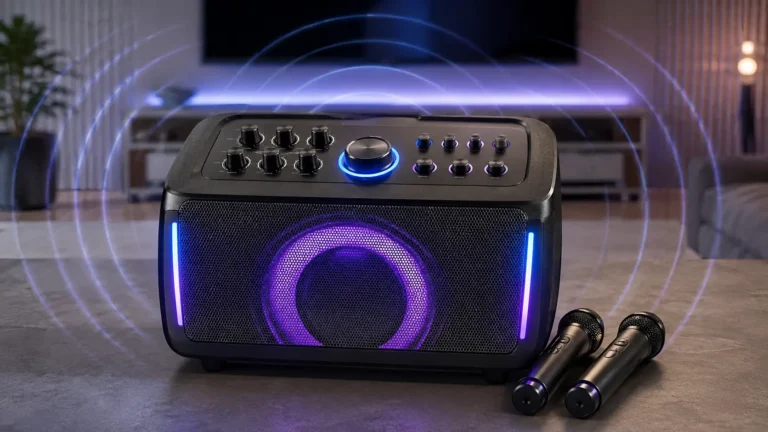
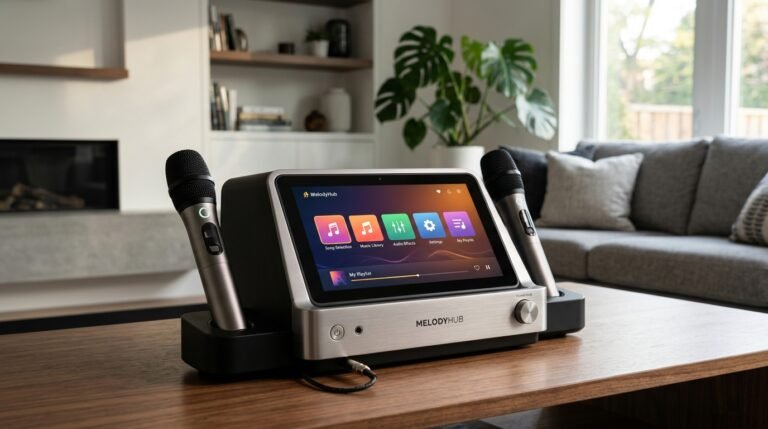
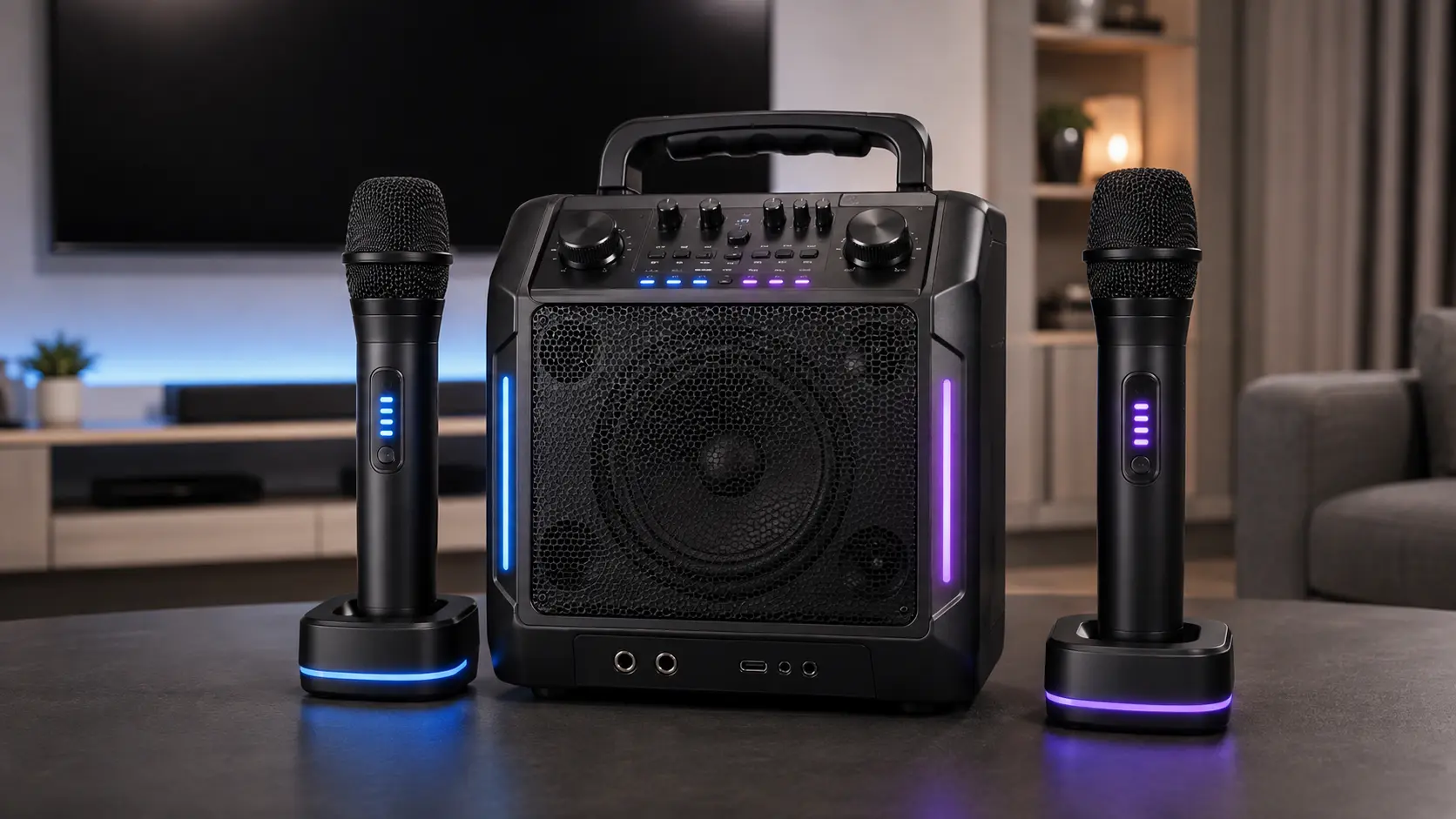
A karaoke machine with wireless microphones lets one or more microphones send the vocal signal to the karaoke system without a microphone cable between the performer and the main unit. Depending on the product, the receiver may be built into the karaoke machine, supplied as a separate receiver, or integrated into another dedicated wireless module.
Table of Contents
The important buying question is not simply whether the product says “wireless.” Check how many microphones are included, whether they work simultaneously, how the microphones connect to the receiver, what frequency band the system uses, how pairing works, the manufacturer-stated operating range, microphone battery life, and replacement compatibility.
Two products can both advertise “2 wireless microphones” while using very different wireless designs.
Quick Answer: What Should You Check?
Before choosing a karaoke machine with wireless microphones, verify these details:
| Attribute | What to Check |
|---|---|
| Included microphones | 1, 2, or more |
| Simultaneous channels | Whether all included microphones can operate together |
| Receiver | Built into machine, external receiver, or compact module |
| Frequency band | 2.4GHz, UHF, or another manufacturer-specified band |
| Pairing method | Pre-paired, automatic, scan/sync, or manual |
| Operating range | Use the exact manufacturer specification |
| Mic battery | Separate from the speaker battery |
| Charging | Replaceable cells, USB, dock, or charging compartment |
| Expansion | Whether additional compatible microphones can be added |
| Wired inputs | Whether wired microphones can also be connected |
| Controls | Mic volume, echo, reverb, mute, EQ, or other processing |
The biggest mistake is assuming these attributes are automatically determined by the frequency band. They are not.
What Is a Karaoke Machine With Wireless Microphones?
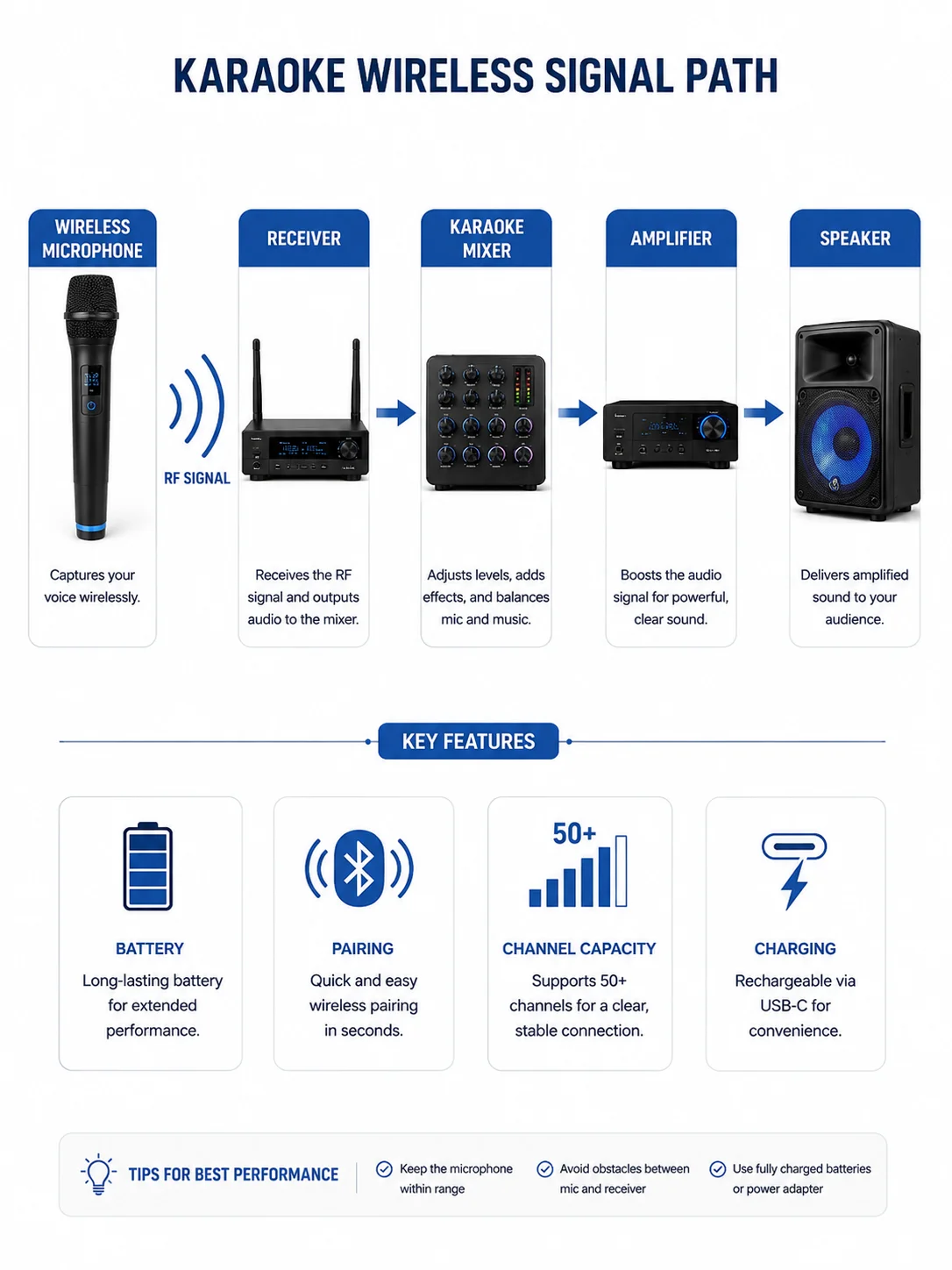
A karaoke machine with wireless microphones combines a normal karaoke audio system with a dedicated wireless microphone link.
A simplified signal path looks like this:
Wireless microphone → wireless receiver → karaoke mixer/DSP → amplifier → speaker
The microphone contains a transmitter. The receiver accepts that wireless signal and passes the microphone audio into the karaoke system for mixing with the backing audio.
The receiver can be hidden inside the karaoke machine with wireless microphones or supplied as separate hardware.
This is different from the connection setup of a standard Bluetooth karaoke machine.
For example:
Phone → Bluetooth → karaoke machine
is one wireless connection.
While:
Wireless microphone → dedicated receiver → karaoke machine
is another.
A machine can support both at the same time.
Wireless Microphones and Bluetooth Are Not the Same Thing
The word wireless creates a lot of confusion in karaoke product listings.
A product described as a Bluetooth karaoke machine usually means a phone, tablet, or another source device can send audio to the machine through Bluetooth.
That does not automatically explain how its microphones work.
A karaoke machine with wireless microphones could use several configurations:
- Bluetooth for phone audio and 2.4GHz wireless microphones;
- Bluetooth for phone audio and UHF microphones;
- Bluetooth with only wired microphones;
- wireless microphones without Bluetooth source streaming.
These are separate parts of the product specification.
Example
Singing Machine’s current Platinum PLUS includes two 2.4GHz wireless dynamic microphones while also providing Bluetooth streaming for compatible source devices. Those are separate wireless functions inside the same product.
This distinction is useful when comparing machines because a specification such as:
Bluetooth 5.x
does not tell you the frequency architecture, range, pairing method, or battery life of the included microphones.
How Do Wireless Microphones Connect to a Karaoke Machine?
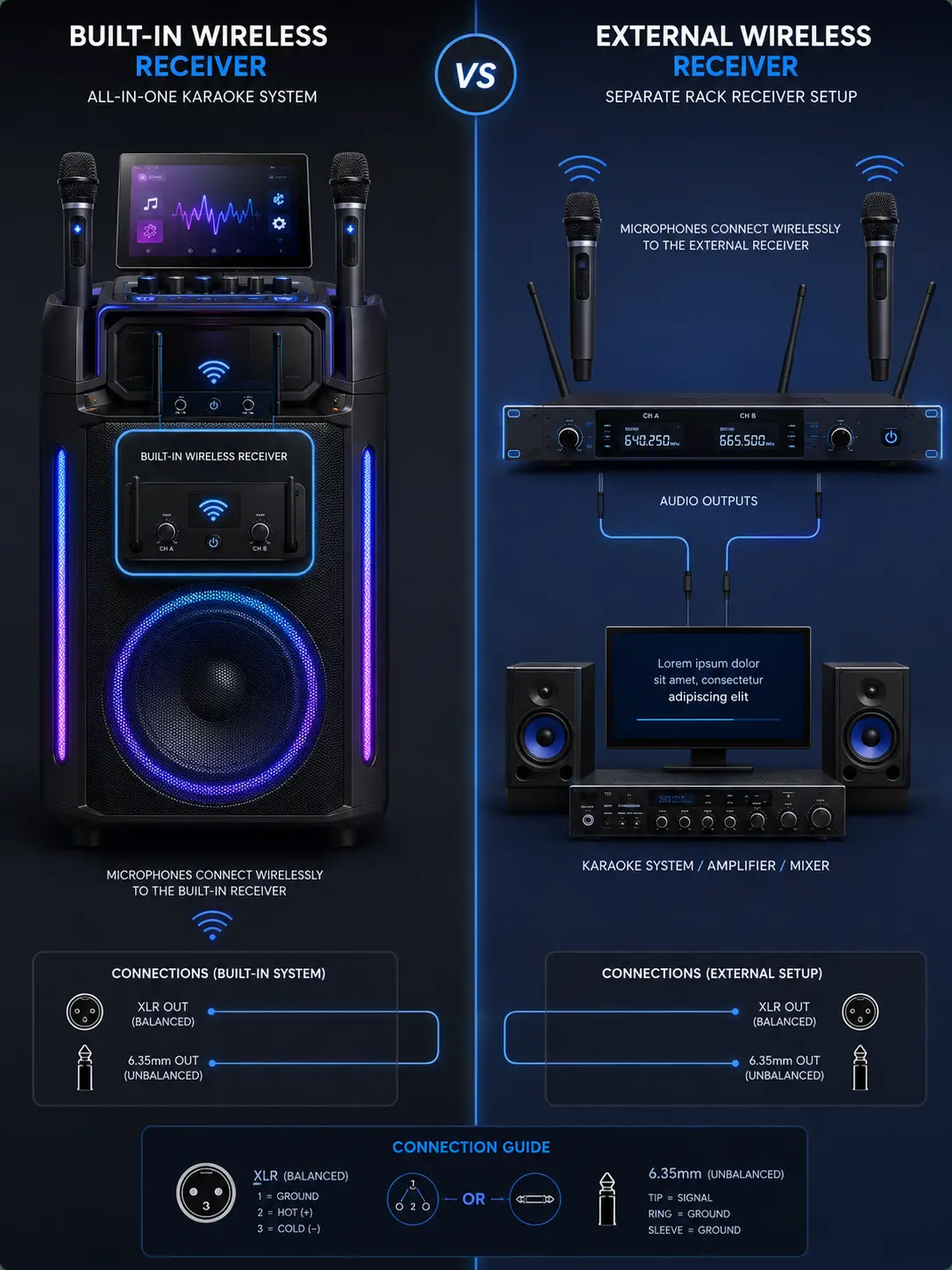
There are several common receiver designs.
Built-In Wireless Receiver
Many consumer karaoke systems place the wireless receiver inside the main unit.
You switch on the microphones and the machine handles the receiving function internally.
Potential advantages include:
- fewer external boxes;
- fewer cables;
- easier setup;
- microphones may already be paired;
- simpler storage.
The trade-off is compatibility.
A microphone designed for one integrated receiver may not work with another machine, even if both products operate in the same general frequency band.
Always check whether the manufacturer sells a compatible replacement microphone.
External Wireless Receiver
Some systems use a separate receiver.
The receiver accepts the wireless microphone signals and then connects to:
- a karaoke machine;
- a mixer;
- a powered speaker;
- an amplifier;
- another audio system.
Possible connections can include XLR or 6.35mm outputs, but the exact connector arrangement is model-specific.
Professional receivers may also provide one independent output for each wireless channel.
Compact Receiver or Dongle
Some consumer microphone kits use a smaller receiver module rather than a full rack-style receiver.
This can simplify adding wireless microphones to compatible systems, but compatibility still depends on the exact transmitter and receiver design.
Do not assume that a microphone will work simply because the connector physically fits.
2.4GHz vs UHF Karaoke Microphones
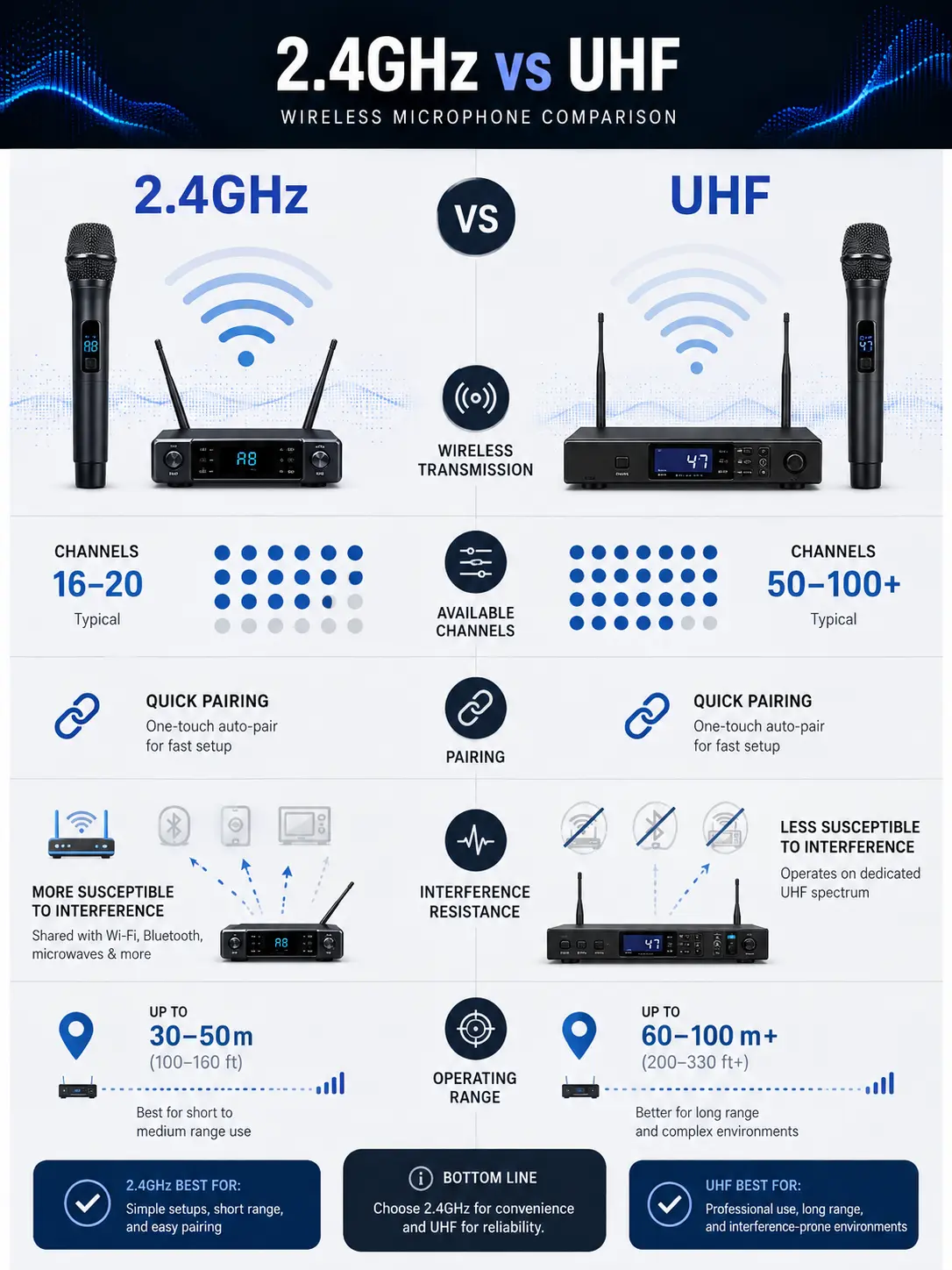
This is where many buying guides oversimplify the topic.
2.4GHz and UHF describe frequency-band characteristics. They do not automatically tell you how the microphone pairs, what range it has, whether it is professional or consumer equipment, or whether frequency selection is automatic.
A better comparison is:
| Attribute | 2.4GHz Systems | UHF Systems |
|---|---|---|
| Spectrum | Shares 2.4GHz spectrum with many common wireless devices | Operates within model- and region-specific UHF spectrum |
| Pairing method | Product-specific | Product-specific |
| Frequency selection | Can be automatic | Can be automatic or manual |
| Interference | Depends on local RF environment | Depends on local RF environment |
| Range | Model-specific | Model-specific |
| Multiple channels | Receiver/system-specific | Receiver/system-specific |
| Regulation | Usually license-free implementations, depending on region | Legal frequencies and licensing can vary by region |
The practical lesson is:
Compare the exact wireless system, not just the label “2.4GHz” or “UHF.”
2.4GHz Does Not Automatically Mean “Auto-Pairing”
Some 2.4GHz systems do pair automatically.
For example, Shure’s GLX-D+ system operates across 2.4GHz and 5.8GHz, automatically pairs transmitters and receivers, automatically scans for suitable channels, and continuously manages frequencies.
But that does not mean every microphone using 2.4GHz has the same behavior.
The pairing system is part of the product design.
UHF Does Not Automatically Mean “Manual Pairing”
The same rule applies to UHF.
Shure’s QLX-D provides automatic channel scanning and IR synchronization, allowing the receiver to find an available channel before automatically configuring the transmitter.
It can also be configured manually.
That proves an important relationship:
UHF ≠ manual-only setup
and:
2.4GHz ≠ automatic-only setup
Can UHF Wireless Microphones Have Interference?
Yes.
UHF should not be described as immune to congestion or interference.
Wireless microphone systems operate in an RF environment that may contain other wireless microphones, broadcast signals, electronic equipment, and other RF sources.
Sennheiser notes that interference can be caused by external RF signals and recommends checking or scanning for clean frequencies. It also explains that multiple wireless systems need coordinated frequencies to reduce interference between channels.
That means statements such as:
“UHF does not suffer from congestion”
are too absolute.
A more accurate comparison is:
UHF and 2.4GHz systems encounter different RF environments. Reliability depends on the exact system, frequency availability, receiver design, antennas, obstacles, nearby equipment, and local spectrum conditions.
For professional systems, frequency availability can also vary by country or region. Sennheiser specifically advises buyers to check whether their chosen frequency band is appropriate and legal for the location where the system will be used.
Automatic Pairing vs Manual Frequency Setup
Pairing deserves its own category because it is not the same thing as frequency band.
Pre-Paired Wireless Microphones
Some karaoke systems are supplied with microphones already configured for the receiver.
In everyday use, the process may be as simple as:
- Power on the karaoke machine.
- Power on the microphone.
- Wait for the existing wireless connection to become active.
This is particularly convenient in home and party systems.
Automatic Pairing
Some wireless systems automatically establish a connection between the transmitter and receiver.
Shure’s GLX-D+ is one example: compatible transmitters and receivers pair automatically, while the system manages frequency selection in the background.
Automatic Scanning and Synchronization
Some professional systems use a more advanced workflow.
Shure’s QLX-D can:
- scan for an available channel;
- assign that channel to the receiver;
- synchronize the transmitter through IR.
The user therefore does not necessarily have to manually match a frequency number.
Manual Channel or Frequency Selection
Other systems require the user to select a matching channel or frequency manually.
This is not inherently bad. Manual control can be useful in installations where several wireless systems need to be coordinated.
The important point is that manual or automatic setup must be checked from the product documentation.
One Wireless Microphone vs Two Wireless Microphones
One of the most common versions of this product category is a karaoke machine with 2 wireless microphones.
Two microphones are useful for:
- duets;
- family use;
- host-and-guest setups;
- parties;
- alternating users;
- avoiding constant microphone handoffs.
However, there are three different specifications that should not be confused.
“Includes Two Microphones”
This only tells you what is inside the box.
“Supports Two Microphones”
This indicates the system is designed for two microphones, but you still need to confirm how they connect.
“Two Simultaneous Wireless Channels”
This tells you the receiver can handle both microphone transmitters at the same time.
For a dual-microphone karaoke setup, simultaneous channel support is the meaningful technical specification.
Do not assume two microphones pictured in marketing images necessarily mean any two compatible-looking microphones can operate together.
Current Example: Singing Machine Platinum PLUS
Singing Machine’s Platinum PLUS demonstrates a consumer built-in wireless design.
The manufacturer currently lists:
- two included wireless dynamic microphones;
- 2.4GHz microphone operation;
- Bluetooth source streaming;
- built-in karaoke controls;
- optional wired microphone inputs.
Its support documentation says each included wireless microphone uses two AA batteries.
This example is useful because it demonstrates three separate attributes:
source connectivity → Bluetooth
microphone wireless system → 2.4GHz
microphone power → 2 × AA batteries per microphone
None of those attributes should be inferred from the others.
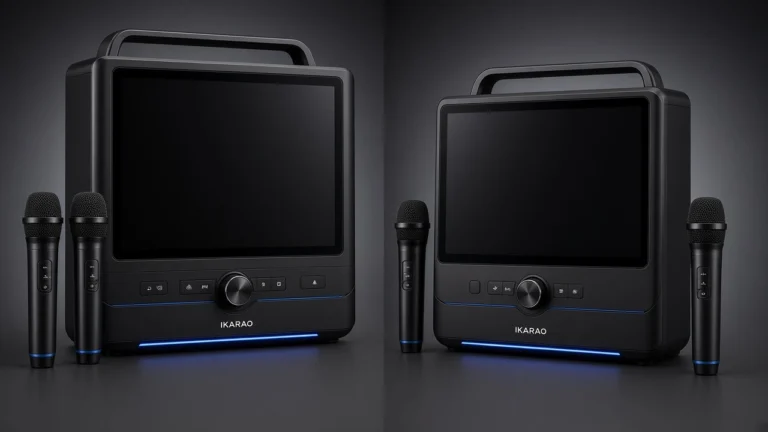
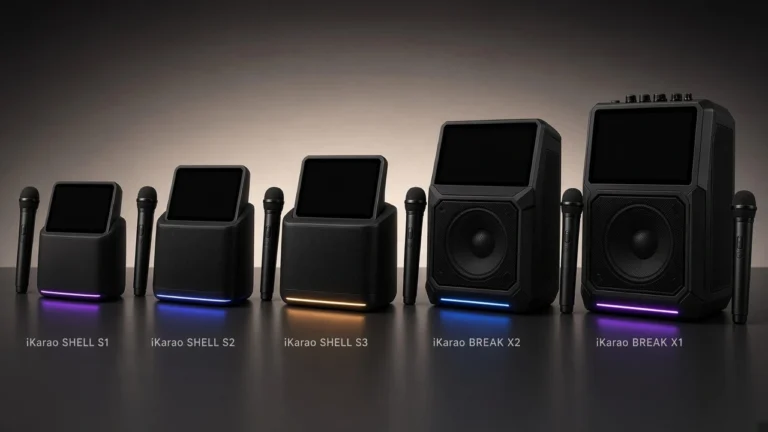
Current Example: iKarao Break X2
The iKarao Break X2 represents a different integrated approach.
iKarao says the Break X2 is supplied with two wireless microphones, while the back of the unit also supports two wired microphones, allowing up to four microphones to be used according to the manufacturer’s FAQ.
For its wireless microphone, iKarao currently states:
- manufacturer range: 10 meters;
- microphone battery: 30 hours.
Those are manufacturer claims, not measurements performed by Smart Karaoke Machine.
This illustrates why microphone battery and speaker battery should be treated separately. The same Break X2 product page gives different runtime figures for the main karaoke unit depending on screen use.
How Far Do Wireless Karaoke Microphones Work?
There is no reliable universal rule such as:
2.4GHz = 30–50 feet
or:
UHF = 100–300 feet
Operating range depends on the specific product.
Factors can include:
- transmitter power;
- receiver sensitivity;
- antenna design;
- line of sight;
- walls and obstacles;
- surrounding RF activity;
- competing wireless systems;
- receiver placement;
- interference.
Sennheiser specifically notes that physical obstacles can reduce wireless range and that RF conditions can change from one location to another.
How to Write Range Specifications Correctly
If a manufacturer says:
Range: up to 10 meters
write:
Manufacturer-stated operating range: up to 10 meters.
Do not automatically write:
Works reliably at 10 meters.
The first is a published specification.
The second implies a real-world performance test.
Microphone Battery Life Is Separate From Speaker Battery Life
This distinction matters on portable karaoke systems.
A product can have:
- rechargeable speaker battery;
- separate rechargeable microphone batteries;
- AA-powered microphones;
- charging docks;
- microphones that charge inside storage slots.
Those batteries can have completely different runtimes.
So instead of writing:
Battery life: 10 hours
a useful product record should specify:
Main unit battery:
Microphone battery:
Microphone charging method:
Number of microphones:
That avoids another common specification error.
Replaceable Batteries
Some microphones use standard batteries such as AA cells.
Potential advantages include:
- fast replacement;
- no waiting for recharging;
- easy spares.
Singing Machine’s Platinum PLUS is an example where the current support documentation specifies two AA cells per included wireless microphone.
Built-In Rechargeable Batteries
Other microphones include internal rechargeable batteries.
Check:
- manufacturer-stated runtime;
- charging connector;
- whether microphones can charge while stored;
- approximate charge time if officially provided;
- whether the battery itself is replaceable.
Charging Docks and Storage Compartments
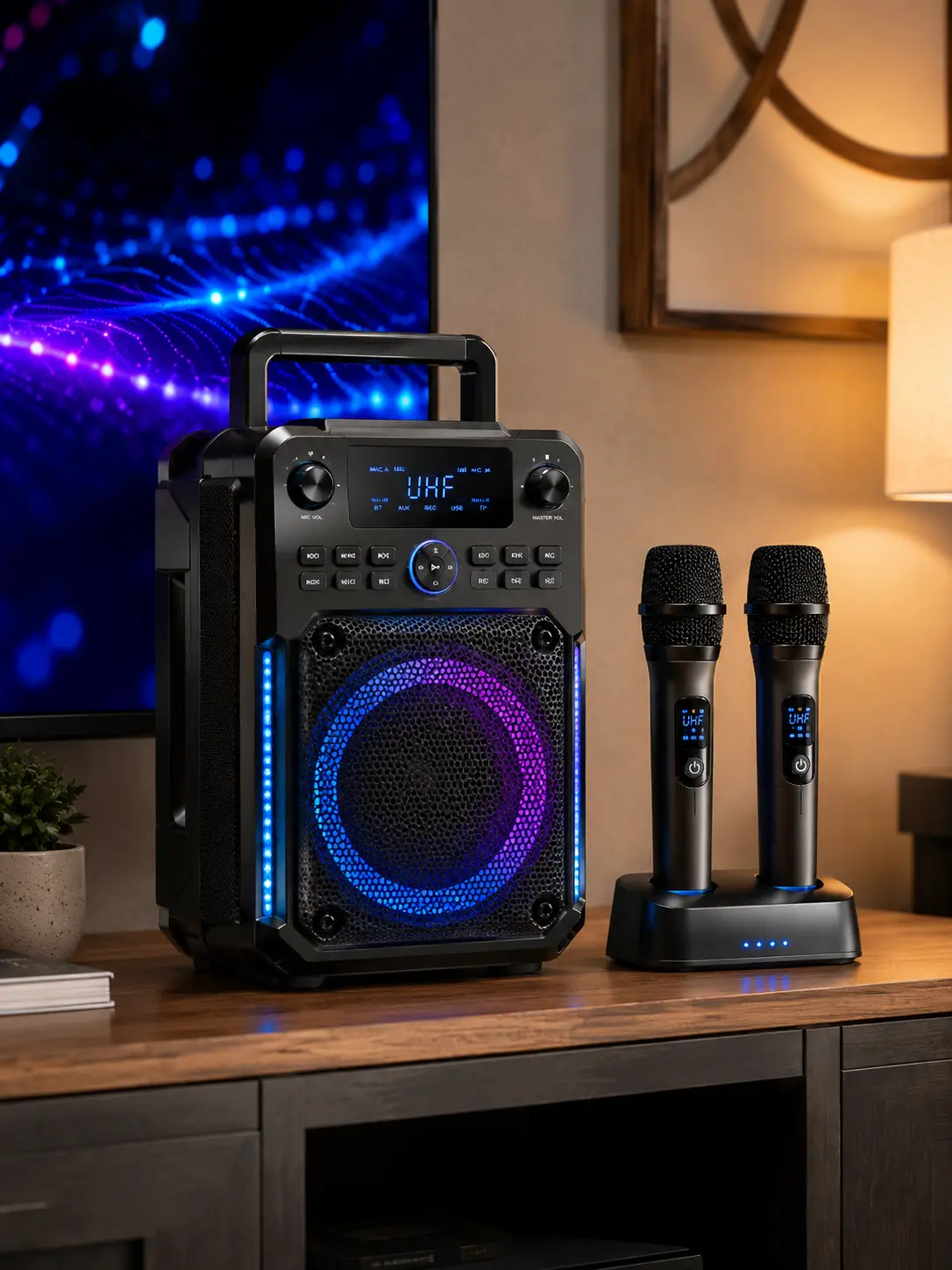
Some integrated systems store and recharge microphones inside the main unit.
This can reduce the chance of discovering that the microphones are discharged when the machine is needed, but charging design is still model-specific.
Can You Add More Wireless Microphones Later?
Sometimes, but not automatically.
A third wireless microphone cannot simply be added because it operates in the same broad frequency band.
Compatibility can depend on:
- number of receiver channels;
- supported transmitter model;
- available frequencies;
- firmware;
- pairing architecture;
- receiver design;
- regional frequency version.
For example, a receiver designed for two simultaneous channels may not support a third transmitter even if the microphone appears physically identical.
Before purchasing additional microphones, check the manufacturer’s compatibility documentation.
Questions to answer include:
Does the system support additional wireless channels?
Does the manufacturer sell replacement transmitters?
Can a replacement microphone be paired by the user?
Is the replacement specific to the product model?
Can wired microphones be added instead?
The last question can be especially useful.
Some machines with two wireless microphones also provide additional wired microphone ports.
Wireless Microphone Controls and Effects
Wireless connectivity does not determine which vocal controls are available.
Those controls are usually implemented by the mixer or digital signal processor of the karaoke machine with wireless microphones. To understand how vocal delay and spatial processing affect your singer’s voice, read our guide to the karaoke machine with echo.
Possible features include:
- microphone volume;
- echo;
- reverb;
- bass;
- treble;
- EQ;
- voice effects;
- mute;
- pitch-related processing.
A wireless microphone may also have its own buttons or controls, but this varies significantly between products.
When comparing machines, separate:
microphone transmission features
from:
microphone audio-processing features.
What to Check Before Buying a Karaoke Machine With Wireless Microphones
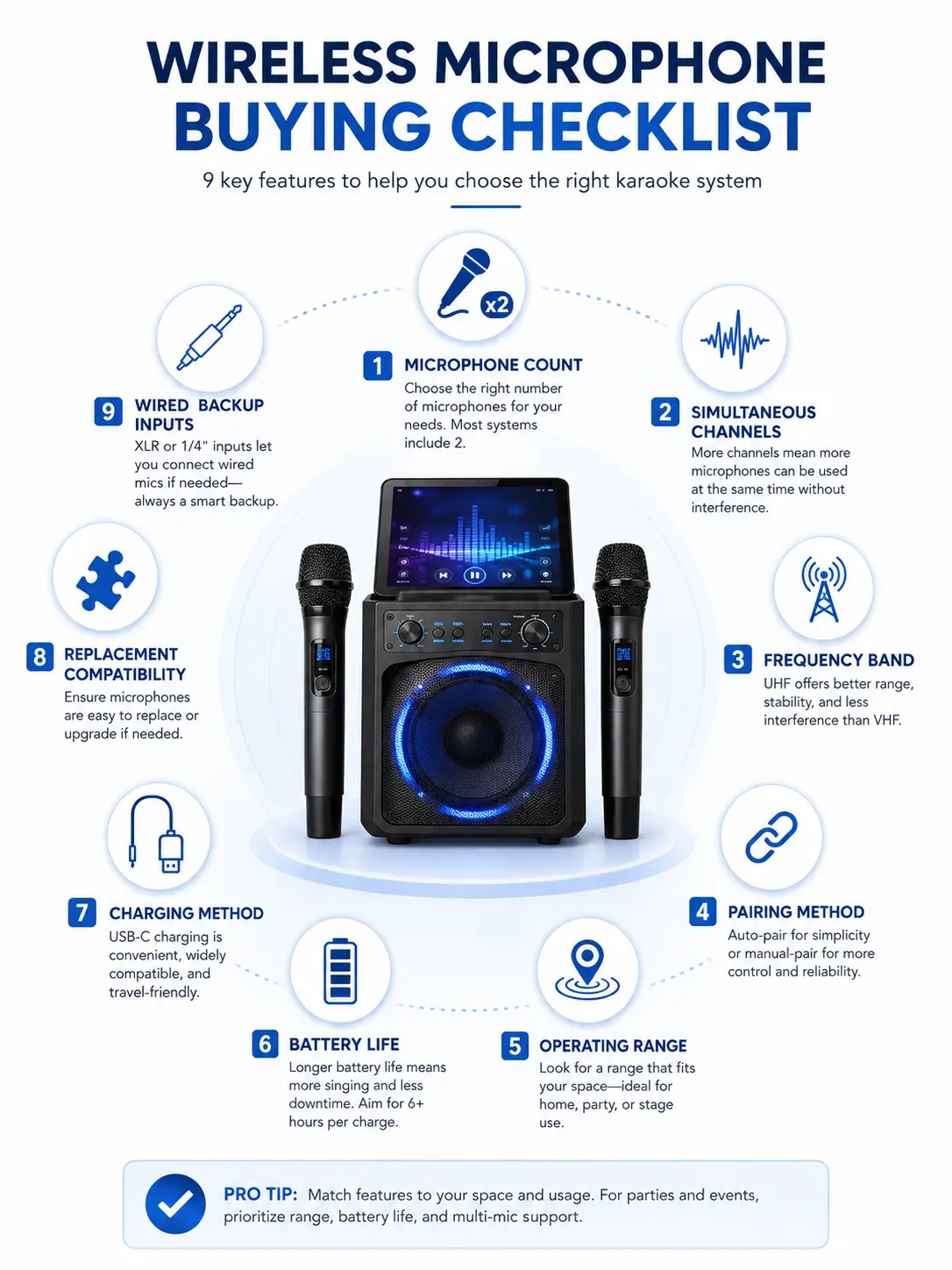
Use this checklist before choosing a system.
1. How Many Wireless Microphones Are Included?
Do not assume based on product photography.
Check the box contents.
2. Can Both Microphones Work at the Same Time?
Look for simultaneous channel support or explicit manufacturer confirmation.
3. What Wireless System Is Used?
Identify whether the manufacturer specifies:
- 2.4GHz;
- UHF;
- another band;
- proprietary digital wireless.
4. How Does Pairing Work?
Look for:
- factory pre-pairing;
- automatic pairing;
- automatic frequency scan;
- sync procedure;
- manual channel selection.
5. What Is the Manufacturer-Stated Range?
Treat range as model-specific.
Avoid comparing products solely by frequency-band label.
6. How Long Do the Microphones Run?
Check the microphone battery separately from the main unit.
7. How Do the Microphones Charge?
Possible methods include:
- disposable batteries;
- rechargeable cells;
- USB;
- charging dock;
- internal charging slot.
8. Can Replacement Microphones Be Purchased?
This matters more than it first appears.
An integrated wireless system is less useful long-term if compatible replacements cannot be obtained.
9. Can More Microphones Be Added?
Check receiver channel capacity rather than assuming expansion is possible.
10. Are Wired Microphone Inputs Included?
Wired inputs can provide a practical expansion or backup option.
11. Are Microphone Controls Independent?
Separate microphone-level controls are useful when two users have very different vocal levels.
12. Are the Frequency Bands Suitable for Your Region?
This is particularly important for professional UHF equipment because legal frequency availability varies by country.
Karaoke Machine With Two Wireless Microphones for Home Use
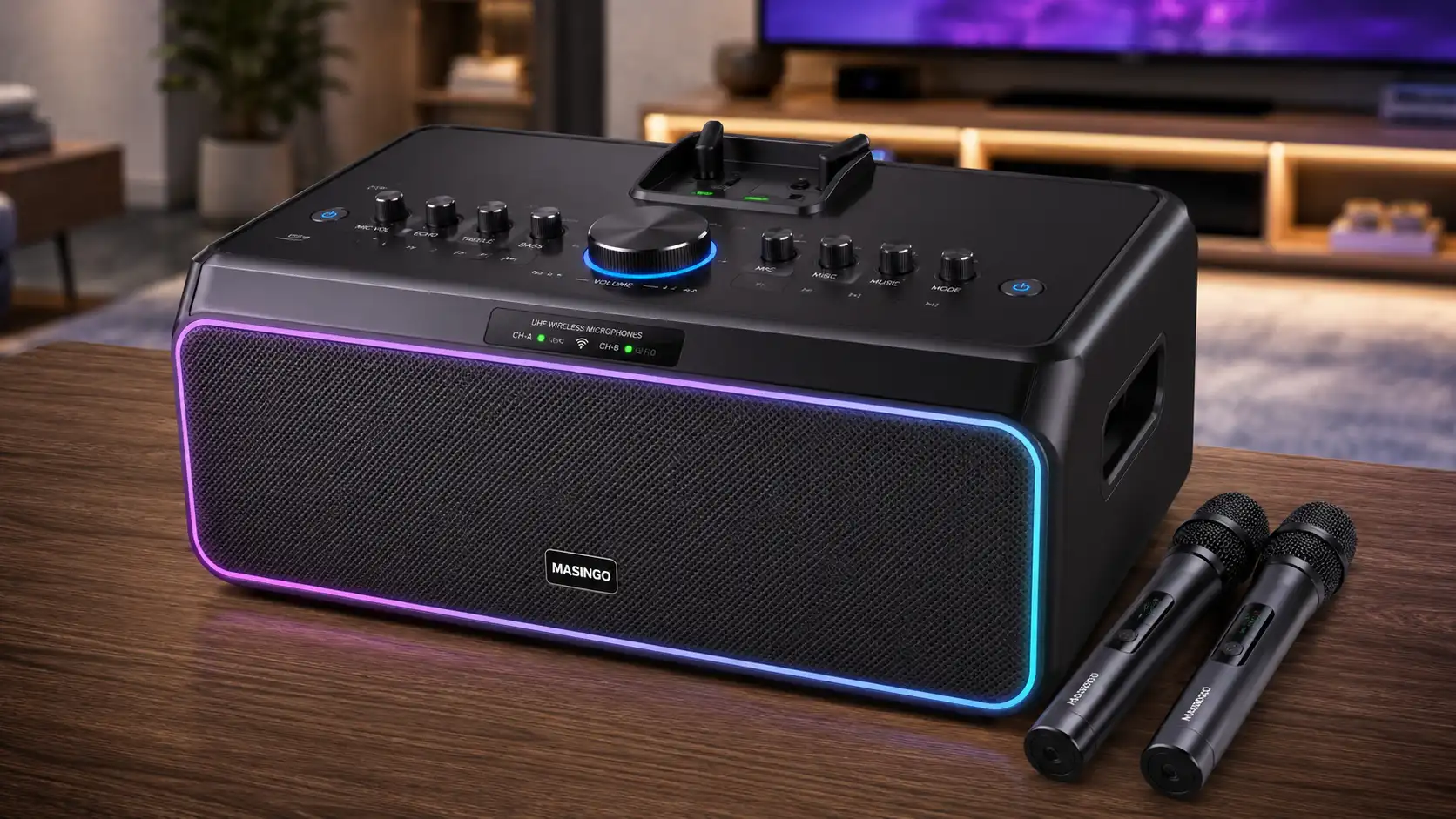
For home karaoke, convenience is usually more important than advanced frequency coordination.
Useful attributes include:
- two microphones included;
- simple pairing;
- separate mic volume;
- easy charging;
- readily available replacement microphones;
- compact storage.
A built-in receiver can make sense because there are fewer components to connect.
If several family members will use the machine, two simultaneous microphones are more useful than a single wireless microphone that must constantly be passed between users.
For broader home-system comparisons, see our best home karaoke machine guide.
Wireless Microphones for Parties
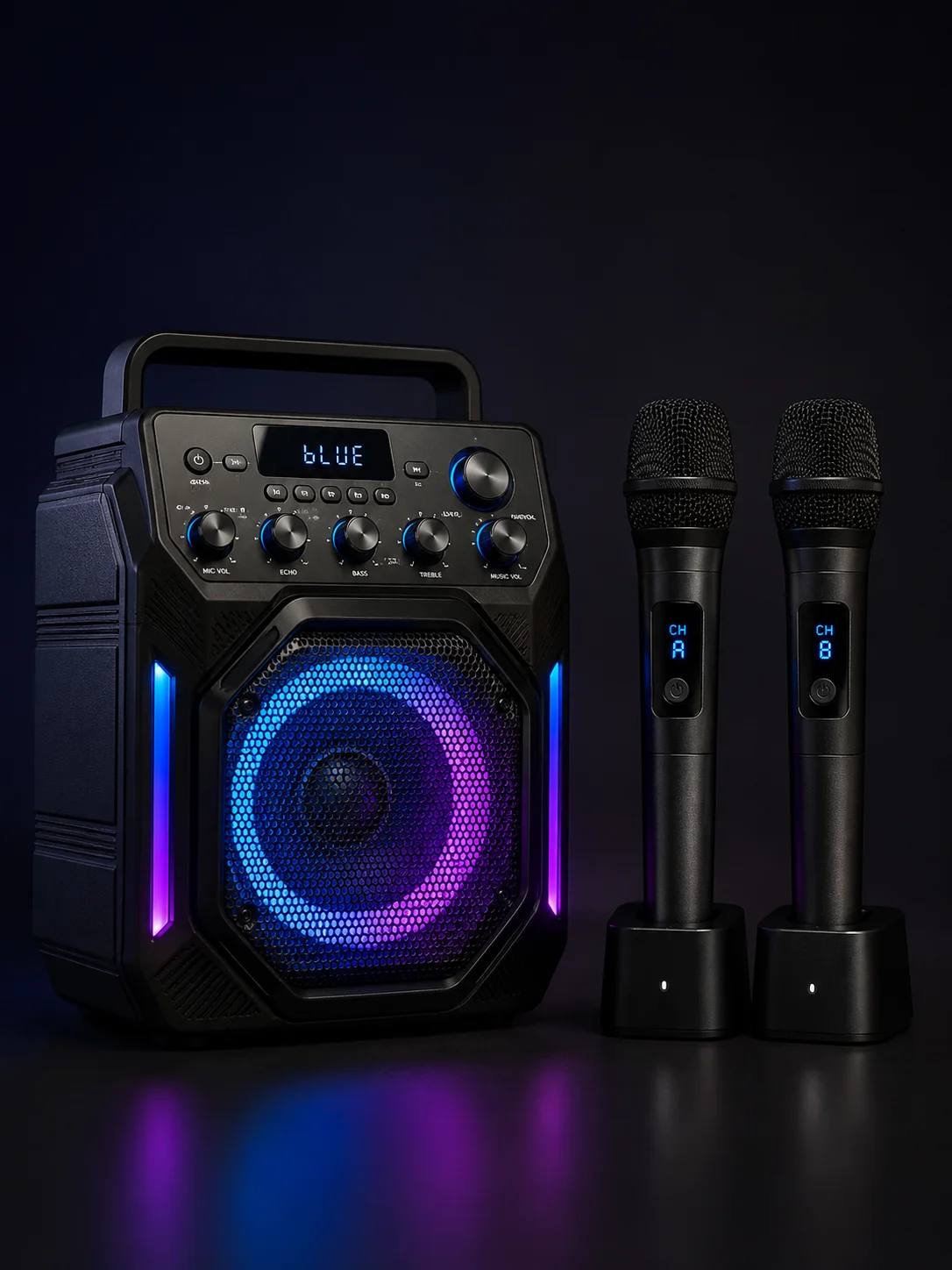
Party use increases the importance of:
- battery runtime;
- simultaneous channels;
- reliable receiver placement;
- charging convenience;
- documented operating range;
- microphone storage;
- replacement availability.
Avoid choosing solely on claimed wattage or the word UHF.
If the microphones will be used across a larger area, look for a manufacturer-stated range appropriate to that setup and remember that obstacles and local RF conditions can affect actual performance.
For portable systems, our portable karaoke machine guide covers the speaker and battery side of the setup in more detail.
Wireless Microphones for Kids
For children, simpler operation is generally preferable.
Useful attributes can include:
- pre-paired microphones;
- minimal controls;
- secure battery compartments;
- easy charging;
- durable microphone storage;
- clearly documented manufacturer age guidance.
Do not assume UHF or 2.4GHz is inherently more suitable for children.
Pairing complexity is determined by the product.
A 2.4GHz product can have complicated controls, while a UHF-based product can be designed for simple operation.
For child-specific product selection, see the best karaoke machine for kids guide.
Wireless Microphones for Professional Karaoke Systems
Professional and venue systems have different requirements from most home setups.
Important attributes may include:
- multiple simultaneous channels;
- frequency scanning;
- frequency coordination;
- independent receiver outputs;
- replaceable transmitters;
- antenna placement;
- rack-mount receiver hardware;
- regional spectrum compatibility.
Sennheiser recommends coordinating frequencies when several wireless systems operate together because competing systems can interfere with one another.
Professional equipment may also support more sophisticated automatic setup than basic consumer systems.
Shure QLX-D, for example, combines automatic channel scanning with IR transmitter synchronization.
So professional UHF should not be summarized as simply:
“manual pairing with longer range.”
For venue-oriented systems, see our best professional karaoke machine guide.
Wireless vs Wired Karaoke Microphones
Neither design is universally better.
| Feature | Wireless Microphone | Wired Microphone |
|---|---|---|
| Freedom of movement | High | Limited by cable |
| RF interference | Possible | No wireless RF link |
| Battery required | Usually | Usually not for basic dynamic microphones |
| Setup | Product-dependent | Usually direct connection |
| Replacement compatibility | May be system-specific | Often based on connector/input compatibility |
| Cable management | Easier around performer | Cable required |
| Expansion | Receiver-channel dependent | Input-count dependent |
Wireless microphones are convenient for movement and multi-user setups.
Wired microphones are mechanically simpler and can make good backups even when the main system uses wireless microphones.
Common Wireless Microphone Problems
Detailed troubleshooting belongs in a setup guide, but several issues are worth understanding before buying.
Microphone Will Not Connect
Possible causes include:
- microphone not paired;
- incorrect channel;
- depleted battery;
- incompatible transmitter;
- receiver disabled;
- system-specific configuration.
One Wireless Microphone Works but the Other Does Not
Check:
- second microphone power;
- receiver channel;
- battery;
- pairing;
- whether the system actually supports simultaneous channels.
Wireless Microphone Drops Out
Potential causes include:
- interference;
- obstacles;
- excessive distance;
- antenna placement;
- competing wireless systems;
- poor receiver location.
Sennheiser notes that changing RF environments and external signals can produce interference or dropouts, which is why frequency scanning and coordination can matter.
Replacement Microphone Will Not Pair
The replacement may not be compatible with the receiver.
Matching frequency-band wording alone is not enough.
For detailed steps, see our karaoke machine microphone setup guide.
Four Wireless Microphone Buying Mistakes to Avoid
Mistake 1: Assuming “Bluetooth” Describes the Microphones
Bluetooth may only refer to phone-to-speaker streaming.
Check the microphone specification separately.
Mistake 2: Assuming Two Included Mics Means Unlimited Expansion
A two-channel receiver cannot automatically support three or four wireless transmitters.
Mistake 3: Treating Frequency Band as the Pairing Method
2.4GHz does not automatically mean auto-pairing.
UHF does not automatically mean manual setup.
Mistake 4: Treating Speaker Battery as Microphone Battery
A portable karaoke machine with wireless microphones can have several independent batteries with different runtimes.
Frequently Asked Questions
Do karaoke machines come with wireless microphones?
Yes, many karaoke machines include one or two wireless microphones, while others only support optional microphones. Check the manufacturer’s box contents because wireless capability does not always mean the microphones are included.
Is UHF better than 2.4GHz for karaoke microphones?
Neither is universally better. Compare the exact product’s frequency management, operating range, channel capacity, interference handling, and regional compatibility rather than choosing solely by band.
Do 2.4GHz karaoke microphones pair automatically?
Some do, but not because automatic pairing is inherent to 2.4GHz. Pairing behavior is determined by the microphone and receiver design.
Do UHF microphones require manual pairing?
Not always. Some UHF systems provide automatic channel scanning and transmitter synchronization; Shure QLX-D is one example.
Can two wireless microphones work simultaneously?
Yes, if the karaoke machine with wireless microphones or its receiver supports two simultaneous wireless channels. Verify the exact manufacturer specification.
Can I add a third wireless microphone?
Only if the receiver supports another compatible channel and transmitter. A microphone operating in the same broad frequency band is not automatically compatible.
How far do wireless karaoke microphones work?
There is no universal range based only on 2.4GHz or UHF. Use the manufacturer’s stated range for the exact model and remember that obstacles and RF conditions can affect performance.
Is Bluetooth used for wireless karaoke microphones?
Sometimes different wireless technologies may be used in microphone systems, but the Bluetooth specification on a karaoke machine often refers to audio streaming from a phone or tablet. Check the microphone connection separately.
Do wireless microphones need batteries?
Yes, wireless microphone transmitters require power. Depending on the model, they may use replaceable batteries or an internal rechargeable battery.
Can I use any wireless microphone with a karaoke machine?
Usually not. Wireless microphones must be compatible with the receiver or wireless architecture used by the karaoke system.
Is a built-in wireless receiver better than an external receiver?
A built-in receiver is usually simpler for home use, while an external receiver can provide more flexibility, channel control, outputs, and replacement options. The better design depends on the intended setup.
Final Takeaway
A karaoke machine with wireless microphones should be evaluated as more than a speaker bundled with cordless mics. The microphone count, receiver architecture, frequency band, pairing method, simultaneous channel capacity, range, battery system, and replacement compatibility are separate specifications.
The most important rule is:
Frequency band does not determine pairing method, and pairing method does not determine range.
A 2.4GHz microphone can use automatic pairing and frequency management, while a UHF system can also provide automatic scanning and synchronization. Both types can encounter interference depending on the equipment and RF environment.
For most home buyers, prioritize two genuinely simultaneous microphones, simple pairing, easy charging, and replacement availability. For larger or professional installations, add frequency coordination, channel capacity, receiver outputs, antenna design, and regional spectrum compatibility to the checklist.
That approach gives you a much more useful comparison than simply choosing between labels such as “UHF” and “2.4GHz.”