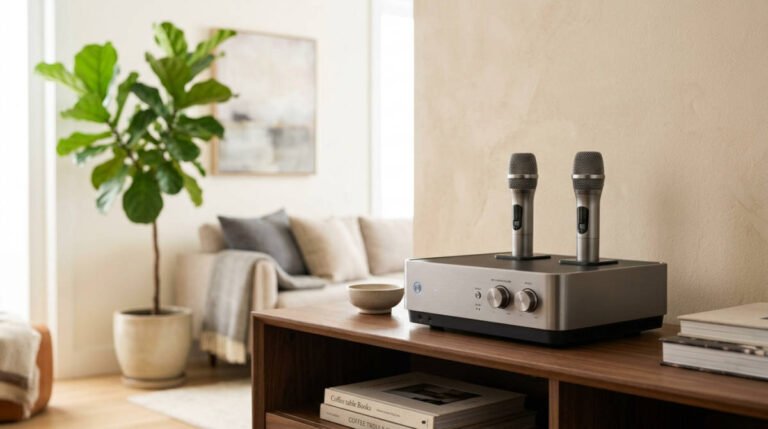
JBL PartyBox Encore Essential 2 Review: Is It Good for Karaoke?
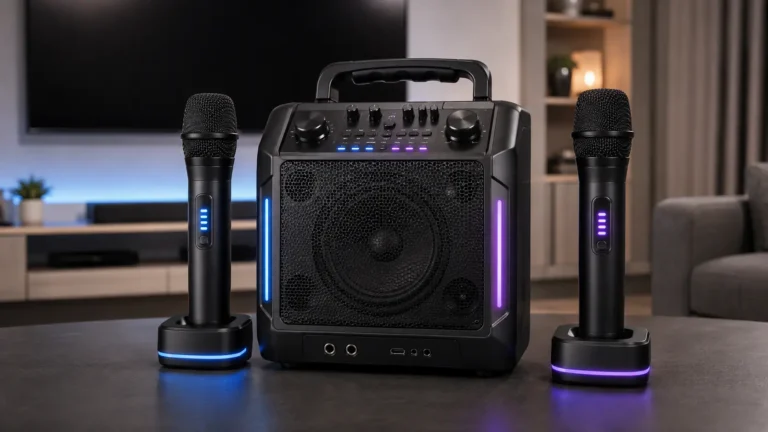
The JBL PartyBox Encore Essential 2 is a portable Bluetooth party speaker featuring 100W RMS output, up to 15 hours of battery life, Bluetooth 5.4, Auracast connectivity, and a dynamic LED lightshow. It also supports external microphones, making it a practical option for buyers who want a portable speaker that can double as a karaoke system.
However, there is one important detail to understand before buying: the Encore Essential 2 does not include microphones.
Unlike certain microphone-bundled versions of the JBL PartyBox Encore 2, the Essential 2 requires a compatible wired microphone or a separately purchased wireless microphone system.
It also has one shared, switchable audio input rather than two independent microphone sockets. JBL confirms that its separately sold wireless microphone set can provide two wireless microphones through that single connection.
For buyers who value portability, the Encore Essential 2 offers several advantages over JBL’s much larger PartyBox speakers. It has a rechargeable battery, an integrated carrying handle, splash resistance, and a relatively compact cabinet.
But is it worth purchasing for karaoke, or would a microphone-bundled alternative make more sense?
This JBL PartyBox Encore Essential 2 review examines its specifications, microphone compatibility, battery life, wireless features, connections, and limitations to help answer that question.
Research disclosure: This review is based on JBL’s official specifications, owner’s manual, quick-start guide, and microphone compatibility documentation. No physical product testing or independent acoustic measurements were performed.
JBL PartyBox Encore Essential 2 Specifications
| Specification | JBL PartyBox Encore Essential 2 |
|---|---|
| Speaker type | Portable rechargeable party speaker |
| Output power | 100W RMS (IEC 60268) |
| Woofer | One 5.25-inch (135mm) |
| Tweeters | Two 0.75-inch (20mm) dome tweeters |
| Frequency response | 40Hz–20kHz (-6dB) |
| Signal-to-noise ratio | Greater than 80dB |
| Bluetooth version | 5.4 |
| Wireless speaker linking | Auracast |
| Microphone connection | One shared, switchable audio input |
| Microphones included | No |
| Wireless microphone support | Up to two with a compatible separate receiver set |
| Additional instrument support | Available through the shared input |
| AUX input | 3.5mm |
| USB connection | USB-C |
| Battery capacity | 34Wh lithium-ion |
| Battery life | Up to 15 hours |
| Charging time | Less than 3.5 hours with speaker off |
| Replaceable battery | Yes, documented by JBL |
| Companion app | JBL PartyBox |
| Lightshow | Dynamic LED lighting |
| Audio processing | AI Sound Boost |
| Water resistance | IPX4 splash resistant |
| Dimensions | 31.95 × 34.2 × 26.04cm |
| Weight | 6.2kg / 13.67lb |
| US price | $329.95, checked November 4, 2026 |
These specifications are based on JBL’s published documentation. Actual battery runtime, wireless performance, and listening experience depend on operating conditions.
What Is the JBL PartyBox Encore Essential 2?
The PartyBox Encore Essential 2 is a compact, battery-powered entertainment speaker designed for portable audio playback and gatherings.
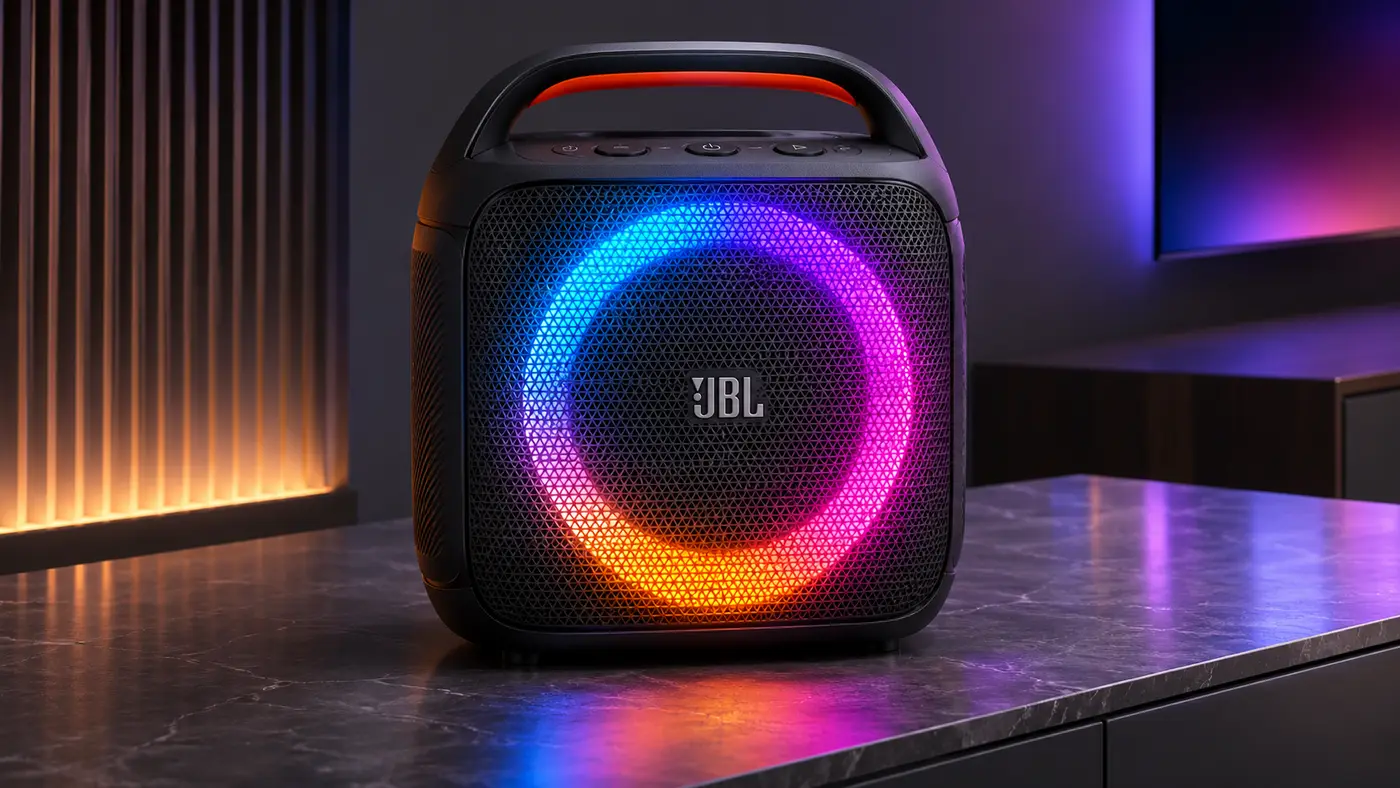
It combines a three-driver speaker system with Bluetooth connectivity, lighting effects, Auracast speaker pairing, and a physical audio connection that supports a compatible microphone.
Unlike the larger JBL PartyBox Ultimate, which requires an electrical outlet, the Encore Essential 2 can operate from its rechargeable battery.
That makes it more suitable for situations where users want to move a speaker between rooms or use it away from a permanent power connection.
For karaoke, the Encore Essential 2 provides a way to combine an external audio source with microphone input.
However, it is not a complete all-in-one karaoke machine.
It does not include:
- A handheld microphone
- An integrated lyrics display
- A built-in karaoke content library
- A documented automatic vocal-removal feature
Its main appeal is therefore portable speaker versatility with optional karaoke functionality.
JBL PartyBox Encore Essential 2 Price
JBL’s official US website listed the PartyBox Encore Essential 2 at $329.95 when checked on November 4, 2026.
That is the speaker’s advertised price, not the cost of a complete karaoke setup.
Because no microphones are included, buyers who want to perform will need additional equipment.
Depending on the intended setup, that may include a compatible wired microphone, a wireless microphone kit, or a separate device for displaying lyrics.
This matters when comparing the Encore Essential 2 with the microphone-bundled JBL PartyBox Encore 2.
JBL listed the PartyBox Encore 2 – 2 Mics variant at $439.95 on the same date, although that particular listing was shown as sold out.
The difference between the two listed prices was $110.
Whether the Encore Essential 2 represents better value depends on the cost of the microphones you need and whether you already own compatible accessories.
JBL PartyBox Encore Essential 2 Spec Sheet
Read the official JBL PartyBox Encore Essential 2 specification sheet below, or download the PDF for offline reference. The full owner’s manual (PDF) is also available.
What Comes in the Box?
JBL’s official package list includes:
- JBL PartyBox Encore Essential 2 speaker
- AC power cord
- Quick-start guide
- Safety instructions and warranty documentation
The power-cord type varies by region.
No wired or wireless microphone is included in the standard package.
A USB-C cable and 3.5mm AUX cable are also not listed among the standard accessories.
This makes the Essential 2 different from microphone-bundled Encore models.
A buyer who wants a complete karaoke setup immediately after opening the box should consider the additional accessories required.
JBL PartyBox Encore Essential 2 Sound System
The Encore Essential 2 uses a three-driver arrangement.
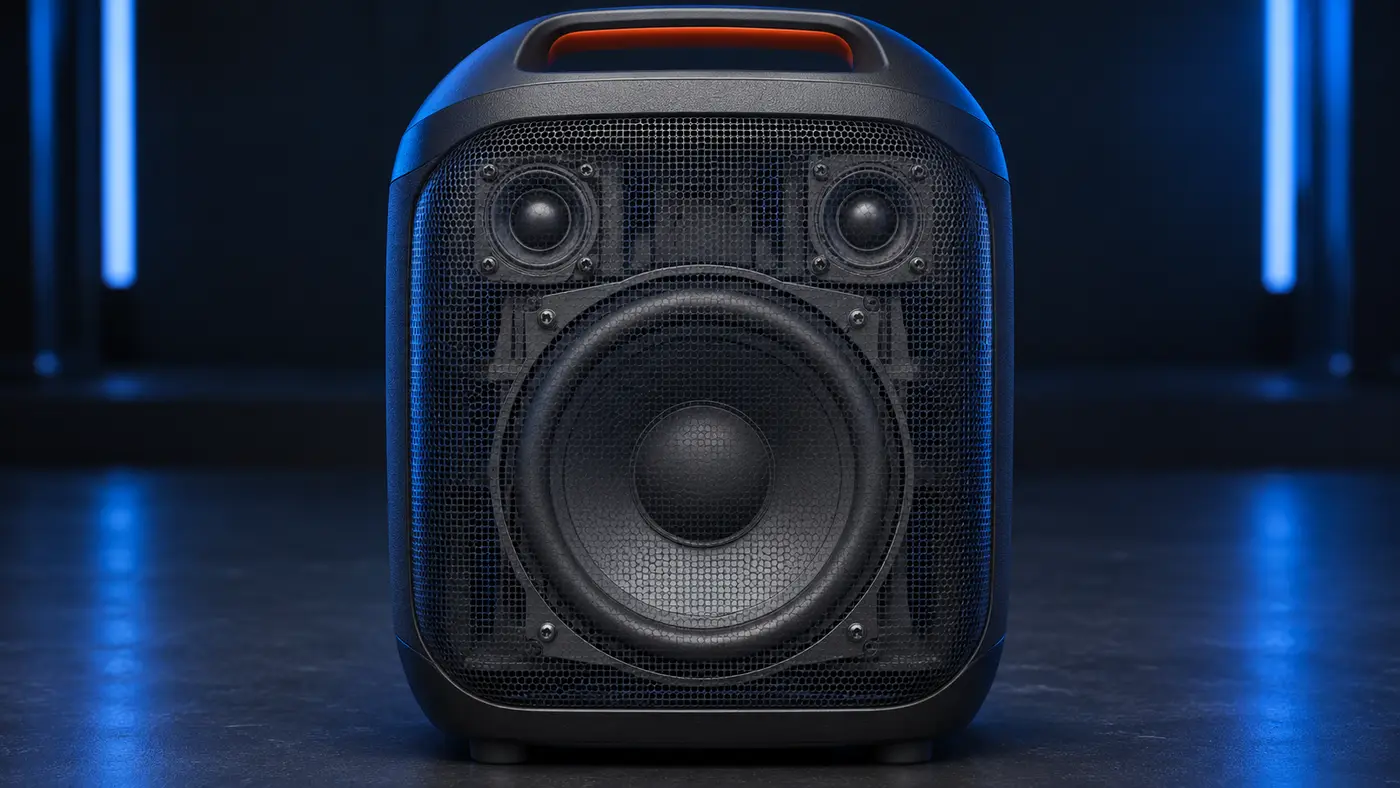
JBL specifies:
- One 5.25-inch woofer
- Two 0.75-inch dome tweeters
The woofer handles lower-frequency reproduction, while the tweeters reproduce higher frequencies.
The manufacturer lists a frequency response of 40Hz–20kHz (-6dB) and a signal-to-noise ratio above 80dB.
Those specifications describe the speaker’s technical design, but they are not independent measurements of how it performs in a particular room.
The listening experience also depends on the source, playback level, speaker placement, and surrounding environment.
What Does 100W RMS Mean?
JBL rates the Encore Essential 2 at 100W RMS under IEC 60268.
This is important because audio equipment is sometimes promoted using peak-power figures that cannot be compared directly with RMS ratings.
The published 100W RMS specification should not be interpreted as a guaranteed sound-pressure level or a promise that the speaker will cover a particular audience size.
A speaker’s acoustic performance depends on much more than its electrical output rating.
For karaoke buyers, microphone placement and input gain also influence how usable the system will be at higher listening levels.
What Is JBL AI Sound Boost?
The Encore Essential 2 includes JBL’s AI Sound Boost technology.
According to JBL, AI Sound Boost processes audio to help maintain clearer output with less distortion as playback demands increase.
It is presented as an audio-output enhancement feature.
However, it should not be confused with EasySing AI, which JBL advertises on the larger PartyBox Ultimate 2.
These technologies serve different purposes.
AI Sound Boost is intended to improve speaker output behavior.
EasySing is designed to reduce the original lead vocal in playback audio.
The Encore Essential 2 does not have a documented built-in EasySing vocal-removal feature.
This distinction is particularly important for karaoke buyers who may see AI terminology across different JBL PartyBox models and assume the functions are equivalent.
Is the JBL PartyBox Encore Essential 2 Good for Karaoke?
Yes, the JBL PartyBox Encore Essential 2 can be used for karaoke, but it requires a separately purchased microphone or compatible wireless microphone system.
JBL’s owner’s manual confirms that the speaker can mix microphone input with audio from a connected playback source.
For example, a compatible phone can provide backing audio through Bluetooth while a microphone connects through the speaker’s shared input.
The speaker then reproduces the combined audio.
That makes it useful for casual karaoke arrangements without a separate mixer.
However, there are several limitations.
First, the standard package does not contain a microphone.
Second, the speaker has one physical input that can be switched between microphone and instrument modes.
Third, it does not provide a built-in lyrics display.
Finally, JBL does not document automatic vocal removal as a built-in feature.
For occasional karaoke sessions, these limitations may be manageable.
For someone who wants a complete karaoke system with microphones included, a microphone-bundled product may be more convenient.
Does JBL PartyBox Encore Essential 2 Come With a Microphone?
No.
Neither wired nor wireless microphones are included in the standard package.
JBL lists compatible wireless microphone accessories separately.
This is one of the most important differences between Encore Essential 2 and the two-microphone version of Encore 2.
Having a microphone input does not mean a microphone is supplied.
It also does not mean the speaker contains a built-in wireless receiver for every microphone product.
For wireless use, the receiving equipment must be compatible.
How Many Microphone Inputs Does the Encore Essential 2 Have?
The Encore Essential 2 has one physical shared audio input that supports microphone operation.
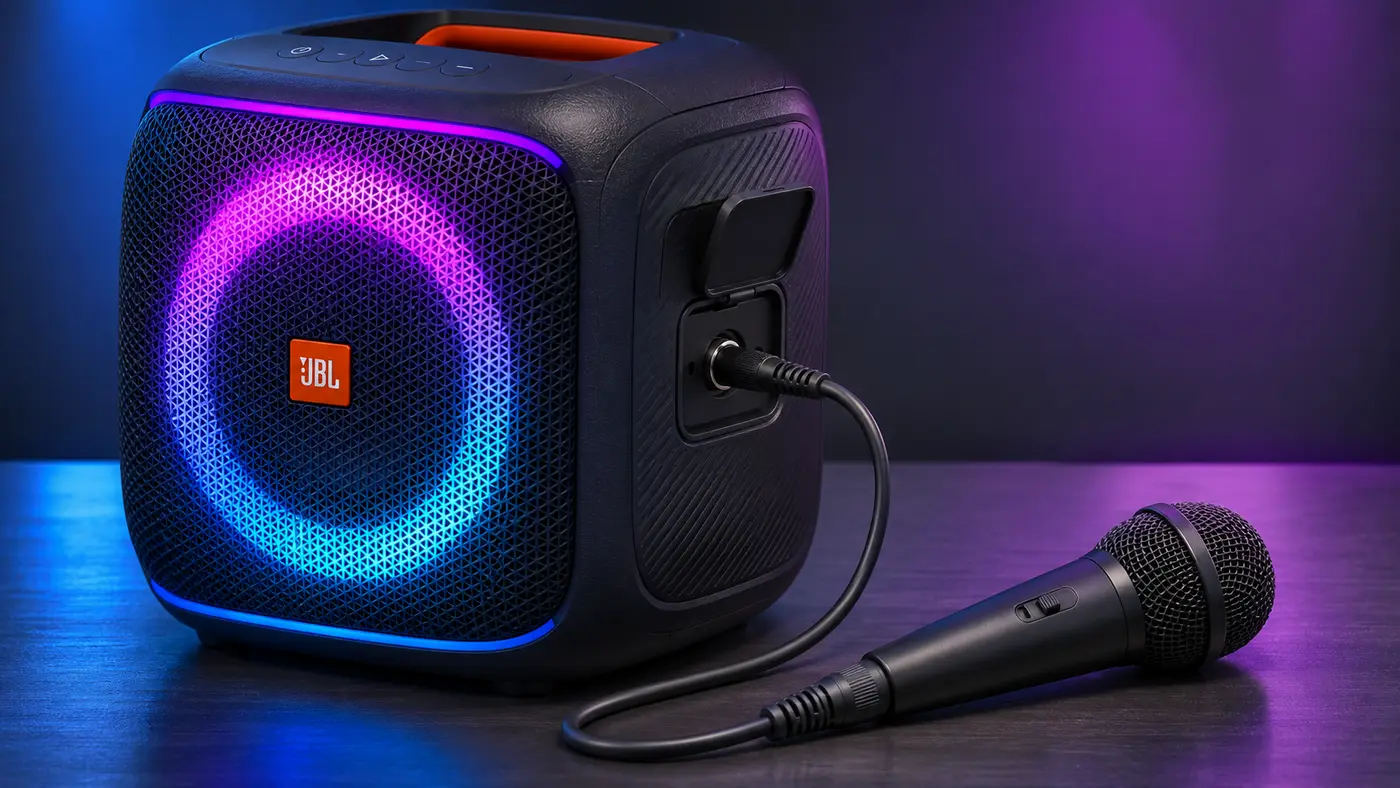
JBL’s owner’s manual illustrates a single socket with a selector switch.
The rear panel also includes:
- Input gain control
- Input volume control
- Source-mode selector
The selector determines how the shared connection operates.
This matters because JBL’s marketing describes support for different audio equipment, but the hardware does not provide two independent sockets for those functions.
The speaker supports different connection types through its shared input.
Can You Connect a Microphone and Another Instrument at the Same Time?
The documented physical layout does not provide separate microphone and instrument input sockets for simultaneous independent wired connections.
Instead, users select the appropriate mode for the shared connector.
If your setup requires independent microphone and instrument channels at the same time, the Encore Essential 2’s onboard connection arrangement may not be sufficient.
A separate compatible mixer or a speaker with additional independent inputs may be needed.
Can You Connect Two Microphones to JBL PartyBox Encore Essential 2?
Yes, JBL supports two wireless microphones when using its separately sold compatible wireless microphone set.
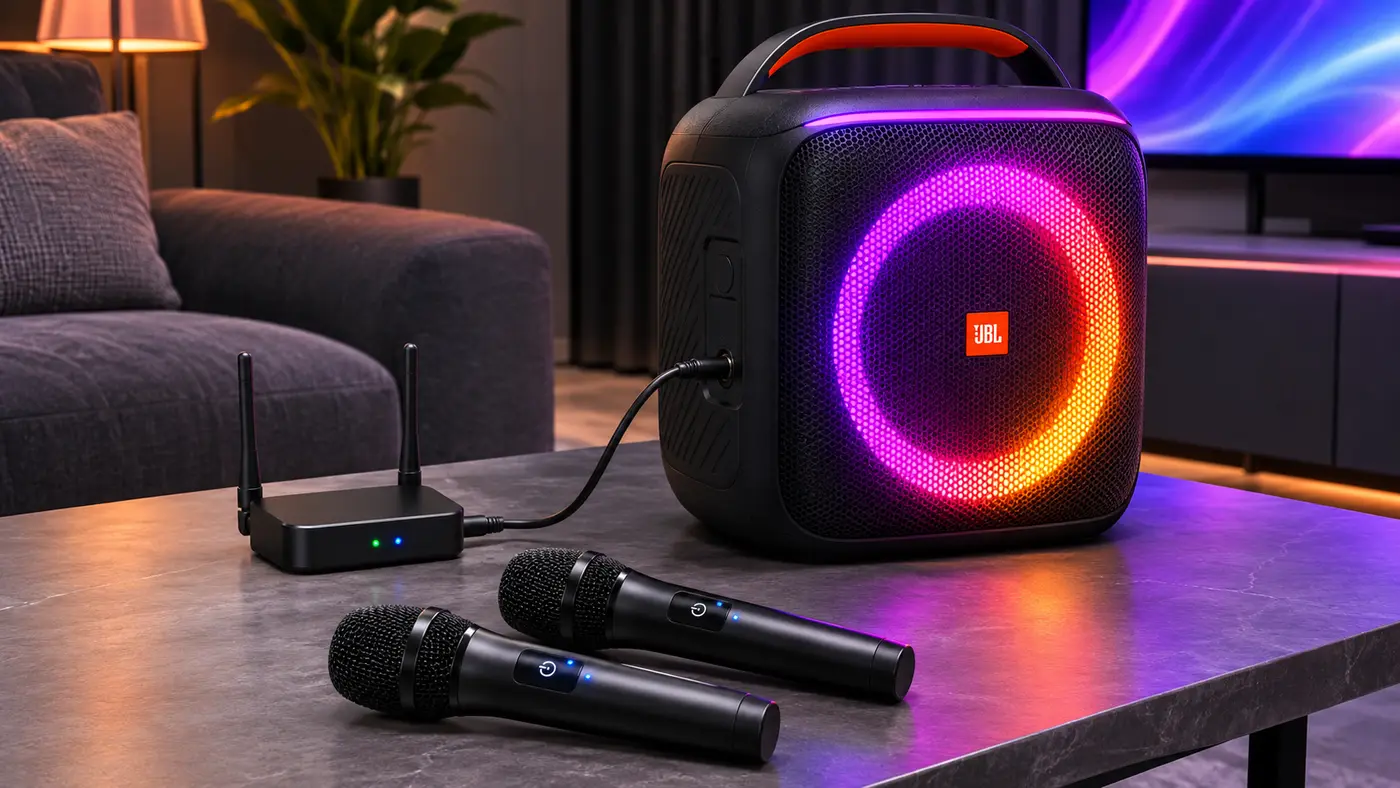
The important detail is how those microphones connect.
JBL’s support documentation identifies the Encore Essential 2 among models supporting:
One wired microphone OR two wireless microphones through a compatible wireless receiver.
The wireless receiver connects to the speaker’s microphone input.
Both wireless microphones communicate with that receiver.
The speaker itself still uses its single physical microphone connection.
Microphone Compatibility
| Microphone setup | JBL-documented support |
|---|---|
| One compatible wired microphone | Yes |
| Two wireless microphones with compatible JBL receiver | Yes |
| Two independent wired microphone sockets | No |
| One wired microphone plus separate instrument through independent onboard inputs | Not documented |
| Two wireless microphones plus a third wired microphone | Not listed as supported |
This is an important difference from certain larger JBL PartyBox speakers that have additional microphone connections.
How Do Wireless Microphones Connect?
The signal route is:
Wireless microphones → wireless receiver → Encore Essential 2 microphone input
This is not the same as connecting a Bluetooth phone.
Bluetooth 5.4 provides wireless audio playback compatibility, but it does not automatically allow every wireless microphone to pair directly.
The microphone kit’s receiver handles communication between the microphones and the speaker.
For specific compatibility information, use JBL’s current wireless microphone support guide.
How to Connect a Wired Microphone
The official owner’s manual documents a straightforward connection process.
- Turn down the microphone volume before making the connection.
- Connect a compatible microphone to the shared input socket.
- Set the selector to microphone mode.
- Turn on the microphone if it requires power.
- Start audio playback from a compatible source.
- Increase microphone volume gradually.
- Adjust the microphone gain as needed.
The manual recommends setting the input volume to its minimum level before connecting or disconnecting equipment.
This helps avoid unexpected loud output.
For karaoke, microphone placement is also important.
Keeping the microphone away from the speaker’s direct output path can help reduce feedback.
Microphone Gain vs Volume
The Encore Essential 2 includes gain and volume adjustments for its shared audio input.
These controls serve different purposes.
Gain adjusts the sensitivity of the incoming signal.
Volume changes the level at which that signal is reproduced.
Excessive input gain can make a microphone signal too strong even when the overall speaker volume is moderate.
A practical approach is to begin at a low level, adjust gain conservatively, and then raise the microphone volume to balance it with the backing audio.
JBL also advertises karaoke EQ tuning, although its basic owner’s manual does not establish the same extensive microphone-control arrangement used by every other PartyBox model.
Do not assume the Encore Essential 2 provides identical echo, bass, and treble controls to every microphone-bundled Encore variant.
Can You Connect an Instrument?
Yes.
The speaker’s shared input supports a compatible instrument when switched to the appropriate mode.
The official specification sheet lists different input sensitivities for microphone and instrument operation.
The published figures are:
| Input type | Manufacturer specification |
|---|---|
| Microphone | 20mVrms |
| Instrument | 100mVrms |
These different sensitivities help explain why the input-mode setting matters.
The appropriate mode should be selected according to the connected equipment.
If you need independent microphone and instrument operation at the same time, confirm whether your setup requires an external mixer or a speaker with separate input connections.
Does JBL PartyBox Encore Essential 2 Remove Vocals?
The official Encore Essential 2 specifications do not document built-in automatic lead-vocal removal.
JBL advertises AI Sound Boost on this model, but that feature concerns audio output rather than separating an existing vocal from a recording.
For karaoke, users can instead provide prepared instrumental backing audio from a compatible external source.
This distinction matters when comparing the Encore Essential 2 with the more expensive JBL PartyBox Ultimate 2, which advertises EasySing AI lead-vocal reduction.
Do not assume the smaller Essential 2 has the same processing capability simply because both models mention AI.
Does Encore Essential 2 Have a Lyrics Screen?
No integrated lyrics display is documented.
The Encore Essential 2 is an audio speaker with physical controls and lighting effects.
It does not include an integrated touchscreen for selecting or displaying karaoke lyrics.
If you want lyrics visible, use a separate phone, tablet, computer, or television.
The speaker can handle compatible audio playback while the external device provides the visual interface.
There is also no documented HDMI video output for sending lyrics from the speaker to a TV.
How to Connect JBL PartyBox Encore Essential 2 to a TV
The Encore Essential 2 does not have the optical TV input found on the larger PartyBox Ultimate 2.
However, a compatible television may still send audio to it.
The practical options depend on the TV’s available audio outputs.
Option 1: Bluetooth Audio
If the television supports Bluetooth audio output:
- Turn on the Encore Essential 2.
- Put the speaker into Bluetooth pairing mode.
- Open the TV’s Bluetooth audio settings.
- Select the JBL speaker.
- Confirm audio playback through the PartyBox.
Not every television supports Bluetooth speaker output.
Some TVs use Bluetooth only for remotes or accessories.
Bluetooth audio delay may also cause synchronization differences between the television picture and speaker output.
Option 2: 3.5mm AUX Connection
If the television has a compatible analog audio output:
- Connect a suitable 3.5mm audio cable to the television’s output.
- Connect the other end to the Encore Essential 2 AUX input.
- Select the relevant TV audio-output option.
- Start playback and adjust the speaker volume.
The AUX cable is not included in the standard package.
A TV’s headphone output and line output may behave differently, so follow the television manufacturer’s instructions.
What About HDMI?
The Encore Essential 2 does not have a documented HDMI input or output.
An HDMI cable cannot be connected directly to its AUX port.
If your television offers only HDMI ARC/eARC for external audio, a compatible audio adapter may be necessary.
The exact arrangement should be verified before purchasing additional equipment.
Bluetooth 5.4 Connectivity
JBL specifies Bluetooth version 5.4.
The owner’s manual identifies the Bluetooth device name as:
JBL PartyBox ENC ESS 2
To connect a compatible phone or tablet:
- Turn on the speaker.
- Enter Bluetooth pairing mode.
- Open Bluetooth settings on the playback device.
- Select JBL PartyBox ENC ESS 2.
- Confirm the connection.
- Start playback.
The manual also documents multipoint support, allowing a second Bluetooth source device to be paired without disconnecting the first.
That can be convenient when several people want to provide playback audio.
However, Bluetooth 5.4 does not guarantee zero latency, unlimited range, or compatibility with arbitrary wireless microphones.
For karaoke, the playback connection and microphone connection remain separate parts of the setup.
USB-C and AUX Connections
The Encore Essential 2 includes USB-C and 3.5mm AUX connections.
These expand the available playback and device options beyond Bluetooth.
USB-C Functions
JBL’s owner’s manual documents USB-C connectivity for:
- Compatible audio playback
- Connection to computers, tablets, and certain mobile devices
- Recording microphone or instrument input
- Charging compatible external devices
- USB storage playback in supported regions
One important restriction is that USB storage playback is not documented for EMEA-region variants in the same way as other regions.
The listed file formats include MP3, WAV, and FLAC for the supported USB-storage function.
This should not be presented as a guarantee that every USB device and file format will work in every region.
USB Charging
JBL specifies charging output up to 11V/2A, subject to the documented operating conditions.
The technical information identifies the speaker-off mode for this charging output.
Actual charging behavior depends on the connected device and its supported charging arrangement.
AUX Input
The 3.5mm AUX connection allows playback from a compatible external source using a cable.
This can be useful when Bluetooth is unavailable or a wired connection is preferred.
Can the Encore Essential 2 Record Microphone Audio?
JBL’s owner’s manual documents microphone and instrument input recording through the USB connection.
It also describes a recording function using a compatible USB storage device.
However, the documented recording function is specifically associated with the physical input signal, not an unconditional guarantee that the speaker records a complete mix of microphone audio and Bluetooth backing tracks.
That distinction is important.
Someone hoping to record a complete karaoke performance should verify the supported recording route and regional USB functionality.
The official documentation does not establish that every external playback source is included in the saved recording.
JBL PartyBox Encore Essential 2 Battery Life
JBL advertises up to 15 hours of playback.
The speaker contains a manufacturer-specified 34Wh lithium-ion battery.
This allows it to operate without an AC connection after charging.
That makes it fundamentally different from the mains-only PartyBox Ultimate models.
However, the 15-hour figure is a manufacturer-rated maximum.
Actual battery performance can change with:
- Playback volume
- Audio content
- Lighting use
- Battery age and condition
- Operating temperature
The specification sheet explicitly notes that runtime depends on playback volume and content.
Therefore, it would be misleading to promise 15 hours of continuous high-volume karaoke with the lightshow active.
How Long Does It Take to Charge?
JBL specifies a charging time of less than 3.5 hours when the speaker is switched off.
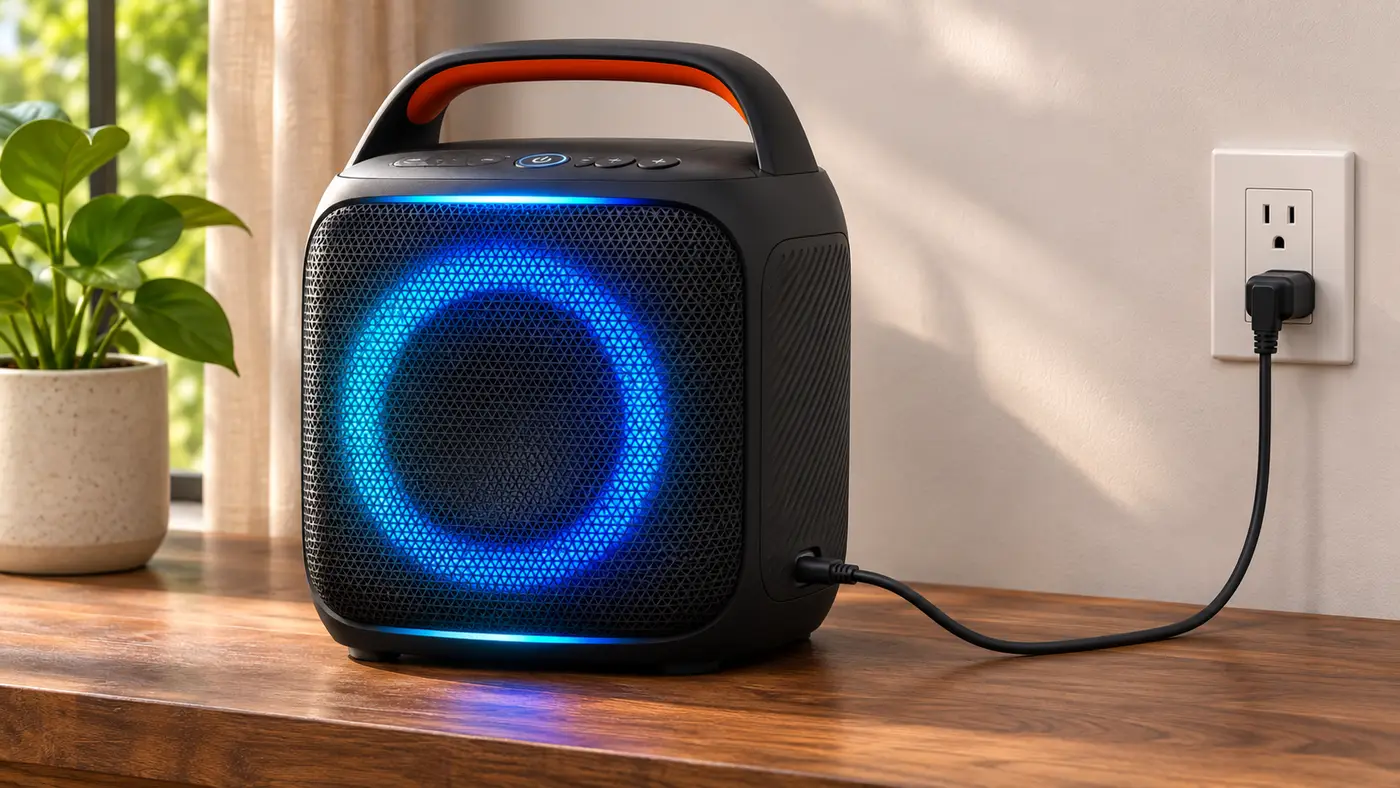
Charging time may vary under different conditions.
The owner’s manual recommends fully charging the speaker before its first use.
Can Encore Essential 2 Work While Plugged In?
Yes.
JBL’s owner’s manual identifies both AC power and the built-in battery as supported power sources.
That means the speaker can be operated from a suitable power outlet rather than relying entirely on the remaining battery charge.
This can be helpful for longer home gatherings.
Does the Encore Essential 2 Have a Replaceable Battery?
Yes.
JBL documents a replaceable battery arrangement in its official owner’s manual and quick-start guide.
This is a useful long-term ownership consideration because battery capacity can decline with age.
JBL also states that replacement batteries can be purchased through its customer service channels.
The specification sheet lists a 34Wh battery, although JBL’s technical documents differ slightly in their nominal-voltage labeling.
For general product comparison, the consistently published 34Wh capacity is the clearer specification.
Battery replacement should follow JBL’s approved instructions and compatible replacement requirements.
Do not assume that an arbitrary lithium-ion pack with similar capacity is suitable.
Size, Weight and Portability
The Encore Essential 2 measures approximately:
31.95cm wide × 34.2cm high × 26.04cm deep
It weighs:
6.2kg / 13.67lb
JBL provides an integrated carrying handle.
That makes it considerably easier to relocate than the company’s larger PartyBox Ultimate speakers.
Its rechargeable battery also means it can operate away from a permanent power outlet.
This is relevant for moving the speaker between rooms, taking it to a suitable outdoor gathering, or placing it where access to AC power is inconvenient.
However, 13.67 pounds is still noticeable when carrying equipment for extended periods.
Portability should therefore be understood in relation to the speaker’s dimensions and intended use rather than assuming it is as compact as a handheld Bluetooth speaker.
Dynamic Lightshow
The Encore Essential 2 features a dynamic lighting system integrated into the speaker cabinet.
JBL advertises glowing light patterns and strobe effects.
The official owner’s manual describes several lighting modes:
- Neon
- Loop
- Bounce
- Trim
- Switch
- Freeze
These can be selected through supported speaker controls and customized using the JBL PartyBox app.
The lighting adds visual atmosphere during playback or karaoke activities.
However, it is not a projector or an independent stage-lighting system.
It also does not replace a separate lyrics display.
Which App Works With JBL PartyBox Encore Essential 2?
The correct companion app is the JBL PartyBox app.
This is important because some larger PartyBox products use the JBL One app instead.
According to JBL, the PartyBox app provides options for managing:
- Playback-related functions
- EQ settings
- Lightshow preferences
- Additional sound effects
These features give users more control than the physical buttons alone.
However, app availability and specific controls can change with software updates.
For exact interface instructions, refer to the current app version for the Encore Essential 2.
Auracast Multi-Speaker Connection
The Encore Essential 2 supports Auracast, JBL’s documented multi-speaker connection technology for this model.
The manufacturer describes two relevant arrangements.
Stereo Pairing
Two PartyBox Encore Essential 2 speakers can be connected as a stereo pair through Auracast.
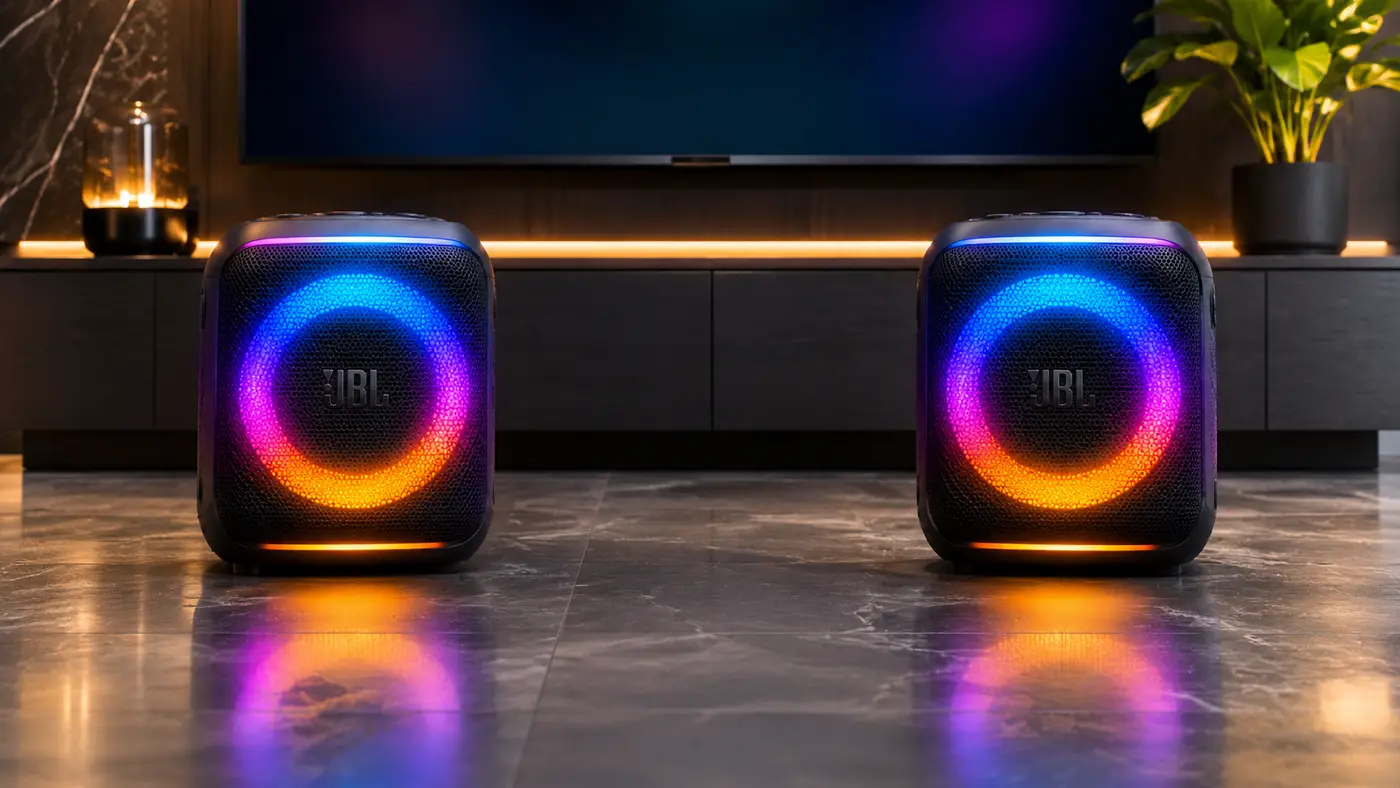
This provides a two-speaker arrangement instead of relying on a single cabinet.
Compatible Multi-Speaker Grouping
JBL also advertises connection with other supported Auracast-enabled JBL speakers.
However, compatibility should be verified for the exact products.
Older PartyBox speakers may use a different linking system and should not be assumed compatible merely because they share the same brand.
For anyone considering a future two-speaker setup, Auracast is an important feature to investigate before choosing accessories.
Is JBL PartyBox Encore Essential 2 Waterproof?
No.
JBL specifies IPX4 splash resistance.
This means the speaker is designed to resist water splashes under the applicable rating conditions.
It does not mean the speaker is waterproof or safe to submerge.
The owner’s manual also instructs users to keep the relevant connection areas dry before charging or connecting electrical power.
For outdoor use, protect the speaker from substantial rain and make sure it is completely dry before charging.
The rechargeable battery improves placement flexibility, but it does not remove the need for electrical and moisture precautions.
JBL PartyBox Encore Essential 2 vs Encore 2
For karaoke buyers, this is one of the most useful comparisons.
The products share several headline specifications, but their microphone packages differ.
JBL sells a PartyBox Encore 2 – 2 Mics configuration that includes two wireless microphones.
The Encore Essential 2 includes none.
| Feature | Encore Essential 2 | Encore 2 – 2 Mics |
|---|---|---|
| Output power | 100W RMS | 100W RMS |
| Battery life | Up to 15 hours | Up to 15 hours |
| Bluetooth | 5.4 | 5.4 |
| Auracast | Yes | Yes |
| Wireless microphones included | No | Two |
| Microphone arrangement | Shared external audio input | Bundled wireless microphone system |
| Additional instrument connection | Shared input | Supported |
| JBL PartyBox app | Yes | Yes |
| Splash resistance | IPX4 | IPX4 |
| Weight | 6.2kg | 6.4kg |
| US listed price, Nov. 4, 2026 | $329.95 | $439.95 |
Which Is Better for Karaoke?
For buyers who do not already own microphones, the microphone-bundled Encore 2 deserves serious consideration.
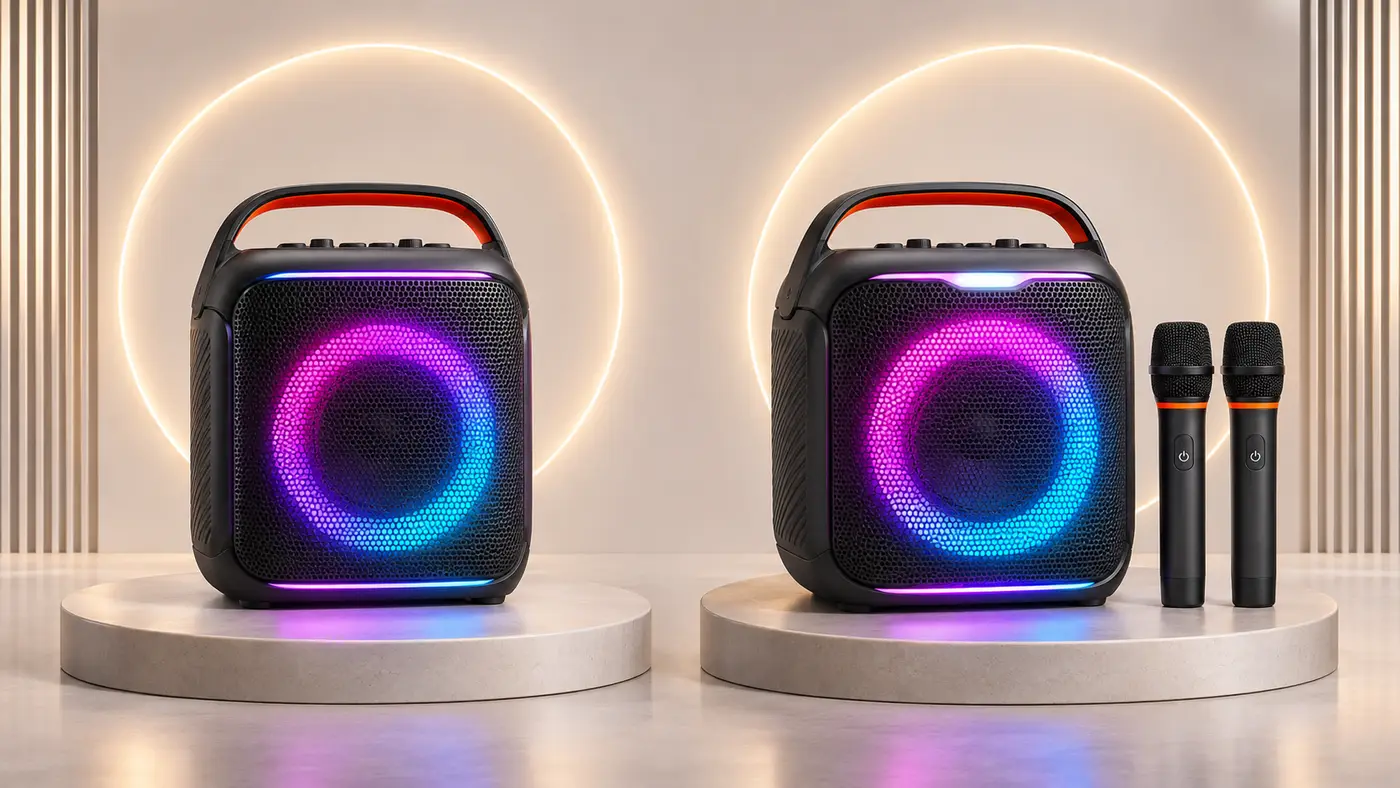
It includes the wireless microphones needed to begin using the product for karaoke.
The Essential 2 requires a separate microphone purchase.
The key comparison is therefore not just the two speaker prices.
It is:
Encore Essential 2 + compatible microphones
versus
Encore 2 with microphones included
If the additional cost of a suitable microphone kit approaches or exceeds the difference between the speakers, the microphone-bundled model may be the more straightforward choice.
However, buyers should compare the exact product variant.
Not every regional Encore 2 configuration necessarily comes with the same microphone bundle.
Which Is Better as a General Portable Speaker?
For someone who does not need microphones, the Encore Essential 2 offers much of the same general portable-speaker appeal without paying for bundled accessories.
Both models advertise 100W RMS output, up to 15 hours of playback, Auracast, Bluetooth 5.4, and dynamic lighting.
That makes the Essential 2 particularly relevant to buyers whose priority is portable audio playback with karaoke as an occasional option.
JBL PartyBox Encore Essential 2 Pros and Cons
| Potential advantages | Potential limitations |
|---|---|
| 100W RMS manufacturer-rated output | No microphones included |
| Rechargeable 34Wh battery | One shared audio input |
| Up to 15-hour advertised runtime | Two independent wired mic inputs not available |
| Bluetooth 5.4 | No built-in lyrics screen |
| Auracast pairing | No documented built-in vocal removal |
| Compatible two-wireless-microphone setup | Wireless microphone kit sold separately |
| JBL PartyBox app | Battery life varies by use |
| Dynamic lightshow | Some USB storage features are region-dependent |
| Replaceable battery | No documented optical TV input |
| 3.5mm AUX and USB-C connections | No HDMI video output |
| Integrated carrying handle | Not fully waterproof |
| IPX4 splash resistance | Recording is limited to documented input functions |
Who Should Buy the JBL PartyBox Encore Essential 2?
The Encore Essential 2 makes the most sense for people who want a rechargeable portable speaker and may also use it for karaoke.
It may suit buyers who:
- Already own a compatible wired microphone
- Want the option to add a wireless microphone kit later
- Value battery-powered playback
- Want a speaker that is easier to carry than large PartyBox models
- Use Bluetooth audio frequently
- Want Auracast speaker pairing
- Appreciate integrated lighting effects
It is less suitable for buyers who:
- Expect microphones in the box
- Want a complete all-in-one karaoke system
- Need two independent wired microphone connections
- Want built-in vocal removal
- Require a dedicated lyrics screen
- Need a professional multi-input mixer arrangement
- Require fully waterproof equipment
For households that prioritize a complete ready-to-use karaoke system, our best home karaoke machines guide covers other product types worth considering.
Is the JBL PartyBox Encore Essential 2 Worth It?
The JBL PartyBox Encore Essential 2 offers a useful combination of rechargeable portability and optional karaoke functionality.
Its documented strengths include 100W RMS output, up to 15 hours of playback, Bluetooth 5.4, Auracast, a replaceable battery, dynamic lighting, and support for external microphones.
That gives it a clear role as a portable party speaker that can be expanded into a karaoke setup.
However, the absence of bundled microphones is a significant limitation for anyone purchasing it primarily for singing.
Its single shared audio input also limits the physical connection arrangements available without additional equipment.
For buyers who already own a suitable microphone, the Encore Essential 2 may be a convenient and relatively compact choice.
For buyers starting from nothing, the microphone-bundled Encore 2 deserves direct comparison.
The price difference between those products should be considered alongside the cost of the exact microphone system required.
The Encore Essential 2 is therefore best viewed as a versatile portable speaker with karaoke support, rather than a fully equipped karaoke machine.
Frequently Asked Questions
Is JBL PartyBox Encore Essential 2 good for karaoke?
Yes. It supports a microphone or compatible wireless microphone receiver and can mix that input with external audio playback. However, it does not include microphones or a built-in lyrics display.
How many watts is JBL PartyBox Encore Essential 2?
JBL specifies 100W RMS under IEC 60268.
Does JBL PartyBox Encore Essential 2 come with a microphone?
No. Neither wired nor wireless microphones are included in the standard package.
Can I connect two wireless microphones?
Yes. JBL supports two wireless microphones through its separately sold compatible wireless microphone set and receiver.
How many microphone inputs does it have?
It has one physical shared input that supports microphone operation through the appropriate selector setting.
Can I connect a microphone and an instrument together?
The documented onboard arrangement uses a shared switchable socket. It does not provide two independent wired connections for these purposes.
Does Encore Essential 2 have EasySing AI?
Built-in EasySing vocal reduction is not documented for this speaker. Its advertised AI Sound Boost serves a different purpose.
Does Encore Essential 2 remove vocals?
The official specifications do not establish automatic lead-vocal removal as a built-in feature.
How long does the battery last?
JBL advertises up to 15 hours of playback, with actual runtime depending on volume, content, and operating conditions.
How long does charging take?
JBL specifies less than 3.5 hours with the speaker switched off.
Can I use Encore Essential 2 while plugged in?
Yes. JBL’s owner’s manual confirms that the speaker supports both AC power and operation from its built-in battery.
Can the battery be replaced?
Yes. JBL documents battery replacement and directs users to its customer service channels for approved replacement batteries.
Does it support Bluetooth 5.4?
Yes.
Does it have Wi-Fi streaming?
Wi-Fi streaming is not documented among this model’s main connectivity features. Bluetooth is the primary advertised wireless playback connection.
Does it support Auracast?
Yes. JBL documents stereo pairing between two Encore Essential 2 speakers and supported grouping with other Auracast-enabled JBL products.
Which app does Encore Essential 2 use?
It uses the JBL PartyBox app, not JBL One.
Is it waterproof?
No. It has an IPX4 splash-resistance rating.
Can it connect to a television?
Potentially, if the television provides compatible Bluetooth audio output or a suitable analog audio output for the 3.5mm AUX connection.
Does it have HDMI?
No HDMI video connection is documented.
Can it show karaoke lyrics?
No integrated lyrics screen is documented. Lyrics must be displayed on a separate compatible device.
Can it record microphone audio?
The owner’s manual documents USB recording for the shared physical input. It does not establish that every external playback source is automatically included in the recording.
How much does the speaker weigh?
Approximately 6.2kg, or 13.67lb.
Is Encore Essential 2 better than Encore 2?
The answer depends on the buyer. Encore Essential 2 is suitable for someone who does not need bundled microphones. The two-microphone Encore 2 configuration may be more convenient for buyers who want karaoke accessories included.
Sources and Research Method
This review is based on manufacturer documentation:
- JBL PartyBox Encore Essential 2 Official Product Page — pricing, product features and general specifications.
- JBL PartyBox Encore Essential 2 Specification Sheet — RMS output, speaker drivers, battery, connectivity and dimensions.
- JBL PartyBox Encore Essential 2 Owner’s Manual — shared audio connection, Bluetooth setup, USB functions, recording, battery replacement and safety.
- JBL PartyBox Encore Essential 2 Quick-Start Guide — connection diagrams and product operation.
- JBL Wireless Microphone Compatibility Guide — compatible microphone arrangements and wireless receiver use.
- JBL PartyBox Encore 2 – 2 Mics Official Product Page — comparison specifications, microphone bundle and listed price.
Last checked: November 4, 2026.
This assessment is based on published specifications and documentation. It does not claim physical product testing, measured loudness, or independently verified battery runtime.