Bluetooth Karaoke Machine: Versions, Range and What Bluetooth Does and Doesn’t Do
Bluetooth makes karaoke setup effortless no cables, no fumbling behind a TV, just a phone and a speaker talking to each other in seconds. But that same convenience hides a limit that catches almost every first-time buyer off guard.
Table of Contents
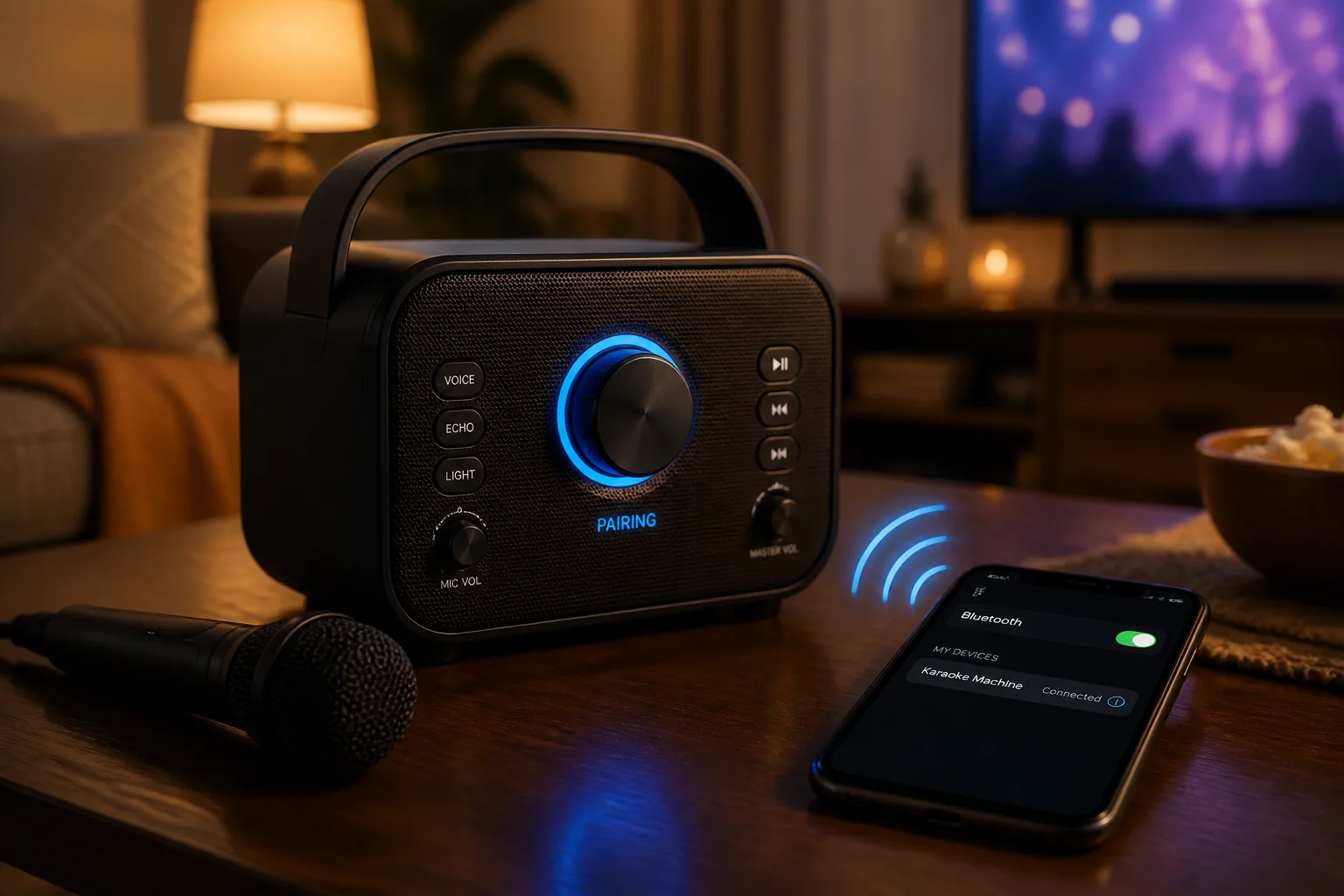
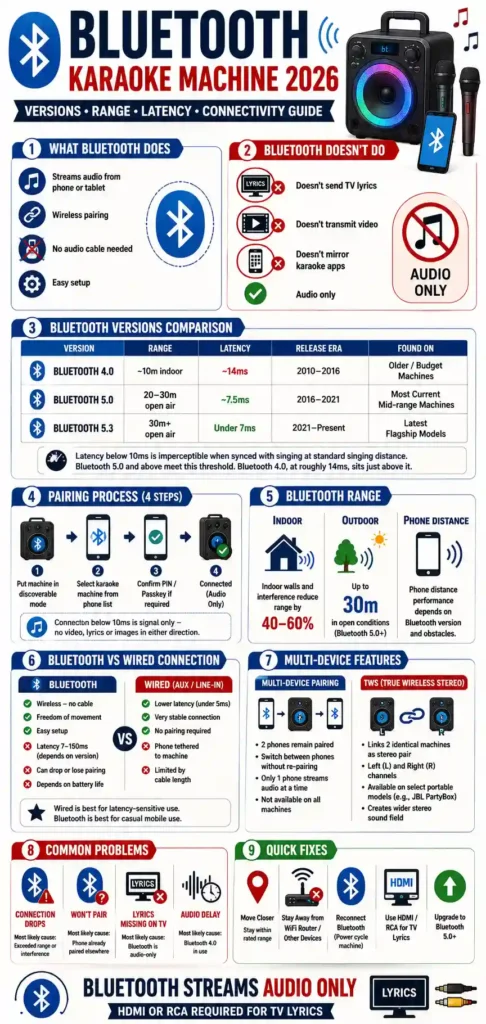
A Bluetooth karaoke machine uses the Bluetooth wireless protocol to stream audio and karaoke apps from a connected phone or tablet, eliminating the need for a physical audio cable. This guide covers 3 attributes buyers need to understand: Bluetooth version, range, and latency.
For a ranked list of specific models, see best Bluetooth karaoke machine. This page focuses on what the Bluetooth connection itself actually provides, not product recommendations.
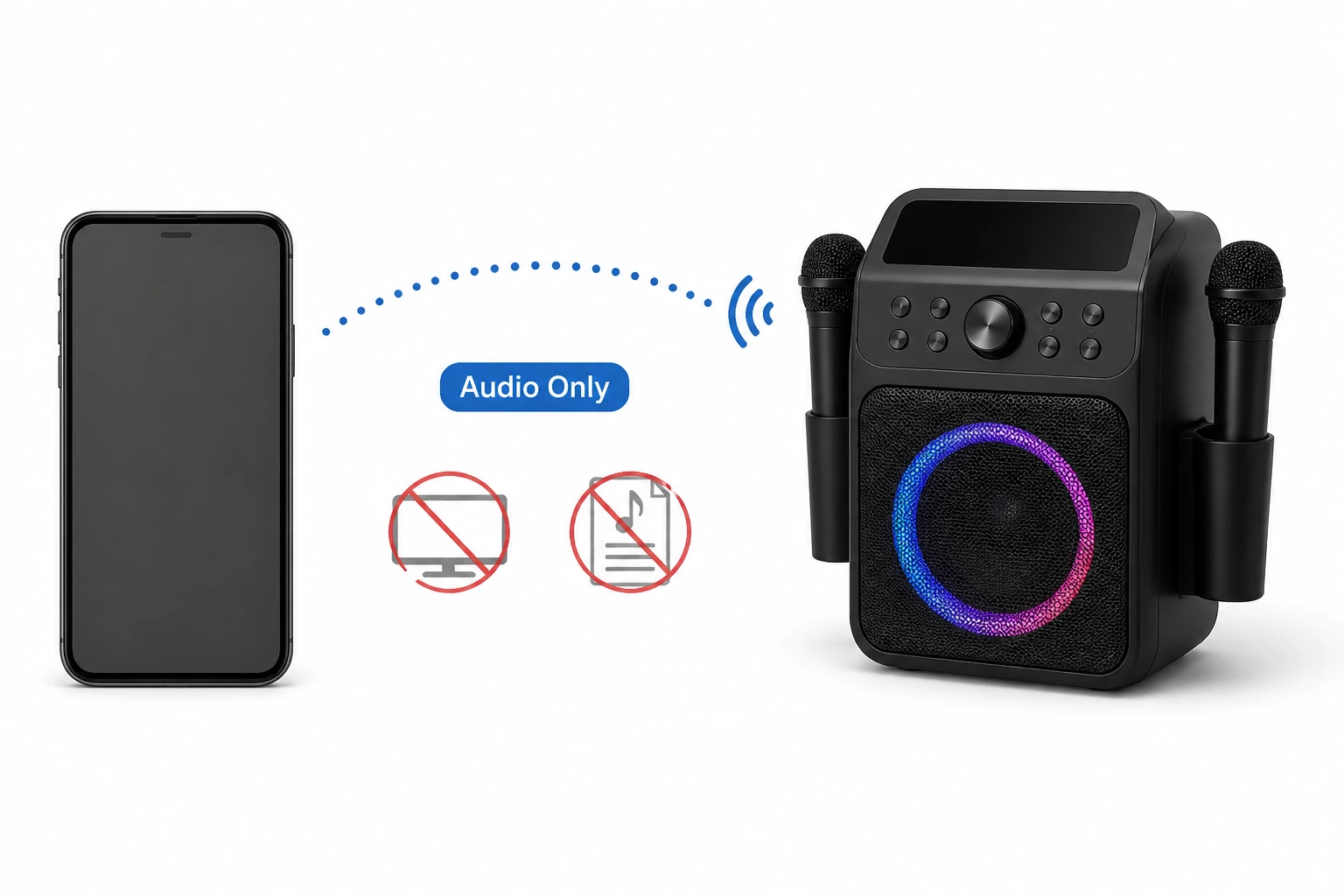
The audio-only limitation is the single most misunderstood aspect of Bluetooth karaoke connectivity. Many buyers assume Bluetooth can send a full karaoke experience audio and on-screen lyrics to a TV. It cannot, regardless of Bluetooth version or machine price.
This is the same limitation covered in how to connect a karaoke machine to a TV. A Bluetooth connection to a TV, or to a karaoke machine, carries sound in one direction and nothing else.
Bluetooth Karaoke Machine: Pros and Cons
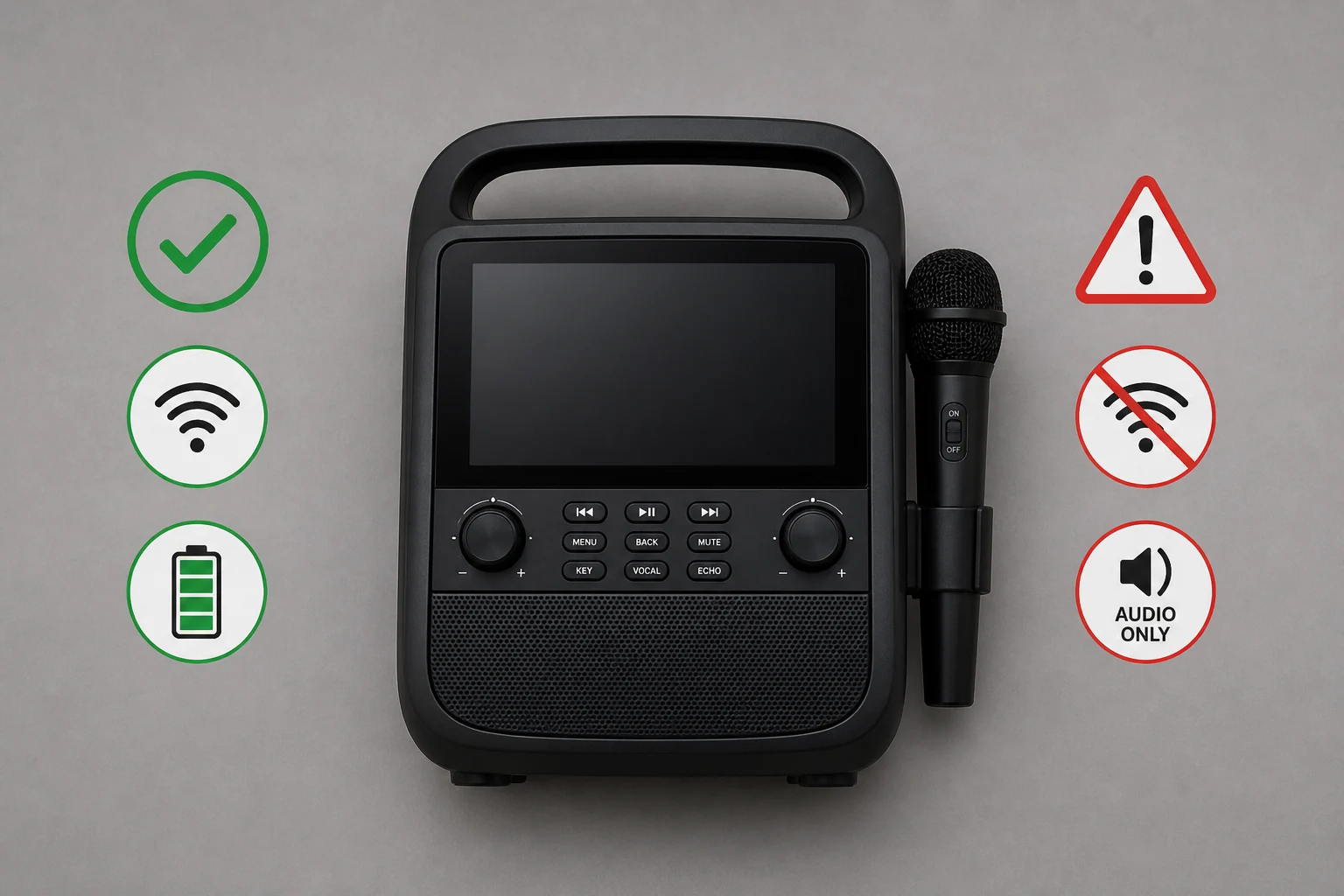
Bluetooth connectivity brings clear advantages to karaoke setup, but it also comes with trade-offs worth weighing before relying on it as the only connection method.
| Factor | Advantage | Trade-off |
|---|---|---|
| Setup | No cables to route or hide | Requires pairing each new session on some machines |
| Mobility | Phone can move freely around a room | Signal weakens with distance and walls |
| Convenience | Works with virtually any modern phone | Depends on both devices having charged batteries |
| Video/lyrics | N/A | Cannot transmit video or lyrics to a screen audio only |
| Reliability | Stable within rated range | Can drop from interference or exceeding range |
| Latency | Imperceptible on Bluetooth 5.0+ | Bluetooth 4.0 can introduce a perceptible lag |
Pros of a Bluetooth karaoke machine: no physical cable required, full freedom of movement within range, fast pairing on most modern devices, works well for casual and mobile use.
Cons of a Bluetooth karaoke machine: audio-only never sends lyrics or video to a TV, connection can drop from range or interference, older Bluetooth versions introduce noticeable latency, both devices depend on battery life.
The audio-only limitation is listed separately above because it is not a trade-off in the usual sense it is a fixed characteristic of the Bluetooth protocol itself, true across every version and every manufacturer.
How Bluetooth Karaoke Connectivity Works
Bluetooth karaoke connectivity works by pairing the karaoke machine to a phone or tablet as an audio output device. The phone runs the karaoke app and streams the audio signal wirelessly to the machine’s speaker.
Pairing follows 3 general steps. Put the karaoke machine into discoverable mode, select it from the phone’s Bluetooth device list, and confirm a PIN or passkey if the machine requires one. Most consumer machines skip the PIN step entirely.
Once paired, the connection carries the audio signal only any app sound in full, including backing tracks and any in-app audio cues. It does not carry video, lyrics, or images in either direction.
This is the same audio-only limitation that applies when connecting a karaoke machine to a TV via Bluetooth. The protocol carries no video signal in either direction, whether the destination is a TV or a dedicated karaoke machine.
This distinction matters because karaoke apps typically display lyrics on the phone’s own screen, not on a connected speaker or TV. Bluetooth moves the sound from the phone to the machine; the lyrics stay wherever the app is displaying them.
For lyrics to appear on a TV screen, the karaoke machine needs a separate video connection HDMI or RCA running alongside or instead of the Bluetooth audio link. Bluetooth and video output are two independent systems that happen to often be present on the same machine.
Some machines advertise “smart” or “app-connected” features that sound like they might bridge this gap. In practice, these still rely on the same underlying limitation Bluetooth carries sound, and any lyrics display comes from a separate screen, whether that’s the phone itself or a dedicated built-in display on the machine.
Understanding this distinction upfront prevents a common buying mistake: assuming a Bluetooth-equipped machine will automatically show lyrics on a connected TV. The Bluetooth specification, not the machine’s price or features, is what determines this limitation, and it applies to every Bluetooth karaoke machine regardless of version or manufacturer.
Bluetooth Versions in Karaoke Machines: 4.0 vs 5.0 vs 5.3
Bluetooth version determines 2 practical outcomes for karaoke use: connection range and audio latency. Newer versions deliver both greater range and lower latency than older ones.
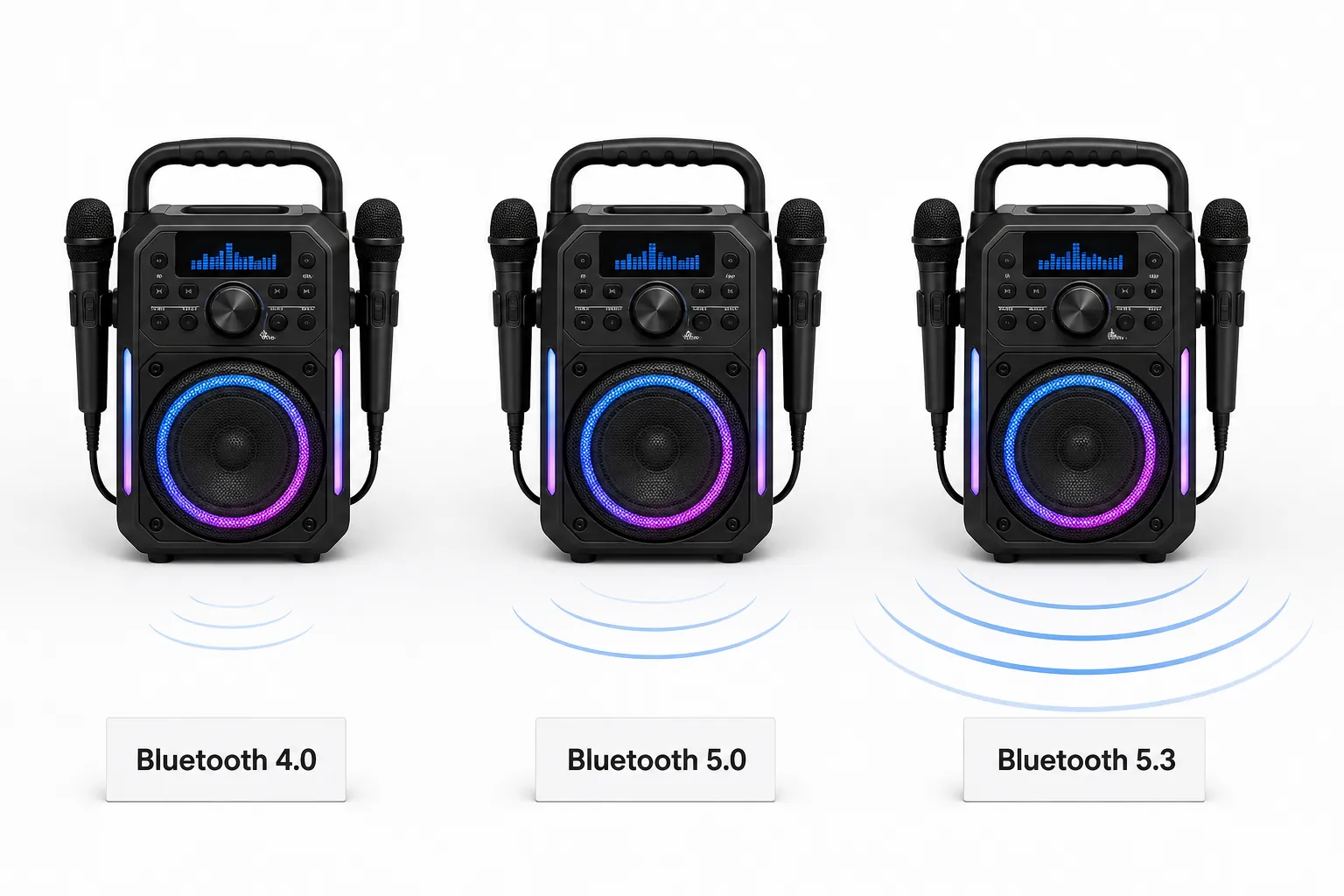
| Version | Range | Latency | Release Era | Found On |
|---|---|---|---|---|
| Bluetooth 4.0 | ~10m indoor | ~14ms | 2010–2016 | Older/budget machines |
| Bluetooth 5.0 | ~20–30m open air | ~7.5ms | 2016–2021 | Most current mid-range machines |
| Bluetooth 5.3 | ~30m+ open air | Under 7ms | 2021–present | Latest flagship models |
Latency below 10ms is imperceptible when synced with singing at standard singing distance. Bluetooth 5.0 and above meet this threshold. Bluetooth 4.0, at roughly 14ms, sits just above it.
The practical difference shows up at distance and in crowded environments. Bluetooth 4.0’s shorter range means a phone left across a room, rather than right beside the machine, is more likely to experience connection instability.
Bluetooth 5.3 is not a dramatically different experience from Bluetooth 5.0 for most home users. The gap between 4.0 and 5.0 is the one that actually changes practical usability 5.0 and 5.3 both comfortably clear the imperceptible-latency threshold.
Checking a machine’s specification sheet for the Bluetooth version number is the most reliable way to predict its real-world range and responsiveness, more reliable than marketing terms like “extended range” or “premium wireless” that don’t specify a version.
Manufacturers don’t always list the Bluetooth version prominently, sometimes burying it in a full specification sheet rather than the main product description. Searching the listed spec sheet for “Bluetooth” followed by a version number is worth the extra step before buying, since the version number alone predicts most of what matters about the wireless connection.
A machine’s release date offers a rough proxy when the exact version isn’t listed. Machines released after 2021 are more likely to include Bluetooth 5.0 or higher, though this isn’t guaranteed budget models can ship with older chipsets even in recent product lines to reduce cost.
Bluetooth Range: How Far Can You Stand From the Machine?
Bluetooth range in karaoke machines extends 10–30 meters depending on version and environment. Bluetooth 4.0 delivers approximately 10 meters indoors. Bluetooth 5.0 and above deliver up to 30 meters in open outdoor conditions.
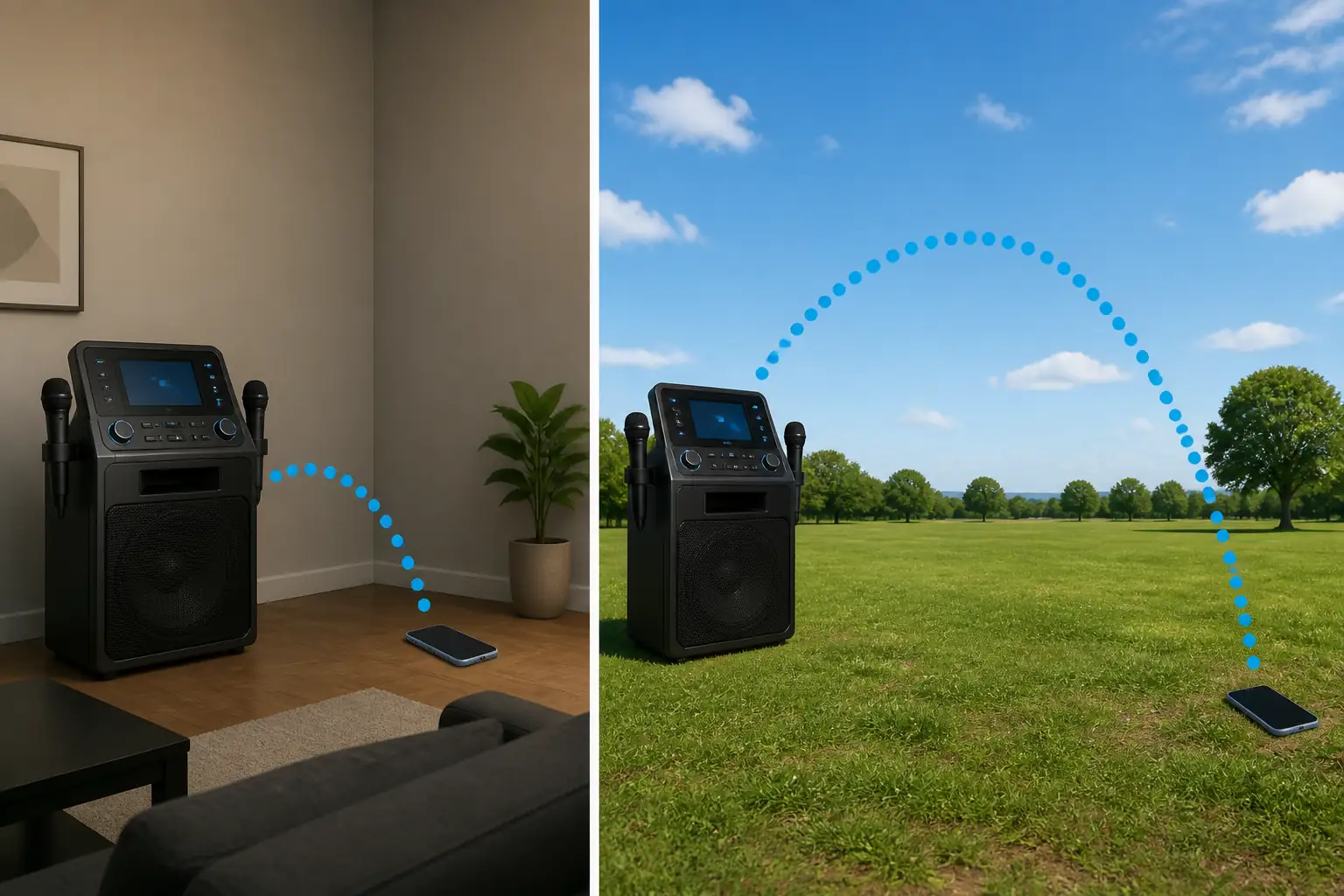
Indoor walls and interference reduce range substantially compared to the open-air rated distance manufacturers list. A typical reduction is 40–60% below the rated figure, depending on the number and thickness of walls between the phone and the machine.
The practical implication is straightforward. A phone streaming from an adjacent room may hold a stable connection on Bluetooth 5.0 but drop intermittently on Bluetooth 4.0, even though both are technically within their rated range on paper.
Outdoor use tends to favor the higher end of a version’s rated range, since there are no walls to attenuate the signal. A backyard party with the phone 20 meters from the machine is a reasonable expectation for Bluetooth 5.0, but not for Bluetooth 4.0.
Range also depends on the phone’s own Bluetooth hardware, not just the karaoke machine’s. An older phone with an older Bluetooth chipset can bottleneck range even when paired with a newer, higher-spec machine.
Physical obstacles matter more than distance alone. A phone 5 meters away with a solid wall in between can perform worse than a phone 15 meters away with a clear line of sight, since walls and furniture absorb and scatter the signal more than open air does.
Testing range in the actual space where the machine will be used is more reliable than relying on the manufacturer’s rated figure alone. Walking the phone to the far edge of the intended usage area during initial setup reveals whether the connection holds steady before it matters mid-session.
Bluetooth vs Wired Connection: Trade-offs
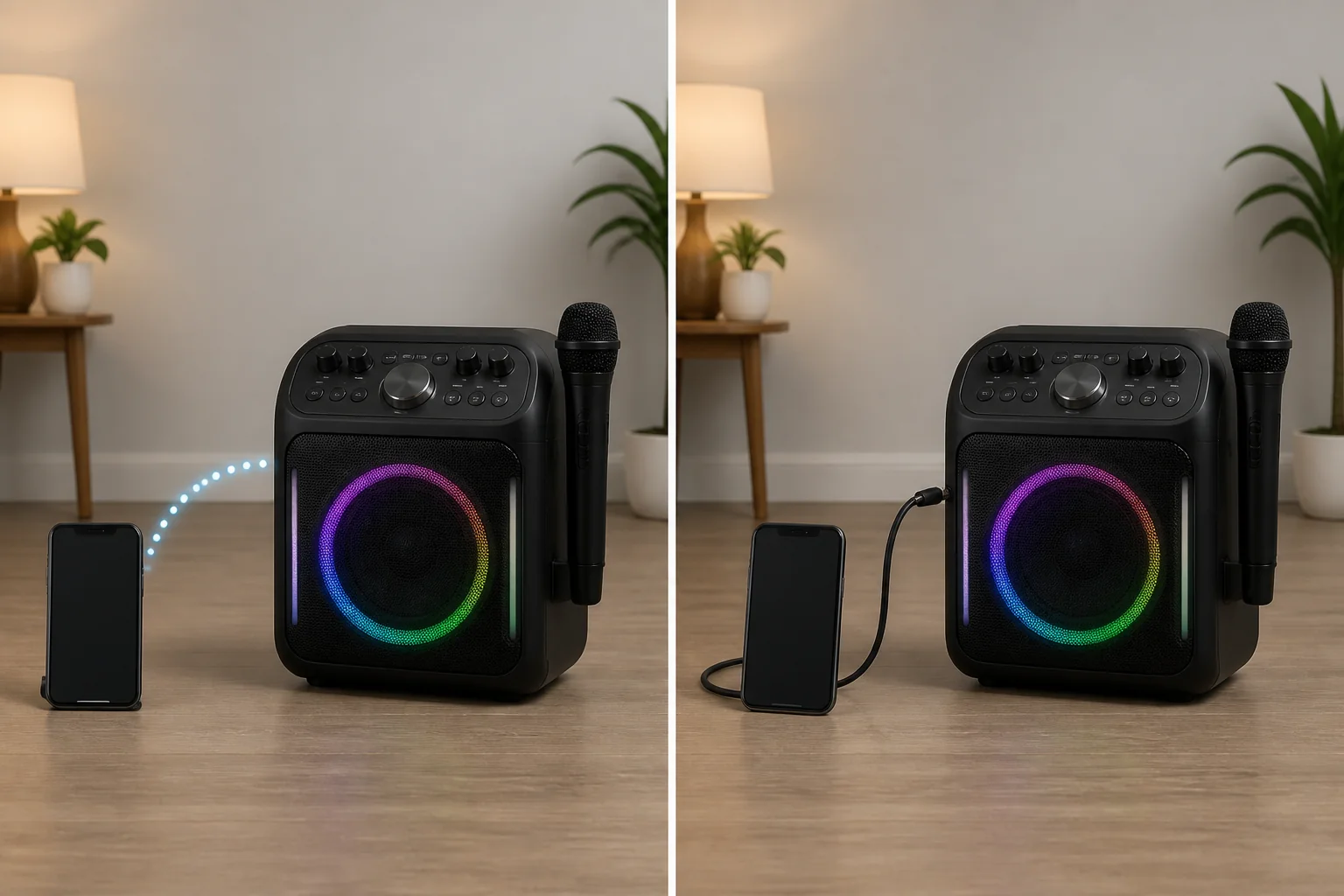
Bluetooth connections trade a small amount of audio latency and potential interference for the convenience of no physical cable. Wired AUX or line-in connections deliver near-zero latency but require the phone to stay tethered to the machine.
Wired vs Bluetooth: Pros and Cons
| Factor | Bluetooth | Wired (AUX/Line-in) |
|---|---|---|
| Latency | 7–150ms depending on version | Under 5ms |
| Reliability | Can drop or lose pairing | Cannot drop physical connection |
| Convenience | No cable required | Phone tethered to machine |
| Range | 10–30m depending on version | Limited by cable length |
| Setup | Pairing required each session (or auto-reconnect) | Plug in, no pairing |
| Best for | Casual mobile use | Fixed setups, latency-sensitive use |
Pros of Bluetooth: free movement around a room, no cable to manage, works from a distance.
Cons of Bluetooth: can drop connection, adds a small amount of latency, depends on battery life on both devices.
Pros of wired connections: near-zero latency, cannot lose pairing mid-session, no battery dependency on the connection itself.
Cons of wired connections: phone must stay physically tethered, cable length limits movement, less convenient for a phone that needs to be picked up and used for other things during a session.
Wired connections cannot drop or lose pairing, since there is no wireless link to interrupt. This makes them the more reliable option for latency-sensitive use, such as a singer who is sensitive to any perceptible delay between singing and hearing the backing track.
Bluetooth suits casual mobile use where the phone needs to move freely around a room. Wired suits fixed setups where the phone stays in one place anyway and latency matters most.
Neither option is strictly better the right choice depends on how the machine will actually be used. A living room setup with the phone resting on a shelf loses little by going wired. A party setup with the phone passed between people benefits from Bluetooth’s freedom of movement.
Some machines offer both connections simultaneously, allowing a wired backup if the Bluetooth connection proves unreliable in a particular space. Checking whether a machine includes both an AUX input and Bluetooth, rather than one or the other, preserves that flexibility.
Multi-Device Bluetooth Support and TWS Pairing
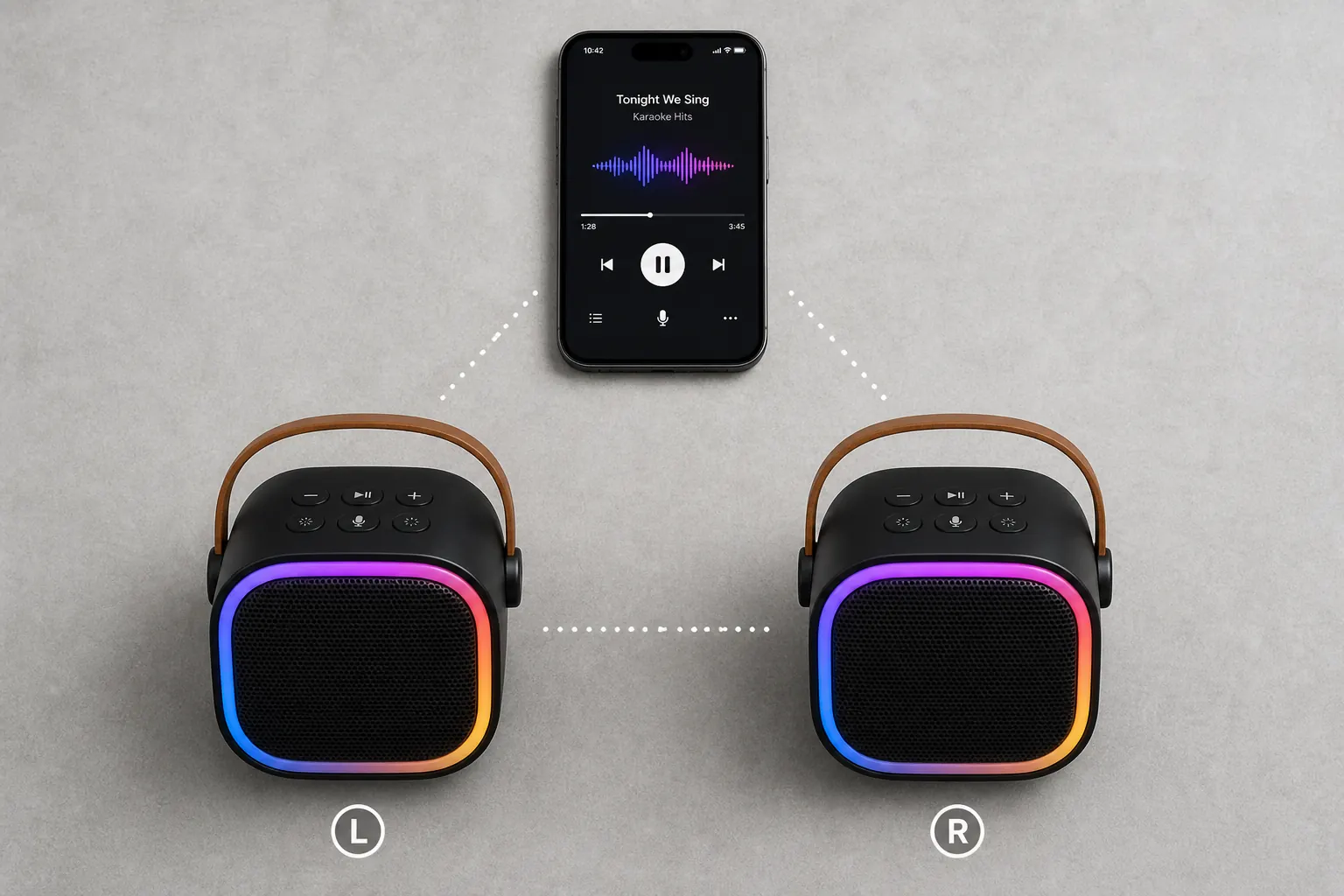
Some karaoke machines support multiple simultaneous Bluetooth connections. This takes 1 of 2 forms: multi-device audio input, where 2 phones can each stream to the same machine, or TWS (True Wireless Stereo) pairing, which links 2 identical machines together as a stereo pair.
Multi-device audio input allows 2 phones to remain paired to the same machine at once, though typically only 1 phone actively streams audio at a time. Switching between them doesn’t require re-pairing each time, which is useful when multiple people are taking turns with different phones.
This feature is not universal. Checking a specific machine’s specification sheet for “multi-point” or “multi-device” Bluetooth support confirms whether it’s present, since many budget and mid-range machines only support a single active pairing.
TWS pairing works differently. It links 2 identical karaoke machines of the same model together, with one handling the left audio channel and the other the right, creating a wider stereo sound field than either machine alone.
TWS is available on select portable models, including some in the JBL PartyBox line. It requires purchasing 2 identical units, so it’s a feature relevant mainly to buyers planning larger outdoor events or bigger spaces where a single speaker’s coverage falls short.
Neither multi-device support nor TWS pairing changes the audio-only limitation described earlier. Both features expand how many devices connect or how sound is distributed, not what type of signal Bluetooth carries.
Buyers planning a fixed home setup with one phone rarely need either feature. Multi-device support and TWS pairing matter most for larger gatherings, outdoor events, or households where more than one person regularly connects their own phone to the same machine.
Reconnecting After a Bluetooth Drop: Common Causes and Fixes
A Bluetooth karaoke machine drops connection for 3 main reasons: exceeding the version’s rated range, interference from other 2.4GHz devices, or the phone’s Bluetooth being claimed by another paired device.
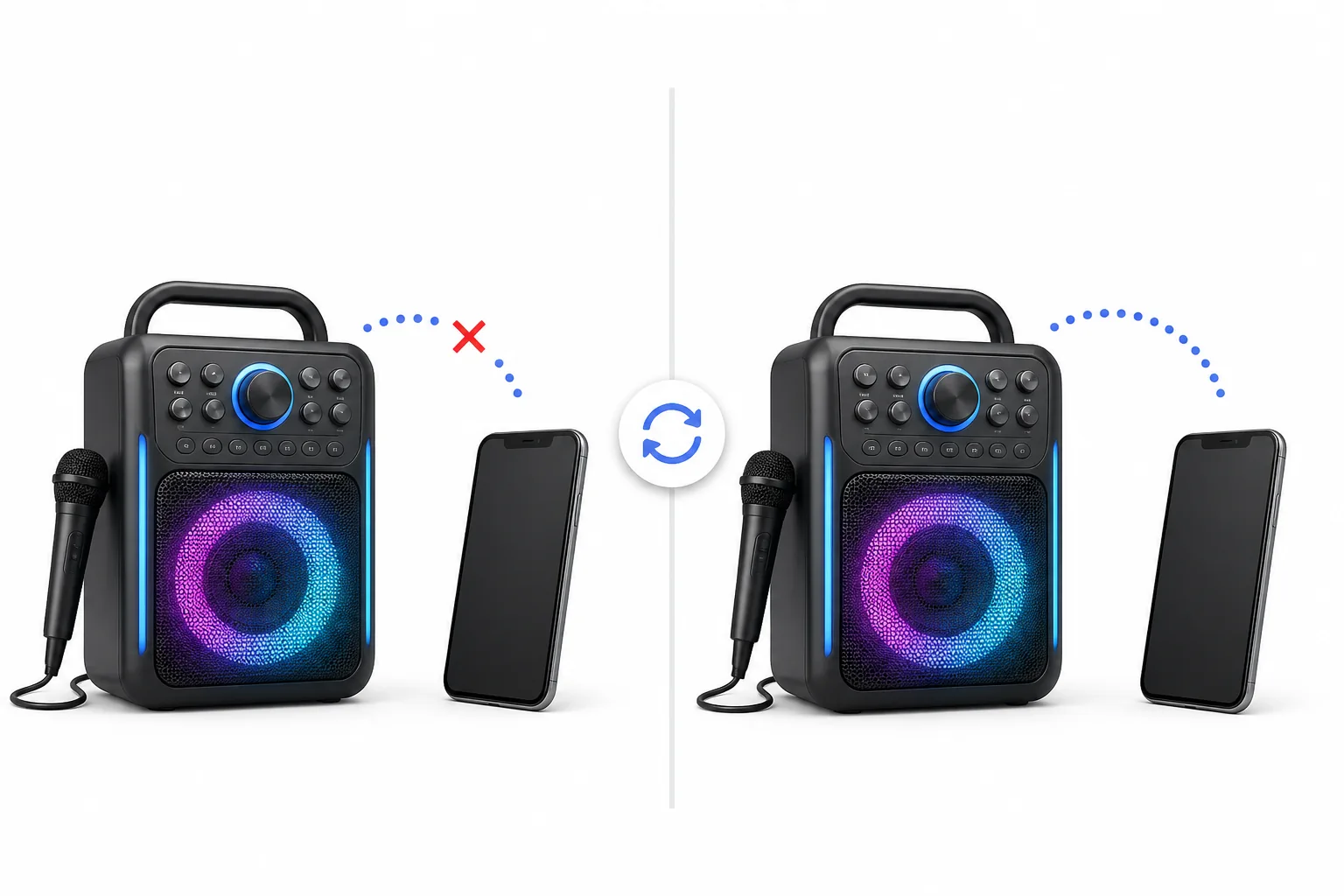
Exceeding range is the most common cause. Moving beyond the version’s effective indoor or outdoor range accounting for the 40–60% indoor reduction described earlier causes the connection to weaken and eventually drop rather than fail instantly.
Interference comes from other devices operating in the same 2.4GHz frequency band, including WiFi routers, other Bluetooth accessories, and some cordless devices. Moving the phone or machine away from these sources often restores a stable connection.
Competing pairings occur when a phone’s Bluetooth is already connected to something else, such as wireless earbuds or a car system, and the karaoke machine can’t establish its own link. Disconnecting the phone from other paired devices before reconnecting resolves this.
The standard re-pairing sequence works across most Bluetooth karaoke machines regardless of brand. Turn off Bluetooth on the phone, power-cycle the machine’s Bluetooth mode by turning it off and back on, then reconnect by selecting the machine from the phone’s device list.
Reconnecting after a drop restores audio only. A dropped Bluetooth connection never affects video or lyrics output on a connected TV, since Bluetooth never carried that signal to begin with the audio-only limitation applies identically before and after any reconnection.
Frequent drops in the same location, despite staying within rated range, usually point to persistent interference rather than a one-off issue. Identifying and removing the interfering device often a nearby WiFi router or another Bluetooth accessory resolves the problem more permanently than repeatedly re-pairing.
Frequently Asked Questions
Can a Bluetooth karaoke machine show lyrics on a TV?
No. Bluetooth transmits audio only it cannot display lyrics or any video signal on a TV screen. For lyrics to display on a TV screen, you must connect the machine using a physical HDMI or RCA video cable, or cast the video signal separately via a media device.
What Bluetooth version is best for a karaoke machine?
Bluetooth 5.0 or higher is best. It delivers under 10ms of latency (which is imperceptible when singing along) and up to 30 meters of range. Legacy Bluetooth 4.0 chipsets have higher latency (approx. 14ms) and a shorter range, which can lead to perceptible delay or dropouts.
How far can you be from a Bluetooth karaoke machine?
The effective wireless range is 10–30 meters depending on the Bluetooth version. Bluetooth 4.0 allows up to 10 meters indoors. Bluetooth 5.0+ models allow up to 30 meters in open outdoor spaces, though indoor walls and obstacles will typically cut this distance down by 40% to 60%.
Does a Bluetooth karaoke machine work without internet?
Yes. Bluetooth establishes a direct wireless point-to-point connection between your phone and the karaoke machine speaker. You do not need internet access to pair them. However, the karaoke app you use on your phone may require WiFi or cellular data to load backing tracks.
Can 2 phones connect to one Bluetooth karaoke machine?
Only if the machine explicitly supports multi-device Bluetooth pairing (also called multi-point). This allows multiple devices to stay paired and switch playing rights without re-pairing each session. If your machine lacks this support, you must disconnect the active phone before pairing a new one.
Is Bluetooth or a wired connection better for karaoke?
Wired connections (AUX/Line-in) deliver near-zero latency (under 5ms) and are completely immune to wireless dropouts, making them ideal for precise setups. Bluetooth offers the convenience of cordless freedom and is perfectly fine for casual singing on Bluetooth 5.0+ versions.
How do I pair my phone to a Bluetooth karaoke machine?
Turn on the karaoke machine and set it to Bluetooth pairing mode (often confirmed by a flashing blue LED). Open Bluetooth settings on your smartphone or tablet, locate the machine’s name in the device list, select it, and confirm the connection. Most pair in under 10 seconds.
What is TWS pairing on a karaoke machine?
TWS (True Wireless Stereo) links two identical speakers together wirelessly. One speaker processes the left audio channel and the other processes the right channel. This creates a wider, louder stereo soundstage, which is ideal for larger rooms or outdoor parties.
Quick Reference
| Version | Range | Latency | Meets Imperceptible Threshold? |
|---|---|---|---|
| Bluetooth 4.0 | ~10m indoor | ~14ms | No |
| Bluetooth 5.0 | ~20–30m open air | ~7.5ms | Yes |
| Bluetooth 5.3 | ~30m+ open air | Under 7ms | Yes |
| Problem | Most Likely Cause | Quick Fix |
|---|---|---|
| Connection drops | Exceeded range or interference | Move closer; move away from WiFi routers/other devices |
| Won’t pair | Phone already paired elsewhere | Disconnect phone from other devices, retry |
| Lyrics missing on TV | Bluetooth is audio-only | Add HDMI/RCA video connection separately |
| Perceptible lag | Bluetooth 4.0 in use | Use wired connection or upgrade to Bluetooth 5.0+ |
Glossary
Bluetooth Karaoke Machine A karaoke machine using the Bluetooth wireless protocol to stream audio from a connected phone or tablet, audio only, with no video or lyrics transmission.
Bluetooth Pairing The process of connecting 2 Bluetooth devices: activating discoverable mode on the machine, then selecting it from the phone’s device list.
Latency (Audio Delay) The time delay between audio being sent and being heard. Under 10ms is imperceptible for karaoke use; Bluetooth 5.0+ meets this threshold, Bluetooth 4.0 does not.
TWS (True Wireless Stereo) A Bluetooth feature pairing 2 identical speakers together as left and right stereo channels, available on select portable karaoke speakers.
Multi-Device Pairing The ability of a karaoke machine to remain paired with 2 or more phones simultaneously, switching between them without re-pairing each time.