Karaoke Machine With Built-In Screen: How It Works and What to Check
A karaoke machine with a built-in screen combines the main speaker and karaoke controls with an integrated display for lyrics, navigation, apps, settings, video, or a mixture of these functions. Some screen-equipped karaoke machines work almost like self-contained smart systems, while others still depend on a phone, external media, or another source for karaoke content.
Table of Contents
The screen size alone does not tell you which system is better. Before buying, check what the display actually does, whether it is touch-enabled, its resolution, whether the machine has Wi-Fi or built-in apps, whether it can connect to a TV, and how using the screen affects battery runtime.
The most useful rule is simple:
Built-in screen does not automatically mean built-in karaoke content, Wi-Fi, a touchscreen, or phone-free operation.
Karaoke Machines With Built-In Screens at a Glance
| Feature | What to Check |
|---|---|
| Screen purpose | Lyrics only, controls, apps, video, or multiple functions |
| Screen size | Manufacturer-listed diagonal measurement |
| Touchscreen | Yes or no |
| Resolution | Check exact manufacturer specification |
| Wi-Fi | Separate feature from the display itself |
| Built-in apps | Which apps are actually supported |
| Phone required | Whether the system can operate independently |
| TV connection | HDMI or another supported video output |
| Screen position | Fixed, tilting, rotating, or adjustable |
| Battery impact | Screen-on versus screen-off runtime |
| Updates | Whether the interface/software receives updates |
| Content access | Included, free, subscription-based, or external |
A good screen-equipped karaoke machine should be evaluated as a complete system rather than by display inches alone.
What Is a Karaoke Machine With a Built-In Screen?
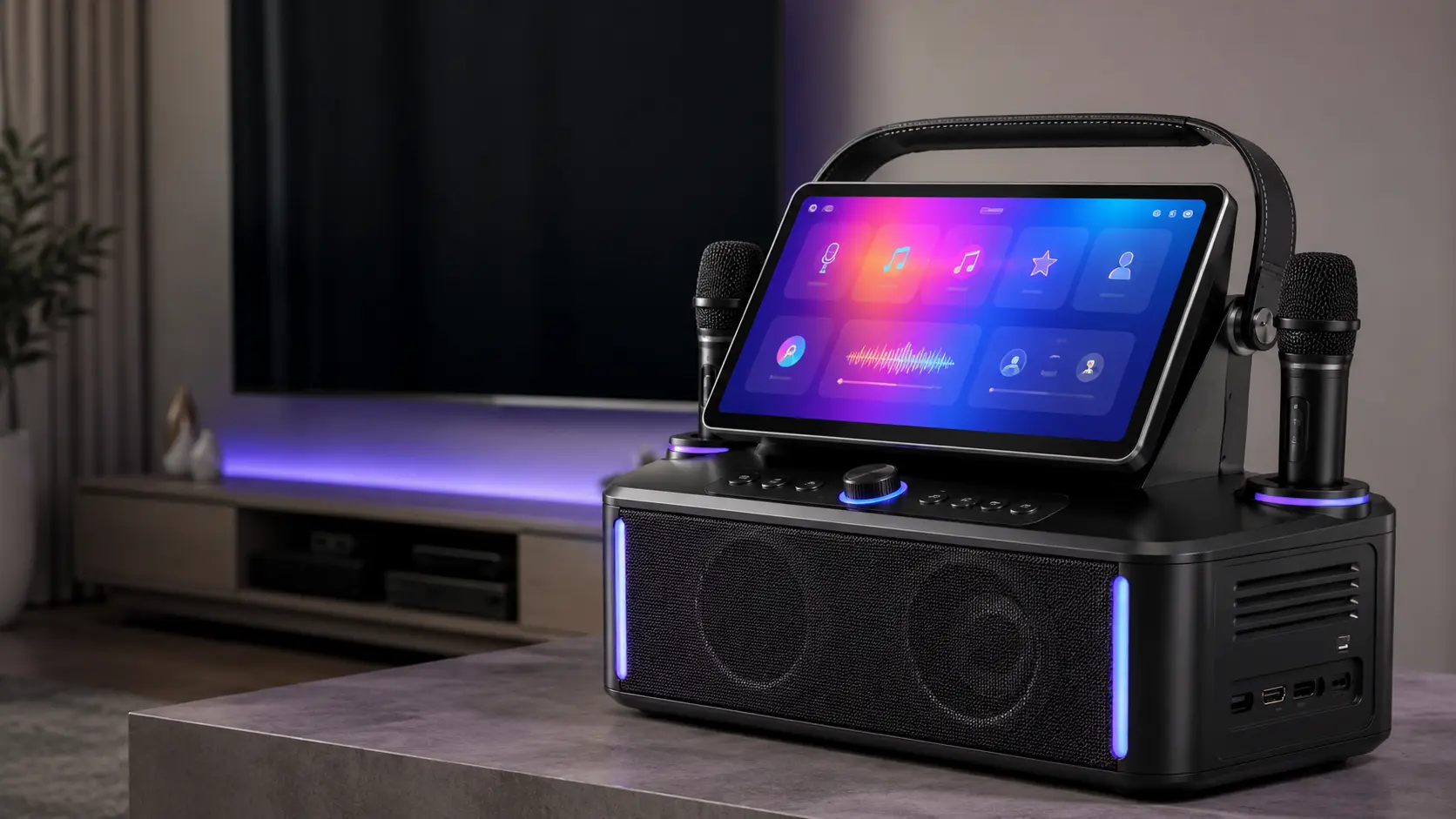
A karaoke machine with a screen integrates a display directly into the main unit instead of requiring a television, tablet, or phone to serve as the primary lyric display.
Depending on the design, that screen may show:
- karaoke lyrics;
- track-selection menus;
- playback information;
- microphone settings;
- sound controls;
- streaming applications;
- videos;
- Wi-Fi settings;
- system status.
This creates several different types of screen-equipped machines.
One model may use its screen mostly to display lyrics. Another may include a full touchscreen interface with Wi-Fi and applications. A third may provide a screen for local controls while still expecting a phone to supply the actual karaoke content.
That is why “has a built-in screen” should be treated as the beginning of the specification check, not the end of it.
What Does the Built-In Screen Actually Do?
The first question to ask is not “How big is it?”
Ask:
What is the display designed to do?
Lyrics Display
The simplest implementation is a screen that displays lyrics or playback information.
This can reduce the need to connect a separate television, particularly when the karaoke machine is being used in a smaller room or moved between locations.
However, a lyric display does not necessarily provide:
- touchscreen controls;
- internet access;
- applications;
- independent track searching.
The content may still come from another source.
Touchscreen Navigation
More advanced machines use the screen as the primary control interface.
A touchscreen may allow users to:
- search for content;
- select tracks;
- adjust settings;
- configure Wi-Fi;
- control vocal effects;
- navigate installed applications;
- change system settings.
Current iKarao products illustrate this architecture. The Shell S1 uses a manufacturer-listed 10.1-inch HD touchscreen with built-in karaoke and media apps.
Built-In Apps
Some smart karaoke machines go further by incorporating apps directly into the system.
For example, iKarao currently lists karaoke and media applications on models including the Shell S1, Break X2, and Break X1. The Break X2 product page specifically describes access to apps such as KaraFun and Spotify through its built-in 10.1-inch display.
This is different from merely mounting a screen on a speaker.
The screen becomes part of the machine’s content and control architecture.
Built-In Screen Does Not Mean Built-In Karaoke Content
This is one of the most important distinctions when comparing a karaoke machine with built-in screen.
These features are separate:
built-in display
Wi-Fi
karaoke apps
included content
subscription access
phone independence
A machine can have one without necessarily having the others.
For example, a product might have a screen capable of showing lyrics but require content from:
- USB storage;
- a connected phone;
- an external media source;
- a paid subscription;
- a manufacturer-specific app.
Another machine may provide Wi-Fi and preinstalled applications directly on its integrated touchscreen.
So when a product listing says:
Built-in screen
look for the next specification:
Where do the lyrics and content come from?
That question is often more important than the display size itself.
Touchscreen vs Non-Touch Karaoke Screen
A touchscreen can be useful, but it is not automatically better for every buyer.
| Feature | Touchscreen | Non-Touch Display |
|---|---|---|
| Direct navigation | Usually | Usually not |
| App interaction | Possible on smart systems | More limited |
| Track selection | Can happen on screen | Often handled elsewhere |
| Settings control | Can be integrated | Usually physical buttons or another device |
| Interface complexity | Higher | Often simpler |
| Software dependence | Greater | Usually lower |
A touchscreen makes the most sense when the display is also the machine’s main interface.
If the screen exists primarily to show lyrics, touch functionality may add much less practical value.
When a Touchscreen Is Useful
A touchscreen is particularly useful when you want to:
- search for karaoke content directly;
- operate without constantly handling a phone;
- adjust settings from one interface;
- browse supported apps;
- configure wireless connections.
When It Matters Less
Touch capability matters less if:
- the machine mainly displays lyrics;
- content selection happens on a phone;
- you normally connect the machine to a TV;
- physical controls already handle the important functions.
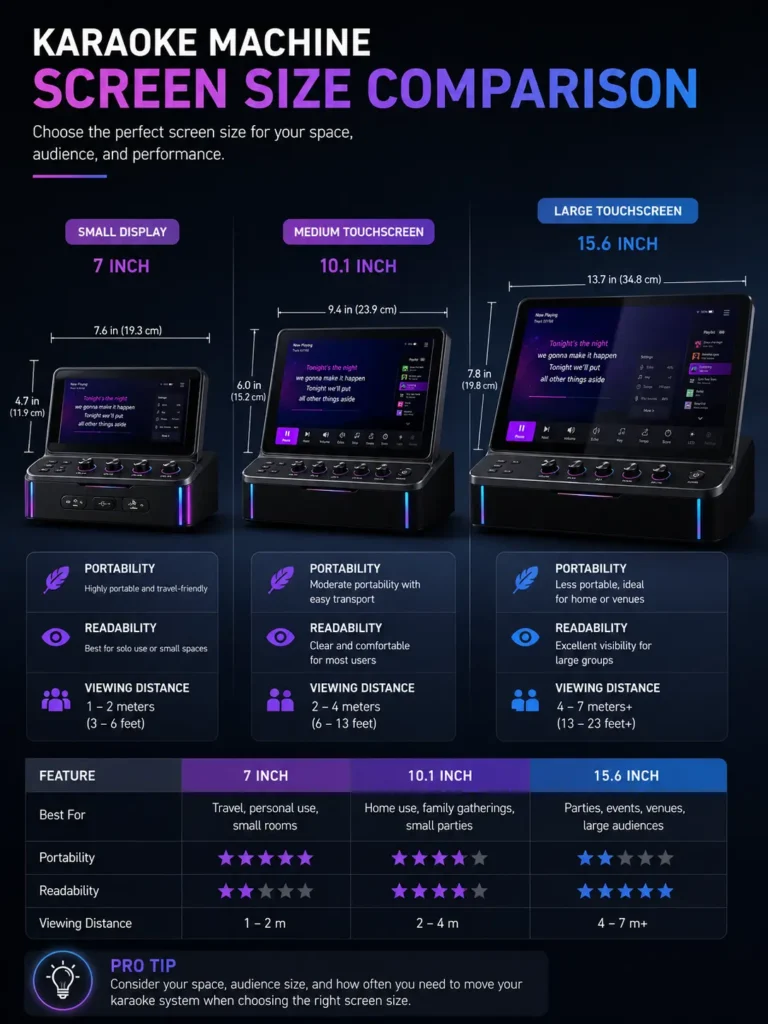
How Large Should a Karaoke Machine Screen Be?
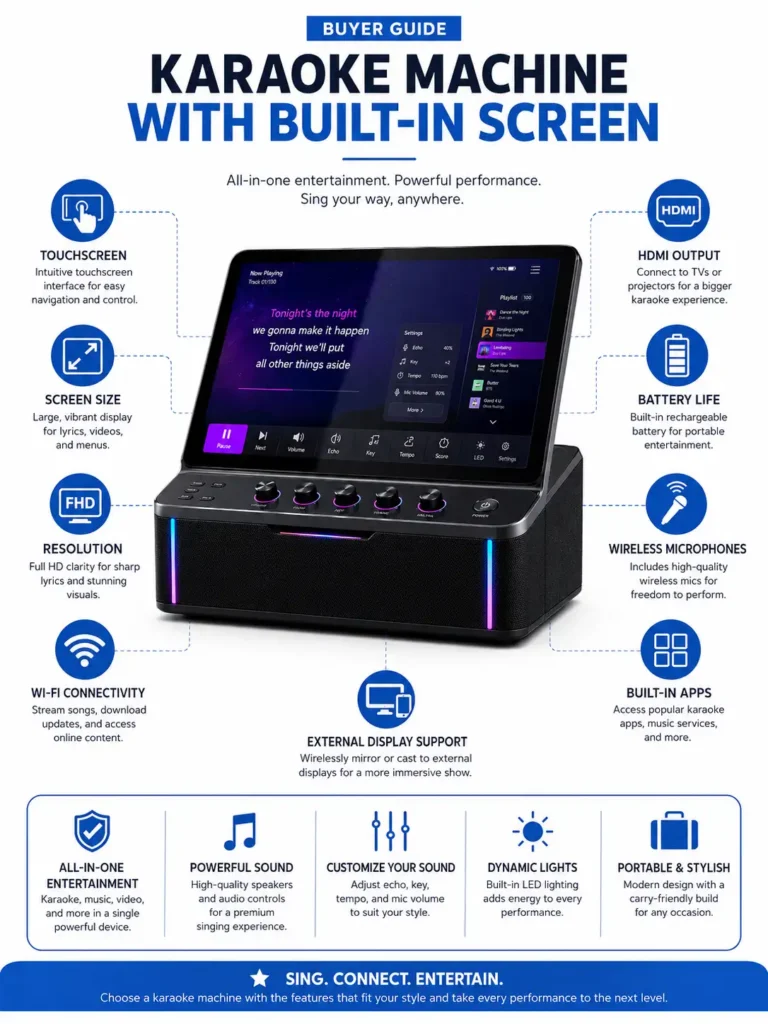
There is no universal best screen size.
A larger display can make lyrics easier to view from farther away, but screen usability also depends on:
- font size;
- contrast;
- display resolution;
- interface design;
- screen angle;
- number of people viewing it;
- where the karaoke machine is positioned.
Avoid treating a specific number of inches as an automatic indicator of quality.
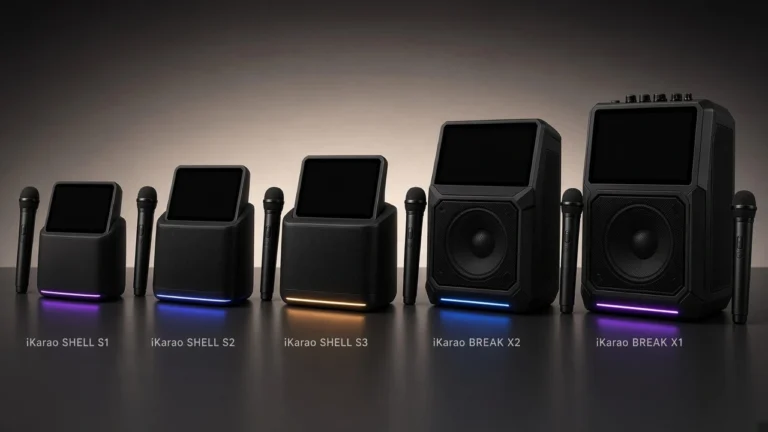
Current iKarao products demonstrate the range of screen sizes available within one manufacturer:
| Model | Manufacturer-Listed Screen |
|---|---|
| iKarao Shell S2 | 8″ |
| iKarao Shell S1 | 10.1″ |
| iKarao Break X2 | 10.1″ |
| iKarao Break X1 | 13.3″ |
The Shell S2 is currently described with an 8-inch built-in display, while the Shell S1 uses a 10.1-inch touchscreen.
The Break X2 also uses a 10.1-inch LCD-IPS touchscreen, while the Break X1 increases the display size to 13.3 inches.
That does not mean the 13.3-inch model is automatically the best choice. A larger screen can also mean a larger overall system, and portability may matter more to some buyers.
Screen Size and Screen Quality Are Different Specifications
Do not compare karaoke screens only by inches.
A useful screen comparison should consider:
- Size
- Resolution
- Display type
- Touch capability
- Viewing angle
- Interface scaling
- Screen position
- Brightness and contrast
- Software responsiveness
Two 10.1-inch displays can have very different interfaces and resolutions.
For example, iKarao currently specifies the Break X2 with a 10.1-inch LCD-IPS touchscreen and 800P resolution.
The larger Break X1 is listed with a 13.3-inch LCD-IPS touchscreen and 1080p resolution.
This illustrates an important distinction:
Display size and display resolution are separate attributes.
A larger screen does not automatically have a higher resolution, and a higher-resolution screen does not automatically produce a better overall karaoke experience.
Current Built-In Screen Examples
These examples are useful for understanding different screen architectures. They are not rankings or hands-on performance evaluations.
iKarao Shell S2: Compact 8-Inch Screen
The current Shell S2 uses an 8-inch built-in display and combines it with Wi-Fi, HDMI, Bluetooth, built-in karaoke functionality, and two wireless microphones. iKarao currently lists 140W peak speaker output for the model.
Its architecture demonstrates why a relatively compact screen can still be useful.
The display is integrated directly into a portable system, so users do not necessarily need to position a separate television beside the karaoke machine for basic lyric viewing.
This type of design is best understood as:
compact display + portable speaker + integrated interface
rather than simply:
8-inch screen
iKarao Shell S1: 10.1-Inch Smart Touchscreen
The Shell S1 moves to a 10.1-inch HD touchscreen with built-in karaoke and media applications.
It also provides HDMI among its connectivity options, demonstrating that a built-in touchscreen and an external TV connection can coexist on the same machine.
This is a useful example of a smart-screen architecture:
touchscreen → apps → controls → lyrics
with:
HDMI → optional larger external display
iKarao Break X2: 10.1-Inch 800P Display
The Break X2 also uses a 10.1-inch screen, but iKarao specifies it as an LCD-IPS touchscreen with 800P resolution. The product page lists karaoke/media apps and HDMI connectivity.
This reinforces why identical diagonal measurements do not mean two display systems are identical.
iKarao Break X1: 13.3-Inch 1080p Display
The Break X1 currently provides the largest screen among these four iKarao examples, with a manufacturer-listed 13.3-inch LCD-IPS touchscreen at 1080p. It also includes built-in apps and HDMI connectivity. For an in-depth breakdown of its hardware, power metrics, and wireless microphones, check out our comprehensive iKarao Break X1 review.
That makes it a useful example of a larger smart-screen design intended to provide more display area without requiring an external television for normal operation.
Does a Built-In Screen Mean You Do Not Need a Phone?
Sometimes, but not always.
This depends on where the machine gets its content and how the interface works.
There are three common architectures.
Fully Integrated Smart Karaoke System
A smart screen-equipped system may handle:
- Wi-Fi;
- app navigation;
- track selection;
- lyrics;
- system settings
directly on the machine.
In this design, a phone may be optional rather than essential.
Current iKarao screen-equipped models illustrate this approach by combining touchscreen interfaces with built-in app access.
Screen With External Source
Other machines may have a built-in screen but still depend on:
- a phone;
- USB storage;
- another playback device;
- external media.
In this case, the screen does not make the karaoke machine fully independent.
Hybrid System
Some products support both approaches.
They can provide an onboard interface while still allowing phones, tablets, televisions, USB devices, or other sources to be connected.
Before buying a karaoke machine with screen that doesn’t need a phone, verify exactly how tracks are selected and accessed.
Does a Karaoke Machine With a Built-In Screen Need Wi-Fi?
Not necessarily.
A screen and Wi-Fi are separate specifications.
A karaoke machine can theoretically have:
screen + no Wi-Fi
screen + Wi-Fi
screen + Wi-Fi + applications
screen + apps requiring subscriptions
Wi-Fi may be used for:
- app access;
- account login;
- online streaming;
- software updates;
- downloading content.
Current Shell S1, Break X2, Break X1, and Shell S2 product information lists Wi-Fi connectivity alongside their built-in displays.
But this should not be generalized to every screen-equipped karaoke machine.
Always check both specifications independently.
Can a Karaoke Machine With a Screen Connect to a TV?
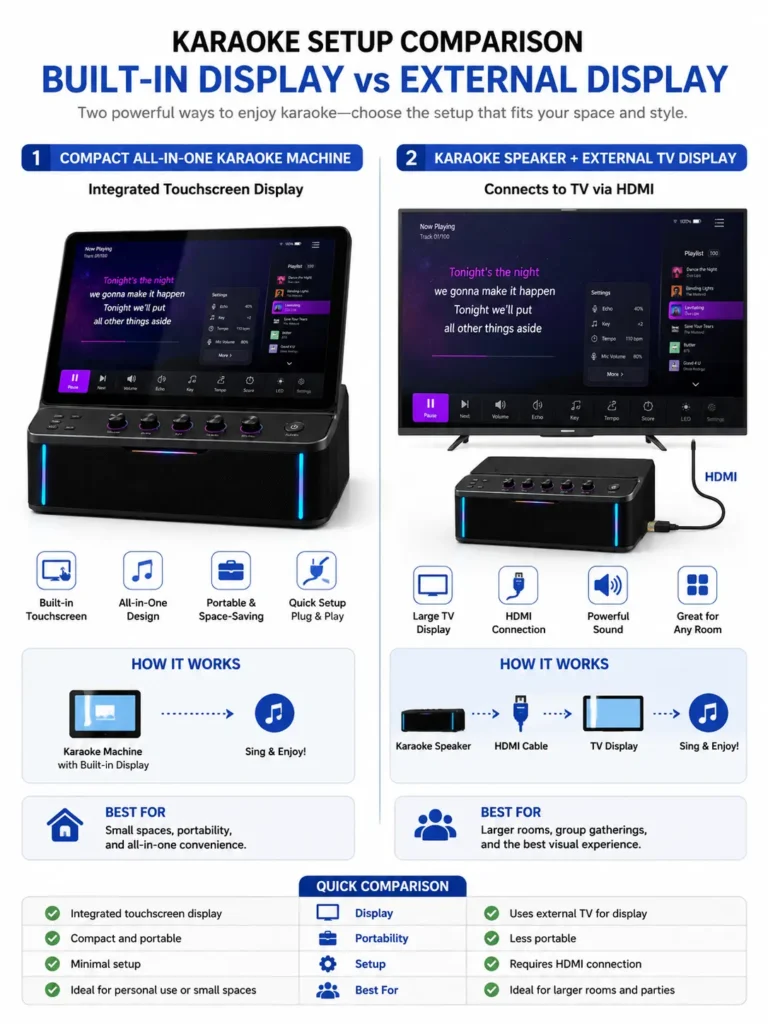
Yes, some can.
Having a built-in screen does not prevent a karaoke machine from using an external television.
A screen-equipped system can potentially work like this:
built-in display → personal/near-field lyrics
while also offering:
HDMI output → larger TV display
That can be useful at parties where the machine’s integrated screen is convenient for the person controlling the system but too small for everyone else to read comfortably.
Current iKarao documentation lists HDMI connectivity on screen-equipped models including Shell S2, Shell S1, Break X2, and Break X1.
However:
Do not assume every karaoke machine with a built-in screen has HDMI.
Check the exact model.
For connection procedures, see our guides to connecting a karaoke machine to a TV and karaoke machine HDMI connections.
Built-In Screen vs External TV
A built-in screen and a TV serve different purposes.
| Attribute | Built-In Screen | External TV |
|---|---|---|
| Portability | Better | Requires separate equipment |
| Setup | Usually simpler | Additional cable/wireless setup |
| Display size | Usually smaller | Usually much larger |
| Small-room convenience | Strong | Can be unnecessary |
| Group viewing | More limited | Better |
| Space required | Lower | Higher |
| Independence | Can be high | Depends on source setup |
| Portability outdoors | More practical | Usually less practical |
Choose a Built-In Screen When
A built-in display makes sense if you:
- move the karaoke machine frequently;
- do not want to depend on a TV;
- want lyrics available directly on the unit;
- value a self-contained setup;
- use karaoke in multiple rooms;
- want less cable setup.
Choose a TV-Centered Setup When
A larger TV may be preferable if:
- several people need to read lyrics simultaneously;
- the karaoke system stays in one room;
- you already have an entertainment setup;
- portability does not matter;
- you want a much larger shared display.
Use Both When Possible
For many buyers, the most flexible design is:
built-in screen for everyday use
plus:
HDMI output for larger gatherings
That avoids having to choose between portability and a large display.
Does the Built-In Screen Affect Battery Life?
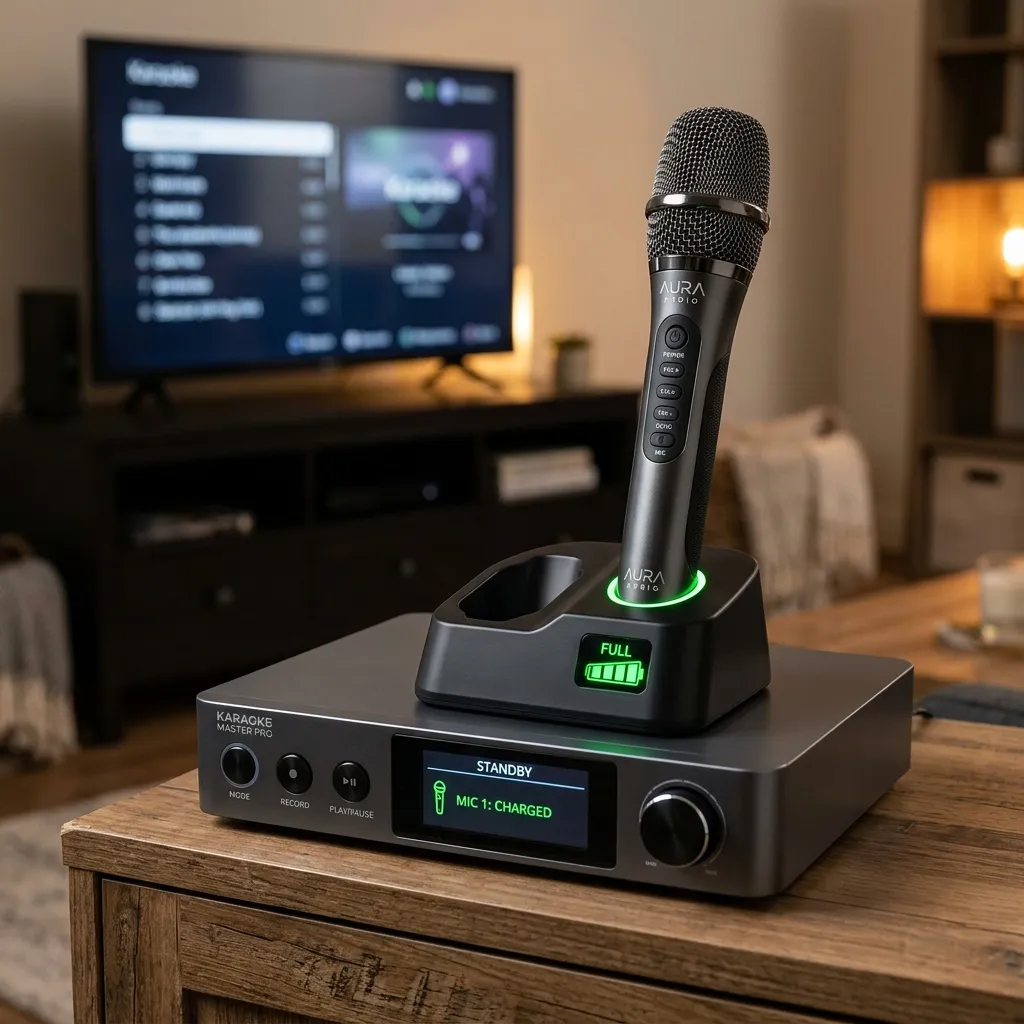
It can.
A screen requires power, so battery-powered karaoke systems may provide different runtime depending on whether the display is active.
This should be treated as a product-specific specification rather than a universal percentage.
The Shell S1 provides a useful documented example. iKarao currently states that its 71Wh battery provides up to 9 hours with the screen on and 12 hours with the screen off.
The Break X2 is similarly listed at up to 8 hours with the screen on and 11 hours with the screen off.
The Break X1 product page states up to 6 hours with the screen on.
These are manufacturer-stated runtimes, not independent measurements.
The important buying lesson is:
Check screen-on battery runtime separately from headline battery-life claims.
A product listing may prominently advertise its longest runtime, even though the screen-on figure is more relevant if you intend to use the built-in display continuously.
Karaoke Machine With Built-In Screen vs All-in-One Karaoke Machine
These terms overlap, but they do not mean the same thing.
A built-in screen is a specific feature.
An all-in-one karaoke machine describes a broader system architecture that may combine:
- speaker;
- amplifier;
- microphone inputs;
- mixer;
- microphones;
- content interface;
- connectivity;
- display.
Therefore:
built-in screen ≠ automatically all-in-one
and:
all-in-one ≠ automatically built-in screen
For example, an all-in-one speaker with microphones and Bluetooth can still rely entirely on a phone or TV for lyrics.
Conversely, a screen-equipped machine may still require external components for certain functions.
For a broader explanation of integrated systems, see our guide to all-in-one karaoke machines.
Karaoke Machine With Screen vs Portable Karaoke Machine
“Portable” and “screen-equipped” are also separate attributes.
A karaoke machine can be:
- portable with a built-in screen;
- portable without a screen;
- screen-equipped but relatively large;
- mains-powered with a built-in screen.
A portable model usually combines several characteristics such as:
- integrated carrying handle;
- rechargeable battery;
- compact chassis;
- built-in microphones or microphone storage.
The Shell S2 demonstrates a compact screen-equipped approach with an integrated battery and 8-inch display.
The Shell S1 combines a larger 10.1-inch touchscreen with battery-powered operation.
If mobility is a bigger priority than display size, see our guide to portable karaoke machines.
What to Check Before Buying a Karaoke Machine With a Built-In Screen
Use this checklist before choosing a screen-equipped model.
1. What Does the Screen Display?
Confirm whether it handles:
- lyrics;
- navigation;
- settings;
- applications;
- video;
- all of the above.
2. Is It a Touchscreen?
Do not infer touch capability from product photography.
3. How Large Is the Screen?
Compare the manufacturer-listed diagonal size, but do not make this your only buying criterion.
4. What Resolution Is Specified?
Resolution and physical screen size are separate attributes.
5. Does the Machine Run Apps Directly?
Look for manufacturer documentation naming supported applications.
6. Does It Have Wi-Fi?
Do not assume a smart-looking display automatically has internet connectivity.
7. Does It Need a Phone?
Determine where track selection happens.
8. Can It Show Lyrics Without a TV?
This is one of the main reasons to buy a screen-equipped system.
9. Can It Also Connect to a TV?
Look for HDMI or another supported video output.
10. Is the Screen Adjustable?
A screen that tilts or changes angle may be easier to position than a fixed display.
Check the exact model rather than assuming adjustability.
11. How Long Does the Battery Last With the Screen On?
This may be significantly more useful than the headline maximum runtime.
12. Is Karaoke Content Included?
Distinguish:
- built-in content;
- promotional subscriptions;
- paid subscriptions;
- free applications;
- external sources.
13. Does the Software Receive Updates?
This matters more on smart-screen systems than on simple lyric displays.
14. What Happens If the Screen Stops Working?
Check:
- warranty;
- manufacturer support;
- external-display support;
- repair options.
15. Can the Machine Still Be Used With an External Display?
HDMI can add flexibility and reduce dependence on the integrated display.
Who Should Choose a Karaoke Machine With a Built-In Screen?
Home Users
A built-in screen can simplify home karaoke by reducing the number of devices needed for everyday use.
Instead of arranging:
karaoke machine + phone + television
a smart model may allow:
karaoke machine + integrated screen
for a more self-contained setup.
Apartments and Smaller Rooms
A built-in display is useful where setting up a large TV solely for karaoke is unnecessary.
Compact screen-equipped machines can provide lyrics without occupying additional wall or furniture space.
Families
An integrated screen can reduce dependence on passing a phone between users for track selection and lyric viewing.
The more important features for families are usually:
- readable interface;
- simple navigation;
- straightforward microphone controls;
- suitable content access;
- easy charging.
Screen size alone should not determine suitability.
Portable Use
A screen has greater value when the machine is frequently moved.
If a system has:
speaker + battery + screen + microphones
in one unit, it can reduce the amount of equipment required away from home.
Larger Parties
For larger gatherings, the integrated display may be useful for the person operating the system while a TV provides lyrics for the wider group.
Look for a screen-equipped machine with appropriate external-display connectivity rather than assuming the onboard display must serve everyone.
Common Buying Mistakes
Mistake 1: Choosing Based Only on Screen Size
A 13.3-inch screen is not automatically better than a 10.1-inch screen.
Consider:
- portability;
- interface;
- resolution;
- connectivity;
- software;
- positioning.
Mistake 2: Assuming the Screen Includes Karaoke Content
A screen is hardware.
Content access is a separate service or feature.
Always check where tracks and lyrics come from.
Mistake 3: Assuming Every Screen Is Touch-Enabled
A display can show lyrics without accepting touch input.
Mistake 4: Assuming Every Screen-Equipped Machine Has Wi-Fi
Wi-Fi and screen capability are separate specifications.
Mistake 5: Assuming Every Model Has HDMI
Some do; others may not.
Check the actual connection panel or manufacturer documentation.
Mistake 6: Ignoring Screen-On Battery Runtime
The longest advertised battery number may refer to different operating conditions.
Look for the figure that reflects how you will actually use the machine.
Mistake 7: Assuming a Larger Screen Means Larger Lyrics
Font scaling, interface design, resolution, and application behavior also influence readability.
Mistake 8: Assuming Built-In Screen Means No Phone Is Needed
Some machines still require an external source.
Mistake 9: Treating a Promotional Subscription as Permanent Content Access
A limited-time trial and permanent included access are not the same thing.
Check what happens when the promotional period ends.
When Is a Built-In Screen Not Worth Paying Extra For?
Not every buyer needs one.
A screen-equipped karaoke machine may provide little extra value if:
- you always use a large TV;
- you already use a tablet for lyrics;
- the machine never leaves one room;
- you want a simpler speaker-and-mixer setup;
- you prefer modular professional equipment;
- the built-in screen adds significant cost without adding useful app functionality.
In those situations, a machine without a built-in display may offer better value.
The decision should be based on how you intend to display and control karaoke content, not on the idea that more integrated hardware is automatically better.
Built-In Screen Buying Decision
A simple way to decide is to ask these questions in order:
Do you want lyrics available without connecting a TV?
If no, a built-in screen may not be necessary.
If yes, continue.
Do you want to select tracks directly on the machine?
If yes, prioritize a touchscreen with a clearly documented onboard interface.
Do you want apps without relying on a phone?
If yes, verify Wi-Fi and app support.
Will several people need to read lyrics at once?
If yes, look for HDMI output so the machine can also use a larger TV.
Will the machine be used away from power?
If yes, compare manufacturer-stated screen-on battery runtime.
Will it be moved frequently?
If yes, consider the screen size together with total portability rather than choosing the largest display available.
Frequently Asked Questions
What is a karaoke machine with a built-in screen?
A karaoke machine with a built-in screen integrates a display directly into the main unit. Depending on the model, that display may show lyrics, controls, apps, video, system settings, or a combination of these functions.
Do karaoke machines with screens show lyrics?
Many do, but the source of those lyrics varies. Some use built-in applications, while others rely on connected devices or external media. Check the exact model’s content system.
Does a karaoke machine with a built-in screen need Wi-Fi?
Not necessarily. Wi-Fi and screen capability are separate features. Smart systems may use Wi-Fi for apps and streaming, while simpler screens can operate without it.
Does a karaoke machine with a screen need a phone?
Some do and some do not. Smart systems with onboard apps may operate without a phone as the primary interface, while other machines still rely on an external device for content.
Can a karaoke machine with a built-in screen connect to a TV?
Some can. Look for HDMI or another manufacturer-supported video output. Current iKarao screen-equipped models including Shell S1, Shell S2, Break X2, and Break X1 list HDMI connectivity.
What screen size is best for karaoke?
There is no universal best size. Consider how far users will be from the display, how many people need to see it, the interface design, portability, resolution, and whether the machine will also connect to a TV.
Is a touchscreen better for karaoke?
A touchscreen is most useful when the machine uses the display for track selection, apps, and settings. It provides less benefit if the screen only displays lyrics.
Does using the screen reduce battery life?
It can on portable systems. For example, iKarao currently lists the Shell S1 at up to 9 hours with the screen on and 12 hours with it off.
Is a karaoke machine with a built-in screen the same as an all-in-one karaoke machine?
No. A built-in screen is one product feature. An all-in-one system describes a broader combination of speaker, mixer, microphones, connectivity, content, and other integrated hardware.
Is a bigger karaoke screen always better?
No. A larger screen can provide more display area, but screen resolution, interface design, portability, positioning, and external TV support are also important.
Can I use a TV even if my karaoke machine already has a screen?
Yes, if the exact model provides a compatible video output such as HDMI. This can be useful when the integrated display is sufficient for everyday use but a larger screen is needed for groups.
Final Takeaway
A karaoke machine with a built-in screen can make karaoke more self-contained, but “built-in screen” is not a standardized feature.
One system may provide a basic lyric display. Another may include a touchscreen with Wi-Fi, applications, settings, and direct content access. Some screen-equipped machines can operate without a phone, while others still rely on external devices. Some can also send lyrics to a TV through HDMI.
Before buying, evaluate these attributes separately:
screen purpose → size → resolution → touchscreen → apps → Wi-Fi → content source → phone dependence → TV output → screen-on battery life
Do not choose based on display size alone.
If you already know you want this type of system and are ready to compare specific products, continue to our best karaoke machines with screens guide. If you are deciding between an integrated display and a television-based setup, our karaoke machine TV connection and HDMI connection guides explain the external-display side in more detail.
The best screen-equipped setup is the one whose display architecture matches how and where you actually plan to use the karaoke machine.