JBL PartyBox Ultimate Review: Is It Worth It for Karaoke?
The JBL PartyBox Ultimate is a powerful, AC-powered party speaker designed for large-scale entertainment. With 1,100W RMS output, six speaker drivers, Wi-Fi and Bluetooth connectivity, Dolby Atmos support, and an extensive lightshow, it sits among JBL’s premium PartyBox models.
Table of Contents
But is the JBL PartyBox Ultimate good for karaoke?
The answer depends on what you expect from a karaoke system.
The PartyBox Ultimate has two microphone-capable inputs, microphone volume controls, bass and treble adjustment, and echo effects. It can also work with compatible wireless microphone systems, making it suitable for karaoke setups built around an external playback source.
However, microphones are not included, there is no built-in lyric screen, and the speaker does not have a rechargeable battery. It needs an AC power connection.
This review examines the PartyBox Ultimate’s verified specifications, microphone connections, sound system, streaming options, portability, and karaoke limitations to help determine whether it fits your setup.
Research note: This review is based on JBL’s official product page, technical specification sheet, owner’s manual, and support information. We have not physically tested the PartyBox Ultimate, so manufacturer performance claims are identified accordingly.
JBL PartyBox Ultimate Specifications
| Feature | JBL PartyBox Ultimate |
|---|---|
| Speaker type | AC-powered party speaker |
| Output power | 1,100W RMS (IEC 60268) |
| Speaker drivers | Six |
| Subwoofers | Two 9-inch |
| Midrange drivers | Two 4.5-inch |
| Tweeters | Two 2.75-inch |
| Frequency response | 30Hz–20kHz (-6dB) |
| Bluetooth | Version 5.3 |
| Wi-Fi | 2.4GHz and 5GHz |
| Microphone inputs | One dedicated mic input and one shared microphone input |
| Microphones included | No |
| Karaoke effects | Mic volume, bass, treble, echo |
| Dolby Atmos | Supported with compatible Wi-Fi streaming |
| USB | Audio playback and external-device charging |
| AUX | 3.5mm input |
| App | JBL One |
| Water resistance | IPX4 splash resistant |
| Rechargeable speaker battery | No |
| Dimensions | 45.5 × 104.9 × 44 cm |
| Weight | 39.5 kg/87.1 lb |
| US price | $1,499.95, checked October 26, 2026 |
Specifications are from JBL’s official documentation. Prices and availability may change.
What Is the JBL PartyBox Ultimate?
The JBL PartyBox Ultimate is primarily a high-output entertainment speaker with microphone support.
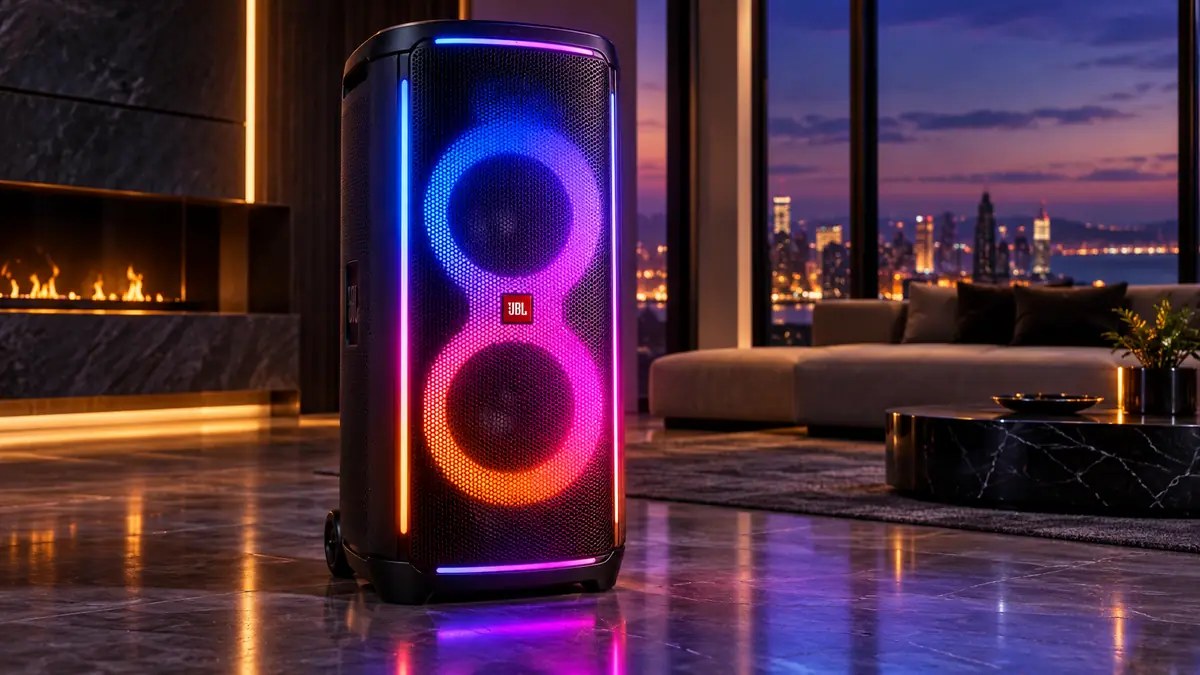
It combines a large speaker system, several playback options, lighting effects, and physical controls for microphone input.
Unlike a conventional all-in-one karaoke machine, it does not have a touchscreen displaying lyrics or an integrated karaoke catalog.
Instead, you supply the karaoke content from a compatible external source.
For example, you could use a phone or another playback device to provide the backing track, connect microphones to the PartyBox Ultimate, and display lyrics on a separate television.
That arrangement makes the Ultimate flexible, but it also means the speaker is only one part of a complete karaoke setup.
The buying decision should therefore consider both the speaker’s capabilities and the extra equipment you may need.
JBL PartyBox Ultimate Price
JBL’s official US website listed the PartyBox Ultimate at $1,499.95 on October 26, 2026, reduced from a displayed reference price of $1,899.95.
That puts it firmly in the premium party-speaker category.
The price covers a substantial speaker system with powerful amplification, extensive lighting, wireless streaming, microphone connections, and app-based customization.
However, buyers should account for possible additional purchases.
A complete karaoke setup may also require microphones, a compatible playback device, and a television or other lyrics display.
If you already have those items, the additional cost may be relatively limited.
If you are starting from nothing, the total setup cost will be higher than the speaker price alone.
For someone primarily interested in singing at home, a less expensive all-in-one karaoke machine with included microphones may represent a more practical alternative.
JBL PartyBox Ultimate Instruction Manual
Read the official JBL PartyBox Ultimate owner’s manual below, or download the PDF for offline reference.
What Comes in the Box?
JBL lists the standard package contents as:
- JBL PartyBox Ultimate speaker
- Right-angle AC power cord
- Quick-start guide
- Safety sheet and warranty card
No handheld microphones are included in the standard package.
That matters because JBL promotes microphone functionality prominently.
A speaker having microphone inputs does not mean microphone accessories come with it.
You will need to provide compatible wired microphones or purchase a suitable wireless microphone system separately.
JBL PartyBox Ultimate Sound System
The PartyBox Ultimate uses six speaker drivers.
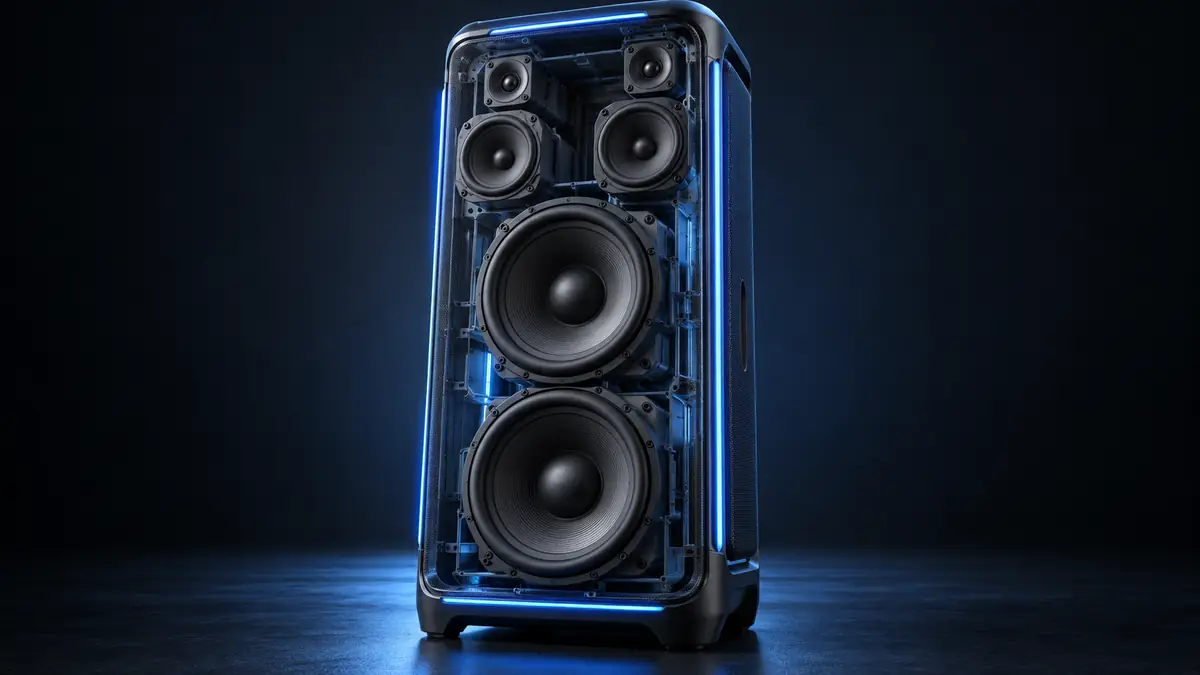
JBL’s technical specifications identify:
- Two 9-inch (242mm) subwoofers
- Two 4.5-inch (120mm) midrange drivers
- Two 2.75-inch (74mm) tweeters
This arrangement separates lower-frequency, midrange, and high-frequency reproduction across different driver types.
The company also specifies a frequency response of 30Hz–20kHz (-6dB).
These are substantial hardware specifications for a self-contained party speaker.
The dual subwoofers are intended to handle low-frequency output, while the midrange drivers and tweeters reproduce other parts of the audio spectrum.
However, driver size and electrical output ratings do not independently establish how the speaker sounds in a particular room.
The actual experience depends on placement, source material, listening level, acoustics, and other factors.
Without independent measurements or direct listening tests, it would be misleading to assign a subjective sound-quality score.
What Does 1100W RMS Mean?
JBL specifies 1,100W RMS under IEC 60268.
This is important because some karaoke products advertise much larger figures using peak-power terminology.
RMS and peak figures should not be treated as directly interchangeable.
JBL’s published 1,100W figure is the speaker system’s rated output power, not a statement that it continuously consumes 1,100 watts from the wall under every operating condition.
It also does not tell you exactly how loud the speaker will be at a particular distance.
Sound pressure depends on more than electrical power.
Therefore, claims such as “twice as powerful means twice as loud” are not technically reliable.
The practical takeaway is that the Ultimate is designed as a high-output speaker, but the wattage alone should not determine whether it is appropriate for a specific room or event.
Is the JBL PartyBox Ultimate Good for Karaoke?
Yes, the JBL PartyBox Ultimate has useful karaoke capabilities, but it is not a complete all-in-one karaoke system.
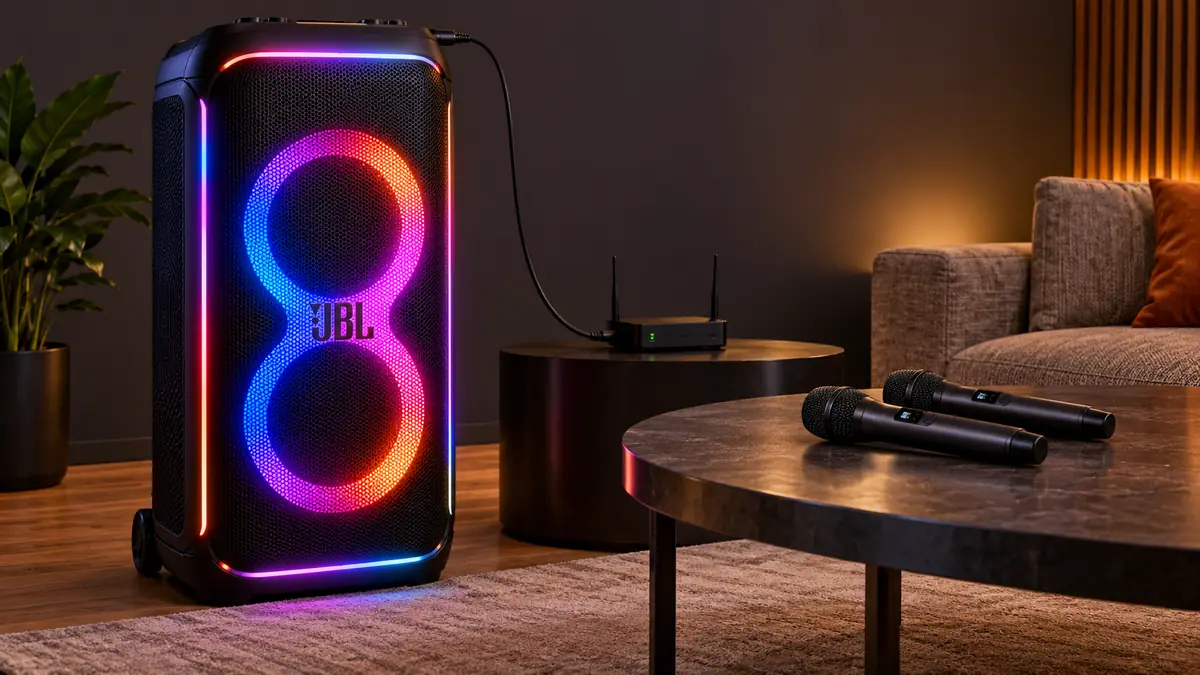
JBL provides microphone inputs and dedicated microphone adjustments.
The speaker can combine microphone input with audio from a compatible source, allowing users to perform over a backing track.
Its documented karaoke controls include:
- Microphone volume
- Microphone bass
- Microphone treble
- Echo
These are useful features for adjusting the vocal signal without requiring a separate mixer for basic karaoke use.
The Ultimate can also work with compatible wireless microphone accessories.
However, JBL’s documentation does not establish built-in automatic vocal removal, automatic pitch correction, or an integrated lyrics display.
That distinction is important.
The PartyBox Ultimate is primarily designed to reproduce audio powerfully while offering microphone mixing, rather than providing every element of the karaoke experience in one cabinet.
How Many Microphone Inputs Does PartyBox Ultimate Have?
The PartyBox Ultimate has two microphone-capable connection points.
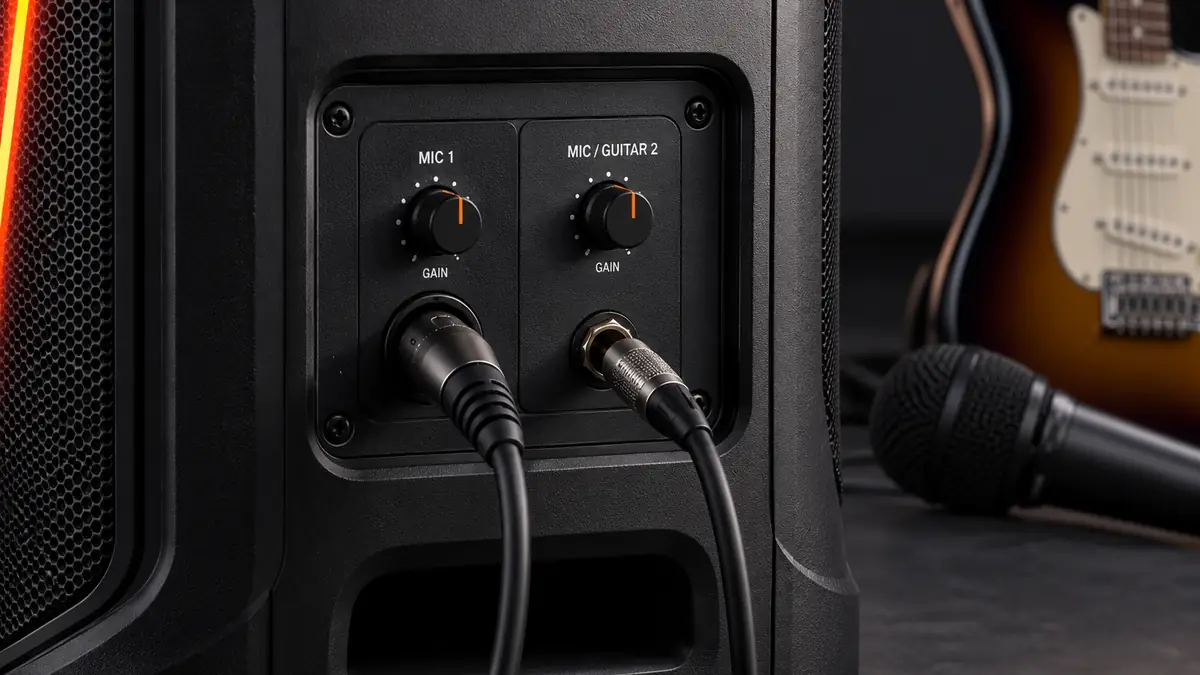
Its owner’s manual identifies them as:
Mic 1: A dedicated microphone input.
Mic 2: A second input that can be switched between microphone operation.
The shared input has a selector switch to determine its function.
This means you can use two compatible wired microphones when the second connection is in microphone mode.
Alternatively, you can connect one wired microphone and.
The second input should not be described as two completely separate physical inputs for microphone.
JBL also provides individual rear-panel gain controls labeled GAIN 1 and GAIN 2.
These allow adjustment of the corresponding input levels.
Does PartyBox Ultimate Come With Wireless Microphones?
No.
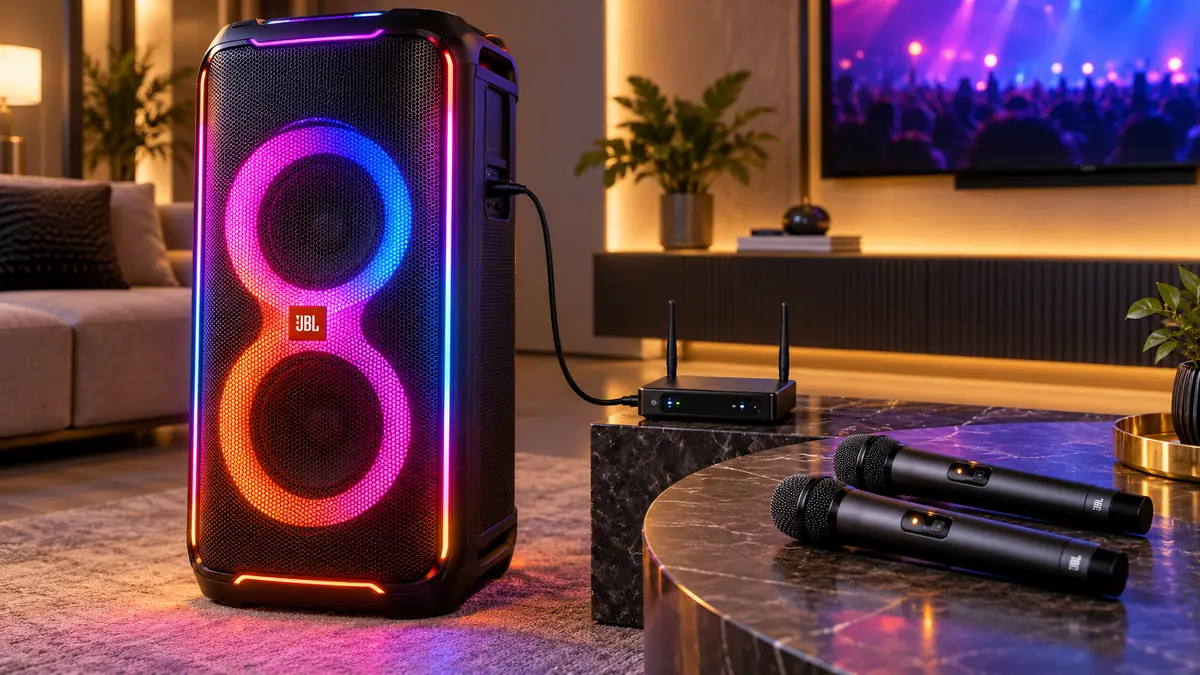
The standard PartyBox Ultimate package contains no handheld microphones.
However, JBL sells compatible wireless microphone accessories separately.
According to JBL’s support documentation, the Ultimate supports the JBL wireless microphone system through its receiver connected to an appropriate microphone input.
This is different from assuming microphones connect directly through the speaker’s normal Bluetooth pairing menu.
Bluetooth audio streaming and wireless microphone transmission are separate functions.
Can You Connect Three Microphones to PartyBox Ultimate?
JBL’s wireless microphone support documentation identifies a specific arrangement that can support two wireless microphones plus one wired microphone.
That requires a separately purchased compatible JBL wireless microphone set.
The wireless microphone receiver uses one microphone input, while an additional wired microphone uses the other suitable input.
JBL lists the Ultimate among models supporting this configuration.
This does not mean the PartyBox Ultimate has three independent microphone sockets.
It means a compatible two-microphone wireless receiver can provide two microphone signals through one connection, leaving an appropriate second input available for another microphone.
Compatibility and actual routing should be checked against the microphone kit being purchased.
How to Connect a Microphone to JBL PartyBox Ultimate
For a basic wired karaoke setup:
- Connect the PartyBox Ultimate to AC power and switch it on.
- Lower the microphone volume before making connections.
- Connect a compatible wired microphone to the dedicated microphone input.
- If using the second shared input, set its selector to microphone mode.
- Adjust the corresponding rear-panel gain control.
- Raise the microphone volume gradually.
- Start audio playback from a compatible source.
- Adjust microphone bass, treble, and echo as required.
The owner’s manual specifically recommends reducing microphone volume before connecting or disconnecting those devices.
This is also useful for limiting unexpected loud output.
For a separately purchased wireless microphone kit, follow the instructions supplied with that kit and connect its receiver to the appropriate microphone input.
Do not attempt to connect a dedicated wireless microphone receiver through the normal Bluetooth audio settings unless its manufacturer specifically instructs you to do so.
Microphone Volume, Bass, Treble and Echo
The Ultimate provides a dedicated set of karaoke controls on its top panel.
Microphone Volume
This adjusts the microphone level relative to the rest of the playback.
Start at a moderate level and increase it gradually.
Bass
The microphone bass control changes the lower-frequency balance of the voice.
This can be useful when a vocal signal sounds excessively thin or heavy, although results depend on the microphone and room.
Treble
The treble adjustment changes the higher-frequency balance of the microphone signal.
Echo
Echo adds delayed repetitions to the microphone signal.
It can create a more spacious vocal effect, but excessive echo may reduce intelligibility.
Does PartyBox Ultimate Have Auto-Tune?
JBL does not document automatic pitch correction among the PartyBox Ultimate’s karaoke controls.
The microphone EQ and echo settings should not be confused with Auto-Tune.
They adjust tone and effects rather than automatically correcting the pitch of a singer.
Does JBL PartyBox Ultimate Remove Vocals?
The reviewed JBL product specifications and owner’s manual do not identify a built-in automatic vocal-removal feature.
That means you should not buy the Ultimate expecting it to remove the original singer’s voice from any recording automatically.
For karaoke, use a suitable backing track or a compatible external service that provides the content you need.
The speaker can reproduce that audio while accepting microphone input.
But the speaker itself is not documented as a vocal-separation processor.
Can JBL PartyBox Ultimate Display Karaoke Lyrics?
The PartyBox Ultimate does not have a built-in lyrics screen or documented HDMI video output.
Its manual describes audio streaming rather than video streaming.
If you want lyrics on a television, projector, or monitor, you need a separate display arrangement.
For example:
Playback device → television for lyrics
Compatible audio connection → PartyBox Ultimate
Microphone → PartyBox Ultimate microphone input
The exact audio route depends on the source device and television.
Some TVs and playback devices offer Bluetooth output, while others may require a wired audio connection or an additional adapter.
Do not assume that connecting the PartyBox Ultimate by Bluetooth automatically sends lyrics to the TV.
Bluetooth audio playback and video display remain separate tasks.
Bluetooth 5.3 Connectivity
JBL specifies Bluetooth 5.3 for the PartyBox Ultimate.
Its owner’s manual explains that users can place the speaker into Bluetooth pairing mode and select JBL PartyBox Ultimate from a compatible phone or tablet.
Once connected, the speaker can play audio from that device.
The manual also documents multipoint Bluetooth connections, allowing two source devices to be connected.
This is useful when several people want to provide playback content without repeatedly disconnecting and repairing their phones.
However, Bluetooth playback is not the same as a dedicated wireless microphone connection.
Also, Bluetooth source audio may involve delay, depending on the devices and signal path.
If you are displaying lyrics or video on a separate screen, synchronization should be evaluated for the exact setup rather than assuming zero latency.
Wi-Fi Connectivity and Streaming
The Ultimate supports both 2.4GHz and 5GHz Wi-Fi.
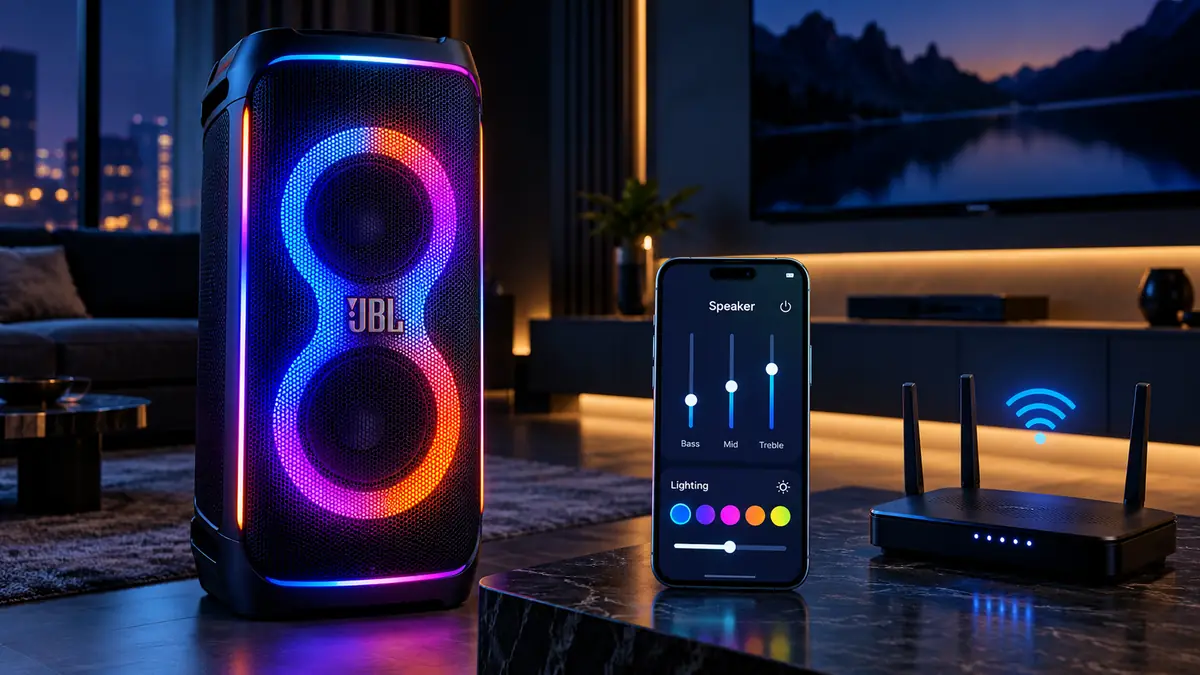
JBL’s technical documentation lists wireless networking support including 802.11ax.
The owner’s manual identifies streaming options such as:
- Chromecast built-in
- AirPlay
- Alexa Cast
- Spotify Connect
Availability can depend on the streaming service, region, app, and device.
Wi-Fi offers an alternative to normal Bluetooth playback, particularly for compatible home-network streaming.
It also supports some of the Ultimate’s advanced connected features through the JBL One app.
For first-time network setup, JBL instructs users to connect their phone to the home Wi-Fi, open JBL One, and follow the app instructions.
There is no need for the wireless microphones themselves to connect to the home router.
Does JBL PartyBox Ultimate Support Dolby Atmos?
Yes.
JBL advertises Dolby Atmos over Wi-Fi on the PartyBox Ultimate.
However, this feature has an important limitation.
JBL says a subscription to a compatible high-definition streaming service is required to access the advertised immersive Dolby Atmos content.
That means Dolby Atmos should not be assumed to apply automatically to:
- every Bluetooth track;
- ordinary USB files;
- microphone signals;
- every streaming service.
The source content, service, and streaming configuration matter.
For buyers interested mainly in karaoke, Dolby Atmos may be less important than microphone controls and straightforward audio routing.
For buyers also considering the Ultimate as a premium streaming party speaker, it may be a more relevant feature.
JBL One App: What Can It Control?
The PartyBox Ultimate uses the JBL One companion app.
According to JBL, the app supports features such as:
- Wi-Fi setup
- Supported streaming services
- EQ customization
- Lighting patterns and colors
- Playback-related settings
- Personalized Moment shortcuts
The Ultimate’s Moment control can recall a preset playlist and speaker settings configured through JBL One.
The app adds convenience when managing the speaker from a phone rather than using only the physical controls.
However, it does not turn the Ultimate into a karaoke machine with a built-in lyric display.
JBL PartyPad and Special Effects
The Ultimate includes JBL PartyPad, a separate control surface for performance-oriented effects.
The owner’s manual identifies:
Horn, Repeater and Filter
These can be selected through PartyPad’s touch-based controls.
This feature is different from the microphone-specific EQ and echo section.
PartyPad is intended to add interactive effects to the party experience, while the karaoke controls manage the microphone signal.
It should not be mistaken for automatic pitch correction or built-in vocal removal.
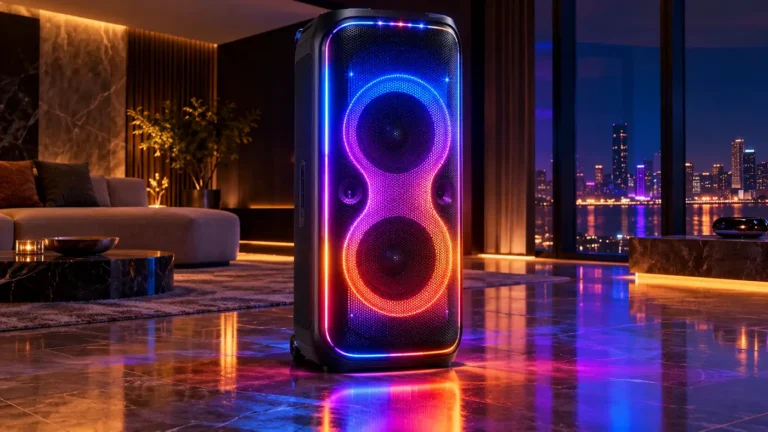
Multi-Dimensional Lightshow
JBL gives the PartyBox Ultimate an extensive lighting system.
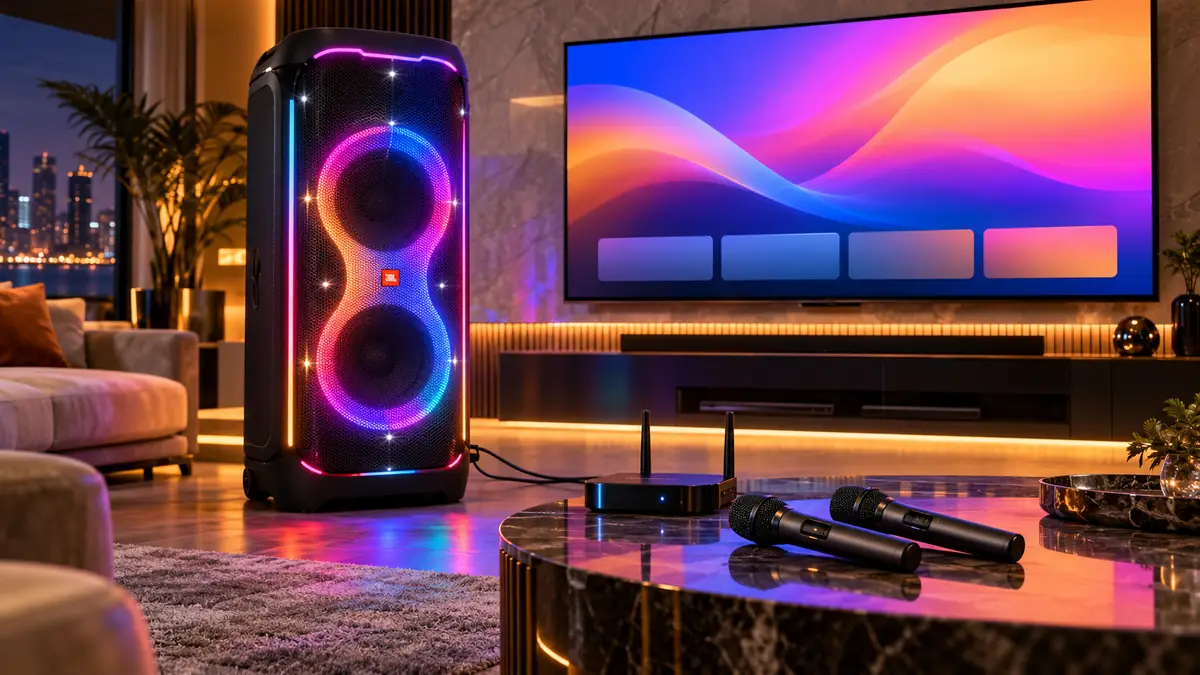
The manufacturer describes visual effects including:
- Starry lighting
- Light trails
- Strobes
- Cabinet outlining
- Lighting projected around the speaker
The light patterns can be changed using the speaker’s controls and through the JBL One app.
The owner’s manual also documents several lighting patterns, including Neon, Loop, Bounce, Trim, Switch and Freeze.
These effects can add visual atmosphere to a karaoke gathering without requiring separate lighting equipment.
However, the lightshow is an enhancement rather than a replacement for the actual karaoke content, microphones, or display.
The manual cautions users against looking directly into the light-emitting components.
Does JBL PartyBox Ultimate Have a Battery?
No. The JBL PartyBox Ultimate does not have a rechargeable speaker battery.
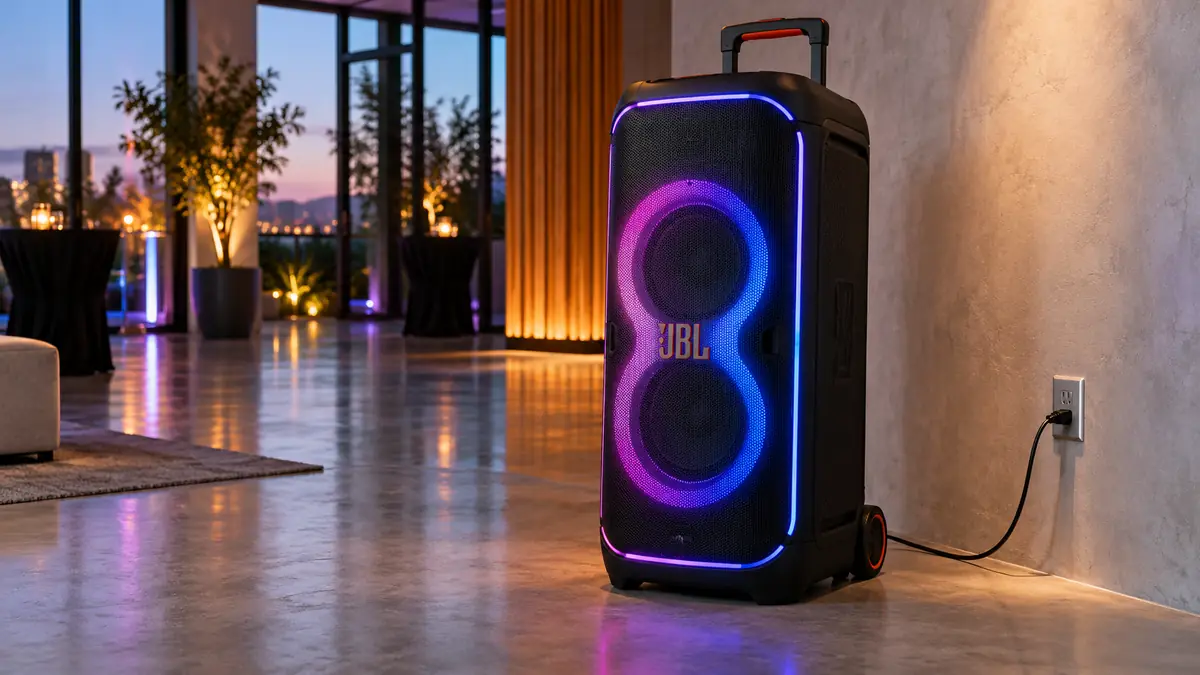
It requires an AC power connection.
JBL specifies an input of 100–240V AC, 50/60Hz, depending on the supplied regional power cord.
This is one of the most important limitations for buyers comparing the Ultimate with smaller rechargeable PartyBox models.
Although it has wheels and a handle, it cannot simply be carried to an outdoor location and operated independently of mains power.
You need access to a suitable outlet.
The speaker does provide USB charging output for compatible external devices, but that is not evidence of an internal battery.
USB device charging and battery-powered speaker operation are different things.
Size, Weight and Portability
The PartyBox Ultimate is a large cabinet.
Its official dimensions are:
45.5cm wide × 104.9cm high × 44cm deep
It weighs:
39.5kg, approximately 87.1lb
JBL includes a handle and wheels to help move it.
Those features are practical, especially when moving the speaker across a suitable flat surface.
However, wheels do not make the Ultimate lightweight.
Its weight, height, and need for mains power should be considered before purchasing.
For a home setup, it needs a stable location with enough space around the cabinet.
For events, transportation and placement may require more planning than a smaller rechargeable speaker.
The owner’s manual also warns against leaning on the cabinet or placing it on an unstable surface because of the risk of tipping.
Is JBL PartyBox Ultimate Waterproof?
No.
The manufacturer specifies IPX4 splash resistance.
That means the speaker has a defined level of resistance to water splashes under the relevant test conditions.
It is not an immersion rating.
It should not be described as waterproof.
The owner’s manual also states that protective covers should remain secured and the power connection should be kept dry.
This is especially relevant because the Ultimate requires AC power.
For outdoor use, the power connection and overall setup must be protected appropriately.
Do not treat IPX4 as permission to leave the speaker exposed to heavy rain.
Can You Connect Multiple PartyBox Ultimate Speakers?
JBL supports multi-speaker operation with the PartyBox Ultimate.
The documentation describes wireless multi-speaker connection and stereo pairing.
The rear panel also has 3.5mm daisy-chain input and output connections for linking compatible speaker systems through cables.
These are different connection methods.
Wireless linking can be convenient in compatible PartyBox arrangements.
Stereo pairing is useful when configuring two suitable speakers as a stereo system.
Daisy chaining uses physical audio cables.
Compatibility should always be checked by model because different PartyBox generations may use different linking technologies.
Do not assume every PartyBox model supports the same wireless pairing process.
USB and AUX Connections
The PartyBox Ultimate includes additional physical connections beyond microphone inputs.
USB
JBL documents USB audio playback and external-device charging.
The specification sheet lists MP3 and WAV support, while the owner’s manual also documents WMA playback.
Its USB charging output is rated up to 5V/2.1A.
AUX Input
The 3.5mm AUX input allows audio playback from a compatible external device through a cable.
This may be useful when a wired audio route is preferable to Bluetooth.
Daisy-Chain Input and Output
These are intended for connecting compatible audio equipment or additional speakers through suitable cables.
They should not be confused with microphone inputs.
JBL PartyBox Ultimate for Home Karaoke
For home karaoke, the Ultimate offers substantial speaker hardware and useful microphone adjustments.
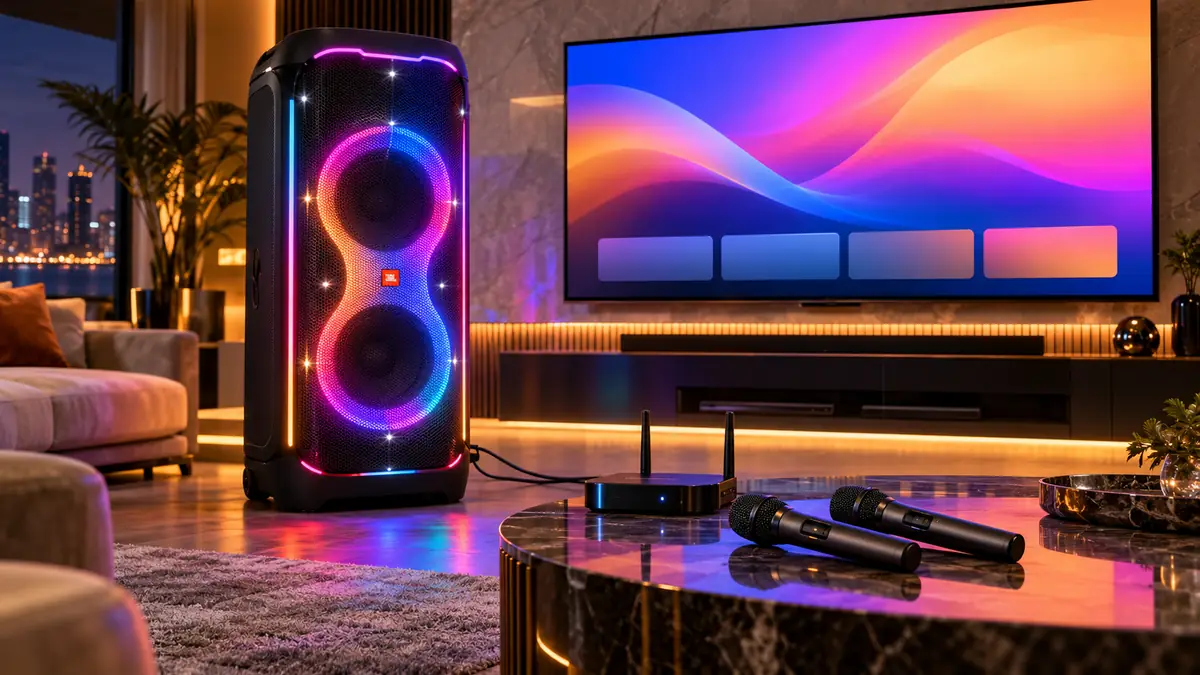
Its strengths include:
- high manufacturer-rated output;
- microphone connections;
- microphone gain and EQ controls;
- echo;
- multiple audio playback options;
- visual lighting effects.
However, the practical drawbacks are significant.
The cabinet is large and heavy, it requires AC power, and microphones must be purchased separately.
You also need an external display arrangement if you want lyrics visible.
For a household primarily interested in straightforward karaoke evenings, those requirements may be unnecessary complexity.
A smaller all-in-one karaoke machine with included wireless microphones and an integrated screen may be easier to set up.
See our best home karaoke machine guide for that type of product.
Is JBL PartyBox Ultimate Suitable for Large Gatherings?
The PartyBox Ultimate’s six-driver construction and 1,100W RMS output rating indicate that JBL designed it for substantial sound output.
The company markets it for large party spaces.
However, those specifications do not establish an exact recommended audience size or venue capacity.
Coverage depends on factors such as speaker positioning, room layout, ambient noise, and the required listening level.
For karaoke gatherings, there is also the question of microphone management and feedback.
A larger and more powerful speaker can still produce feedback when a microphone is placed poorly or gain is set excessively.
For this reason, the Ultimate should be evaluated as part of an overall sound setup rather than on wattage alone.
JBL PartyBox Ultimate Pros and Cons
| Potential advantages | Potential limitations |
|---|---|
| 1,100W RMS manufacturer-rated output | Requires AC power |
| Six-driver speaker system | No rechargeable battery |
| Two microphone-capable inputs | No microphones included |
| Microphone volume, EQ and echo | Second mic input shared with |
| Compatible wireless microphone accessories | No built-in lyric display |
| Bluetooth 5.3 and Wi-Fi | No documented Auto-Tune |
| Dolby Atmos with compatible Wi-Fi sources | Dolby Atmos requires suitable content/service |
| JBL One app | Large and heavy cabinet |
| Extensive lightshow | Premium purchase price |
| Multiple speaker-connection options | Additional karaoke equipment may be necessary |
| Wheels and handle | IPX4 is splash resistance, not waterproofing |
Who Should Buy the JBL PartyBox Ultimate?
The Ultimate makes the most sense for someone who wants a premium party speaker first and karaoke capability as an important additional function.
It may suit buyers who:
- want a high-output entertainment speaker;
- already own microphones or plan to buy a compatible wireless kit;
- have a suitable AC-powered entertainment space;
- value Wi-Fi streaming and lighting features;
- want microphone flexibility;
- are comfortable using an external source for karaoke content.
It is less suitable for buyers who:
- need a battery-powered system;
- want microphones included;
- need a built-in lyrics screen;
- have limited floor space;
- want a lightweight portable speaker;
- expect automatic vocal removal;
- only need a simple home karaoke setup.
JBL PartyBox Ultimate vs an All-in-One Karaoke Machine
| Feature | JBL PartyBox Ultimate | Typical All-in-One Karaoke Machine |
|---|---|---|
| Primary purpose | High-output party speaker | Integrated karaoke |
| Output | 1,100W RMS specified | Varies by model |
| Microphones included | No | Often, but not always |
| Microphone connections | Two mic-capable inputs | Model-dependent |
| Echo | Yes | Common, varies |
| Built-in lyric screen | No | Available on some models |
| Karaoke content | Requires external source | May include apps or content |
| Automatic vocal removal | Not documented | Available on some models |
| Rechargeable battery | No | Available on some models |
| Streaming | Wi-Fi, Bluetooth, USB, AUX | Depends on model |
| Portability | Wheeled, heavy, AC-powered | Varies significantly |
This comparison explains why the most powerful speaker is not automatically the most practical karaoke machine.
A product with less output power but included microphones and a built-in display may better match someone who values ease of setup.
By contrast, a buyer building a larger entertainment system may value the Ultimate’s speaker hardware and connectivity more highly.
Frequently Asked Questions
Is the JBL PartyBox Ultimate good for karaoke?
Yes. It has microphone inputs and dedicated microphone volume, bass, treble and echo controls. However, it is a party speaker rather than a complete all-in-one karaoke machine. Microphones and a lyrics display must be supplied separately.
How many watts is the JBL PartyBox Ultimate?
JBL specifies 1,100W RMS under IEC 60268. This is not a peak-power specification.
Does JBL PartyBox Ultimate have a battery?
No. It requires AC power and does not have a rechargeable speaker battery.
Does JBL PartyBox Ultimate come with microphones?
No. The standard package does not include handheld microphones.
How many microphones can connect to PartyBox Ultimate?
The speaker has one dedicated microphone input and one shared microphone input. JBL also documents a compatible wireless-microphone configuration allowing two wireless microphones and one wired microphone through the appropriate inputs.
Can I use wireless microphones with PartyBox Ultimate?
Yes, with a compatible wireless microphone system and receiver. JBL sells wireless microphone accessories separately.
Does PartyBox Ultimate have echo?
Yes. It includes microphone echo adjustment alongside microphone volume, bass and treble controls.
Does PartyBox Ultimate have Auto-Tune?
The reviewed JBL documentation does not identify automatic pitch correction as a built-in feature.
Can PartyBox Ultimate remove vocals?
Automatic vocal removal is not documented in JBL’s official product specifications or owner’s manual.
Can PartyBox Ultimate display lyrics?
No integrated lyrics display or HDMI video output is documented. Use a separate compatible playback device and display.
Does PartyBox Ultimate support Dolby Atmos?
Yes, with compatible Wi-Fi streaming and content. JBL says a qualifying streaming subscription is required for the advertised immersive Dolby Atmos experience.
Does PartyBox Ultimate support Bluetooth?
Yes. It uses Bluetooth 5.3 and supports compatible Bluetooth audio playback.
Does PartyBox Ultimate support Wi-Fi?
Yes. JBL documents both 2.4GHz and 5GHz Wi-Fi connectivity.
Which app works with JBL PartyBox Ultimate?
The supported companion app is JBL One.
Is JBL PartyBox Ultimate waterproof?
No. It is rated IPX4 splash resistant, not waterproof.
How much does JBL PartyBox Ultimate weigh?
It weighs 39.5kg, approximately 87.1lb.
Can two JBL PartyBox Ultimate speakers be paired?
Yes. JBL documents stereo and supported multi-speaker connection features.
Is JBL PartyBox Ultimate worth buying?
It can make sense for buyers seeking a powerful premium party speaker with karaoke support. Buyers primarily interested in a simple all-in-one karaoke experience may find smaller systems with included microphones and screens more practical.
Sources and Research Method
This article uses the following manufacturer sources:
- JBL PartyBox Ultimate Official Product Page — current pricing, features, product positioning and specifications.
- JBL PartyBox Ultimate Technical Specification Sheet — output power, driver arrangement, connectivity, dimensions and weight.
- JBL PartyBox Ultimate Owner’s Manual — microphone setup, physical controls, Wi-Fi, Bluetooth, source playback and safety guidance.
- JBL Wireless Microphone Compatibility Support — microphone-kit configurations and compatible PartyBox models.
Last checked: October 26, 2026. No physical product testing or independent acoustic measurements were performed for this review.