JBL PartyBox Ultimate 2 Review: Is It Worth It for Karaoke?
The JBL PartyBox Ultimate 2 is a premium party speaker featuring 1,500W RMS output, a six-driver sound system, built-in EasySing AI vocal removal, Bluetooth 6.0, Wi-Fi streaming, Auracast connectivity, and an extensive lightshow.
Table of Contents
It also introduces several features that make it particularly interesting for karaoke enthusiasts, including an optical TV audio input, microphone connectivity, and a touch-enabled control panel.
Compared with the original JBL PartyBox Ultimate, the new model offers a higher power rating, larger woofers, updated connectivity, and built-in AI vocal reduction. These are meaningful changes for anyone who wants to perform with regular recordings rather than depend entirely on specially prepared karaoke tracks.
However, the Ultimate 2 is not a complete all-in-one karaoke machine. Microphones are sold separately, there is no dedicated lyrics display, and the speaker requires AC power. It also weighs more than 105 pounds, making transportation and placement important buying considerations.
This JBL PartyBox Ultimate 2 review examines its verified specifications, karaoke features, microphone connections, TV setup, streaming options, and differences from the original Ultimate to help you decide whether the upgrade is worthwhile.
Research disclosure: This review is based on JBL’s official product page, technical specification sheet, quick-start guide, and support information. No physical listening tests or independent acoustic measurements were performed.
JBL PartyBox Ultimate 2 Specifications
| Specification | JBL PartyBox Ultimate 2 |
|---|---|
| Speaker type | Premium AC-powered party speaker |
| Output power | 1,500W RMS (IEC 60268) |
| Speaker drivers | Six |
| Subwoofers | Two 10-inch (264mm) |
| Midrange drivers | Two 5-inch (124mm) |
| Tweeters | Two 1-inch (30mm) |
| Frequency response | 28Hz–20kHz (-6dB) |
| Signal-to-noise ratio | Greater than 80dB |
| Bluetooth | Version 6.0 |
| Wi-Fi | 2.4GHz and 5GHz |
| Vocal reduction | EasySing AI |
| Audio processing | AI Sound Boost and Smart EQ Mode |
| Microphone connectivity | Two ¼-inch microphone-capable ports |
| Compatible EasySing microphones | USB-C receiver connection supported |
| XLR connection | Line-level input |
| TV connection | Optical digital audio input |
| USB-C | Compatible playback and device charging |
| Multi-speaker connection | Auracast |
| Companion app | JBL One |
| Display | Touch-enabled top control interface |
| Water resistance | IPX4 splash resistant |
| Rechargeable speaker battery | No |
| Power requirement | 100–240V AC, 50/60Hz |
| Dimensions | 46.67 × 105.25 × 49.33cm |
| Weight | 47.68kg/105.12lb |
| US price | $1,799.95, checked October 27, 2026 |
These specifications come from JBL’s official PartyBox Ultimate 2 product page and technical specification sheet.
What Is the JBL PartyBox Ultimate 2?
The PartyBox Ultimate 2 is JBL’s updated flagship-style party speaker, designed around substantial sound output, interactive lighting, and flexible audio connections.
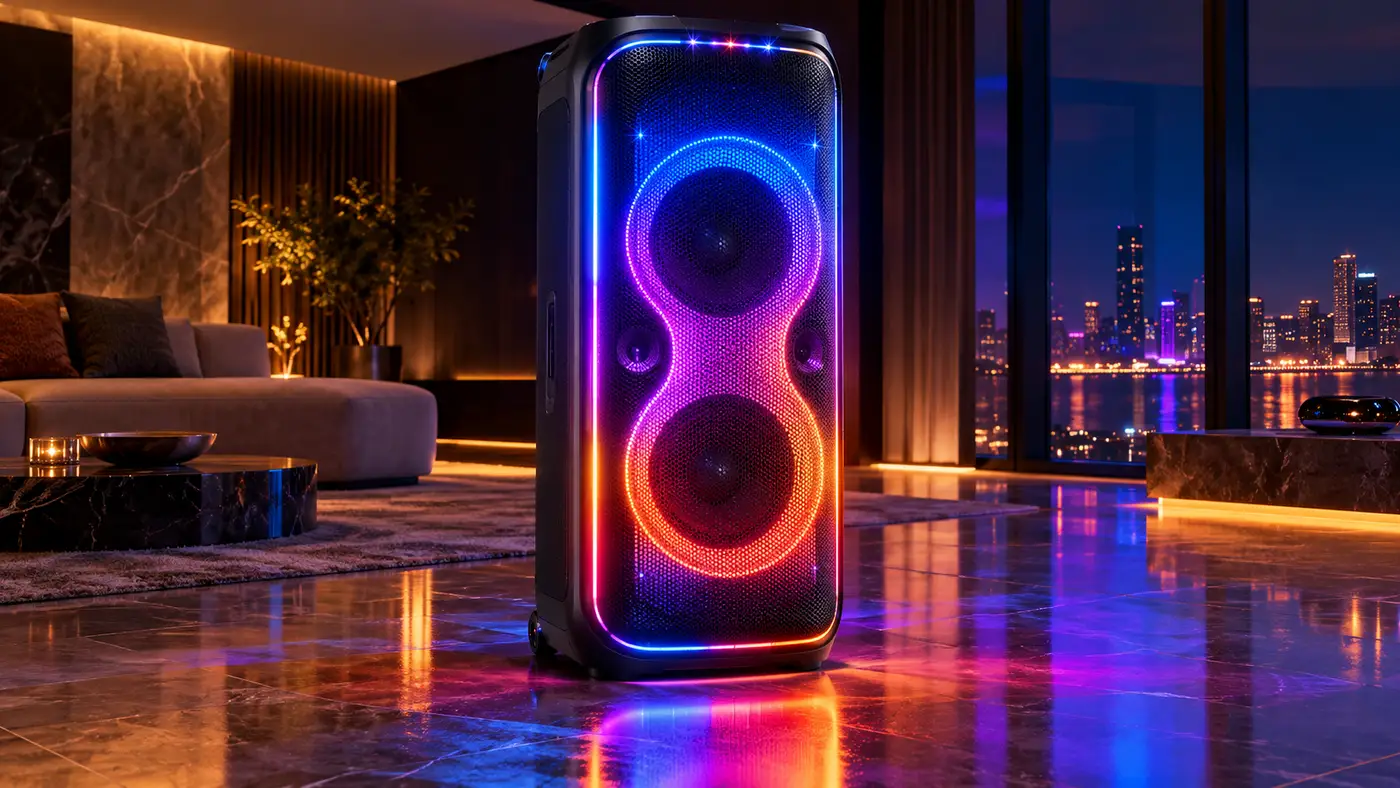
Its hardware includes two large subwoofers, two midrange drivers, and two tweeters, supported by a manufacturer-rated 1,500W RMS amplification system.
The speaker also supports wireless playback, external microphones, and compatible DJ equipment.
Its most significant karaoke-related addition is EasySing AI, which JBL advertises as a way to reduce the original lead vocal in a recording.
This gives the Ultimate 2 a more developed karaoke feature set than the original model.
However, it remains fundamentally an audio speaker.
It does not include handheld microphones, a full-size lyrics display, or an integrated karaoke catalog.
For a complete setup, users still need suitable microphones and a source for the content they want to perform.
JBL PartyBox Ultimate 2 Price
JBL’s official US website listed the PartyBox Ultimate 2 at $1,799.95 on October 27, 2026.
For comparison, the original PartyBox Ultimate was listed at $1,499.95 on the same date.
That creates a $300 difference at the current advertised prices.
The additional cost buys several documented upgrades, including EasySing AI vocal reduction, optical TV audio connectivity, XLR line input, newer wireless technology, and a redesigned sound system.
Whether those additions justify the price depends on how the speaker will be used.
For someone planning frequent karaoke sessions with a television, EasySing and optical audio could be particularly relevant.
Someone who primarily wants powerful playback and an elaborate lightshow may find the discounted original Ultimate more attractive.
The comparison also needs to account for accessories.
At $1,799.95, the Ultimate 2 still does not include microphones or an optical cable.
Those may need to be purchased separately.
JBL PartyBox Ultimate 2 Spec Sheet
Read the official JBL PartyBox Ultimate 2 specification sheet below, or download the PDF for offline reference.
What Comes in the Box?
According to JBL’s official specification sheet, the standard package includes:
- JBL PartyBox Ultimate 2 speaker
- Right-angle AC power cord
- Quick-start guide
- Safety sheet and warranty card
The power plug varies by region.
Microphones are not included.
The official quick-start guide also indicates that the optical cable used for TV audio is sold separately.
This means that buyers planning a karaoke setup may need additional equipment from the beginning.
A compatible microphone is the most obvious requirement.
If the system will be connected to a television through its optical audio input, an appropriate optical cable is another potential purchase.
JBL PartyBox Ultimate 2 Sound System
The Ultimate 2 uses a six-driver arrangement consisting of:
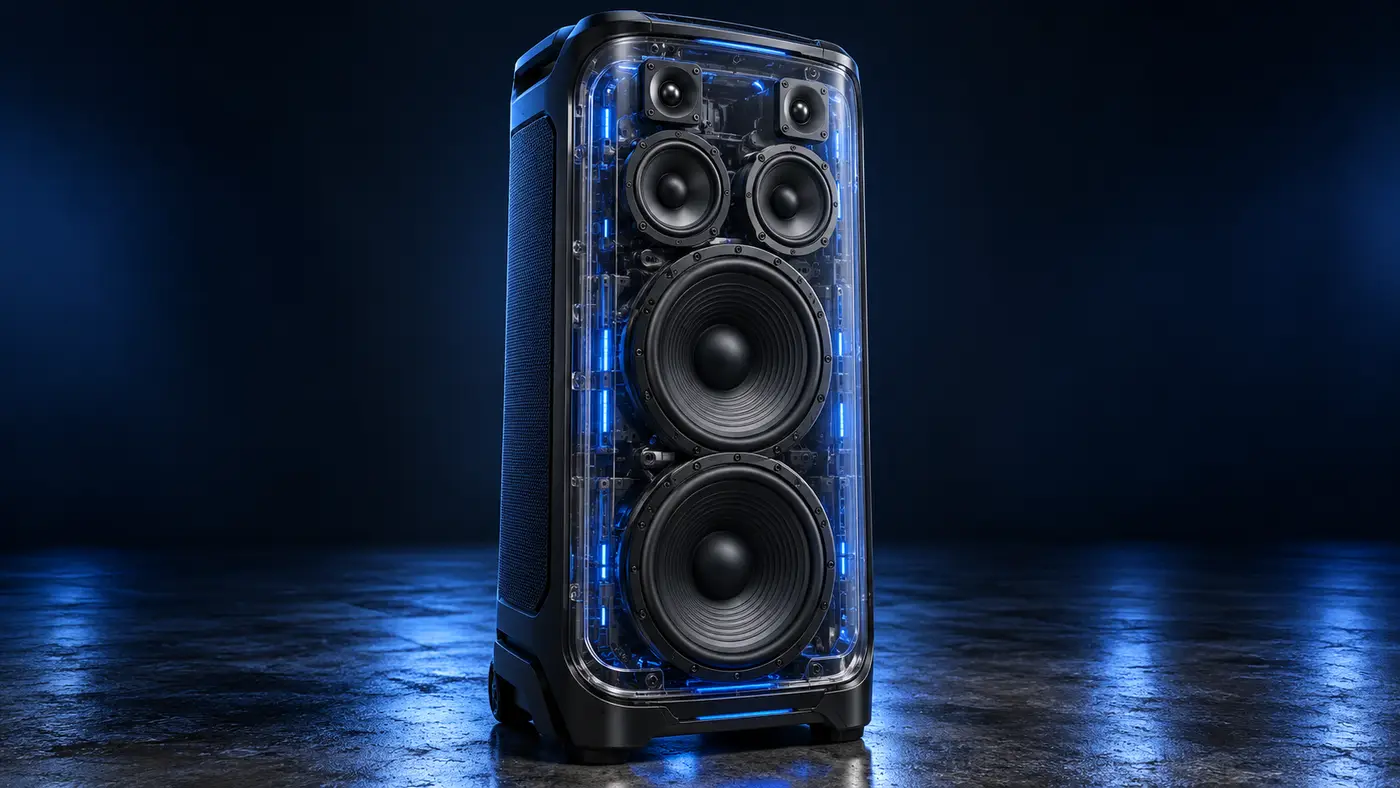
Two 10-inch subwoofers
Two 5-inch midrange drivers
Two 1-inch tweeters
JBL describes the tweeters as horn-loaded PEN units, intended to reproduce high frequencies.
The midrange drivers handle much of the frequency range associated with vocals and instruments, while the large subwoofers provide low-frequency output.
The manufacturer specifies a frequency response of 28Hz–20kHz (-6dB).
That indicates a system designed to cover a broad audible frequency range, although the published response figure is not a complete description of sound quality.
Other factors, including distortion, speaker dispersion, room acoustics, and placement, affect the listening experience.
What Does 1500W RMS Mean?
JBL rates the Ultimate 2 at 1,500W RMS under IEC 60268.
This is an electrical output-power specification.
It should not be confused with the peak-power ratings sometimes used in karaoke speaker advertising.
The distinction matters because a speaker advertised at 2,000W peak is not necessarily more powerful in continuous rated output than one specified at 1,500W RMS.
Wattage also does not directly establish maximum loudness.
JBL advertises the Ultimate 2 for large spaces and uses a four-basketball-court comparison in its marketing.
That should be understood as a manufacturer promotional claim rather than an independently measured venue-capacity recommendation.
For a particular event, speaker placement, acoustics, distance, and intended volume remain important.
AI Sound Boost
The Ultimate 2 includes JBL’s AI Sound Boost technology.
JBL describes this as real-time processing designed to manage output while maintaining clarity and tonal balance, including at high playback levels.
AI Sound Boost is separate from EasySing.
AI Sound Boost concerns the speaker’s output behavior.
EasySing concerns reducing the original lead vocal in playback audio.
The presence of AI processing does not establish a particular reduction in distortion or improvement in sound pressure without independent measurements.
Is the JBL PartyBox Ultimate 2 Good for Karaoke?
Yes. The JBL PartyBox Ultimate 2 has substantial karaoke functionality, particularly because of its built-in EasySing AI vocal reduction and support for external microphones.
It provides several useful features for karaoke:
- AI lead-vocal reduction
- Two ¼-inch microphone-capable connections
- Support for compatible JBL EasySing microphones through USB-C
- Optical TV audio input
- Touch-enabled vocal-processing controls
- Multiple playback options
These features make the Ultimate 2 more directly karaoke-focused than the original PartyBox Ultimate.
The optical input allows a compatible television to supply audio to the speaker, while EasySing provides a way to reduce lead vocals from supported playback.
However, it is not a complete karaoke machine.
You still need microphones, an audio source, and a separate display if you want lyrics visible.
The product is best understood as a powerful party speaker with built-in karaoke processing, rather than a self-contained karaoke console.
What Is JBL EasySing AI?
EasySing AI is one of the Ultimate 2’s most significant new features.
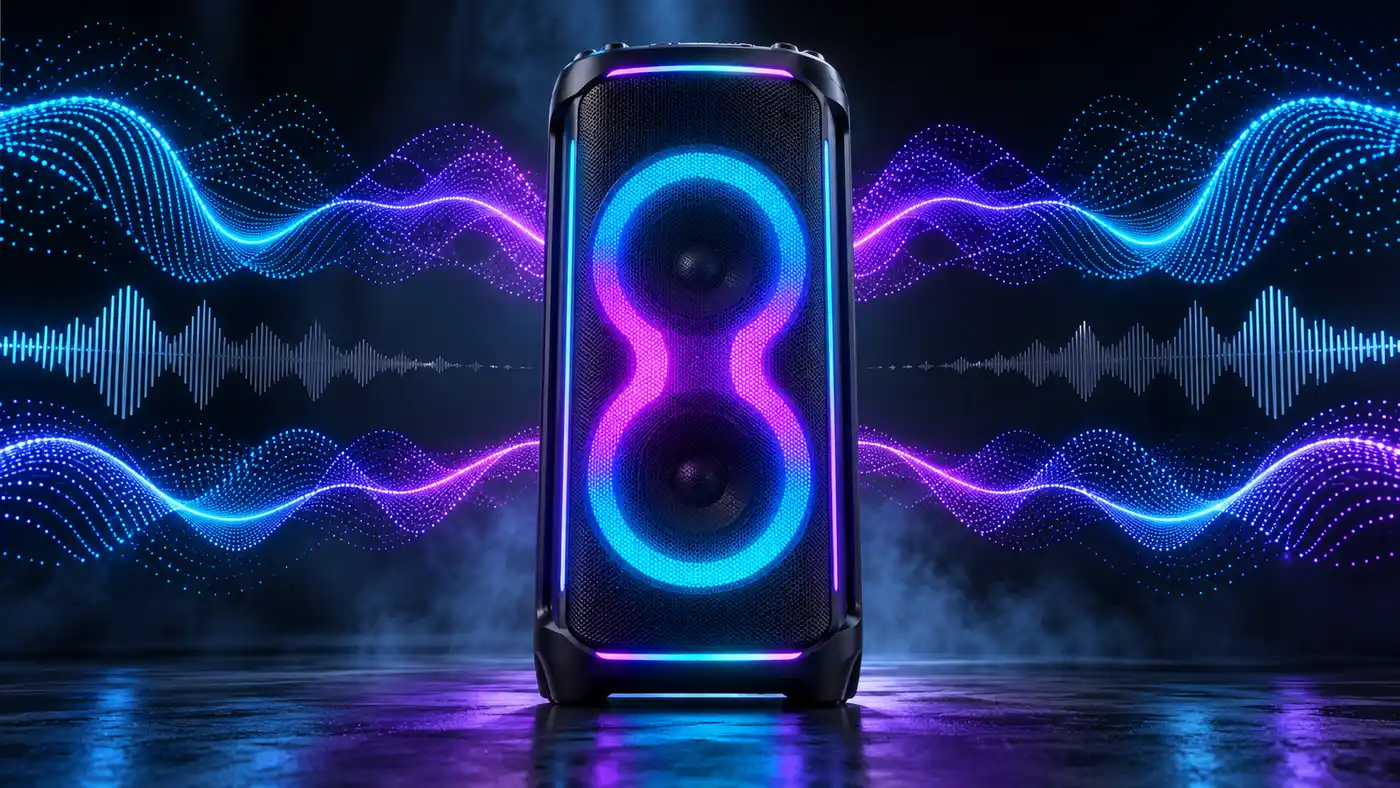
JBL describes EasySing as a built-in vocal-processing system that reduces the original lead vocal in a recording.
The purpose is to make ordinary playback more suitable for singing along.
For example, conventional karaoke often requires an instrumental recording or a dedicated karaoke version.
EasySing attempts to reduce that dependence by lowering the existing lead voice.
JBL says the user can adjust how much of the original lead vocal is reduced.
The manufacturer also describes the system as retaining backing vocals while reducing the lead.
How Much Vocal Removal Does EasySing Offer?
JBL’s general AI Vocal Remove support instructions describe preset reduction levels of 25%, 50%, and 100% for supported controls.
For the Ultimate 2, JBL specifically documents adjustable vocal reduction through the speaker’s touch interface.
These percentages describe the selected reduction settings, not independently measured proof that a specified percentage of vocal energy disappears from every recording.
The final result can vary according to how the source audio was recorded and mixed.
Can EasySing Completely Remove Vocals?
It is safer to describe EasySing as adjustable lead-vocal reduction rather than guaranteed complete removal.
Real recordings contain overlapping frequencies and effects.
A lead vocal may share parts of the mix with backing vocals, instruments, reverberation, and other elements.
AI processing attempts to separate these components, but the results are not necessarily identical across recordings.
JBL advertises EasySing as broadly useful for streamed content. However, the reviewed documentation does not provide independent accuracy measurements for every source.
Therefore, statements such as “perfectly removes every vocal” would go beyond the available evidence.
How to Use EasySing AI on PartyBox Ultimate 2
JBL’s support instructions describe the following process:
- Turn on the PartyBox Ultimate 2.
- Connect a compatible microphone through one of the two ¼-inch microphone ports, or connect a supported EasySing microphone system using its USB-C receiver.
- Start compatible audio playback.
- Press the Vocal Remove control on the speaker.
- Use the touch-screen control interface to adjust the amount of lead-vocal reduction.
- Adjust the setting according to the desired balance.
- Disable Vocal Remove through the control interface or the dedicated control when finished.
JBL also explains that compatible EasySing microphones can activate and adjust vocal reduction using their own controls.
This gives users more than one way to access the feature.
EasySing vs Auto-Tune
EasySing vocal reduction and automatic pitch correction are different technologies.
EasySing targets the original lead vocal already present in a recording.
Pitch correction changes the pitch of a newly performed vocal.
The reviewed JBL Ultimate 2 documentation establishes EasySing vocal reduction but does not establish a built-in Auto-Tune-style pitch-correction system.
Those features should not be confused.
JBL PartyBox Ultimate 2 Microphone Inputs
The PartyBox Ultimate 2 supports external microphones.
Importantly, JBL’s current support instructions confirm two available ¼-inch microphone-capable ports.
That clarifies a detail not fully explained by the numerical input specifications alone.
JBL’s technical documentation lists:
- Microphone input sensitivity: 20mVrms
- sensitivity: 100mVrms
The quick-start guide illustrates the microphone connections.
However, buyers planning more complicated simultaneous microphone-and- setups should follow the model-specific port labels and current JBL instructions.
Do not assume the physical routing is identical to the original Ultimate simply because both belong to the same product family.
Does PartyBox Ultimate 2 Come With Microphones?
No. JBL does not include handheld microphones in the standard box.
This applies even though the speaker advertises EasySing as a major feature.
To use microphone-based karaoke, buyers must provide compatible wired microphones or purchase suitable wireless microphone equipment separately.
JBL also advertises compatibility with its EasySing microphone system.
Can You Connect Wireless Microphones?
Yes, with compatible equipment.
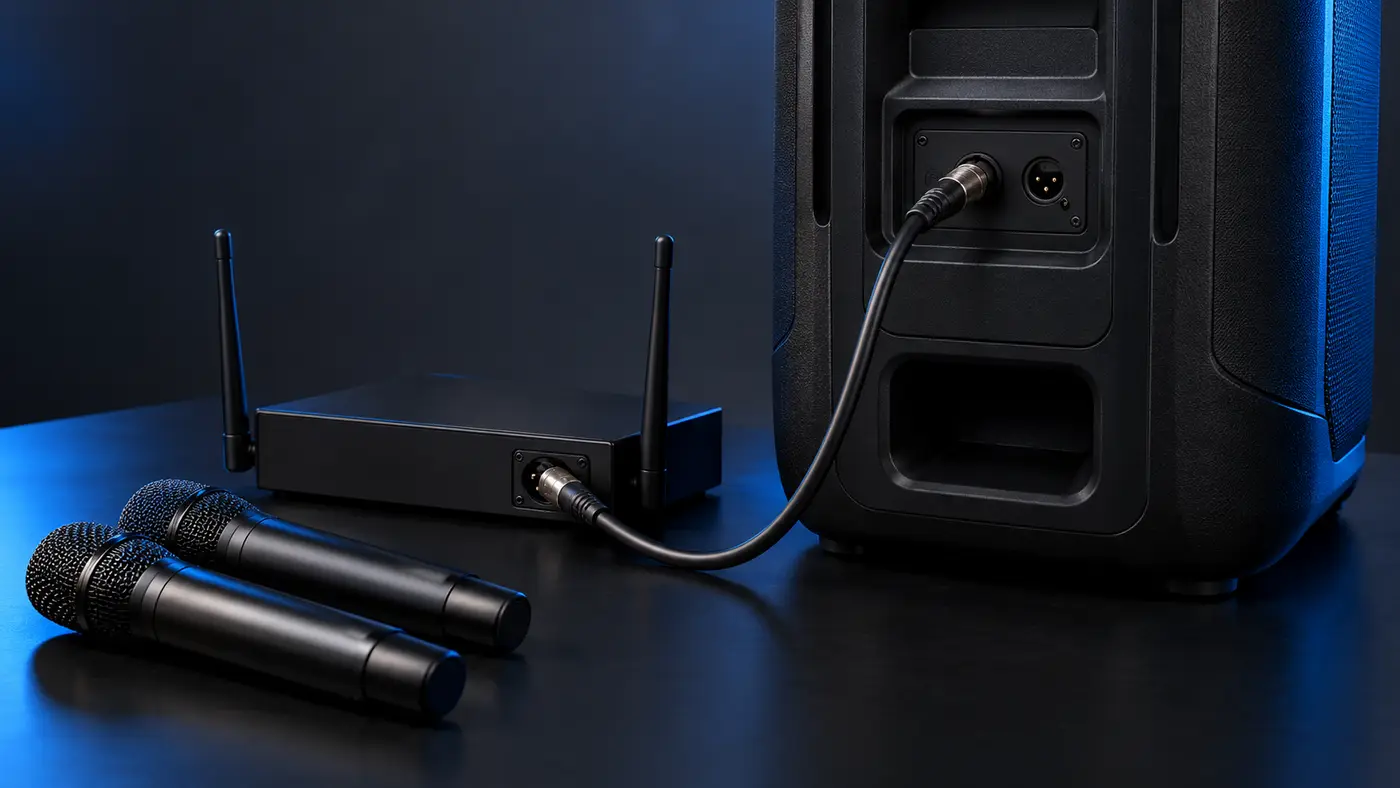
JBL’s support instructions identify its EasySing microphones as an option for the PartyBox Ultimate 2.
The EasySing system uses a compatible receiver connected through USB-C.
Other suitable wireless microphone systems may use a receiver that connects to an appropriate microphone input.
This is different from directly pairing microphones through the speaker’s normal Bluetooth playback menu.
A standard Bluetooth version number does not guarantee compatibility with arbitrary Bluetooth microphones.
How to Connect a Wired Microphone
For a basic wired setup:
- Turn down the relevant microphone level before connecting.
- Connect a compatible microphone to one of the documented ¼-inch microphone-capable inputs.
- Power on the PartyBox Ultimate 2.
- Adjust the microphone input controls according to the speaker’s interface.
- Begin playback from a compatible source.
- Increase levels gradually.
- Adjust EasySing if lead-vocal reduction is desired.
Keep microphones away from the speaker’s direct output path where practical.
Excessive microphone gain and poor placement can cause feedback even with a powerful speaker.
What Is the XLR Input For?
The PartyBox Ultimate 2 introduces an XLR line input.
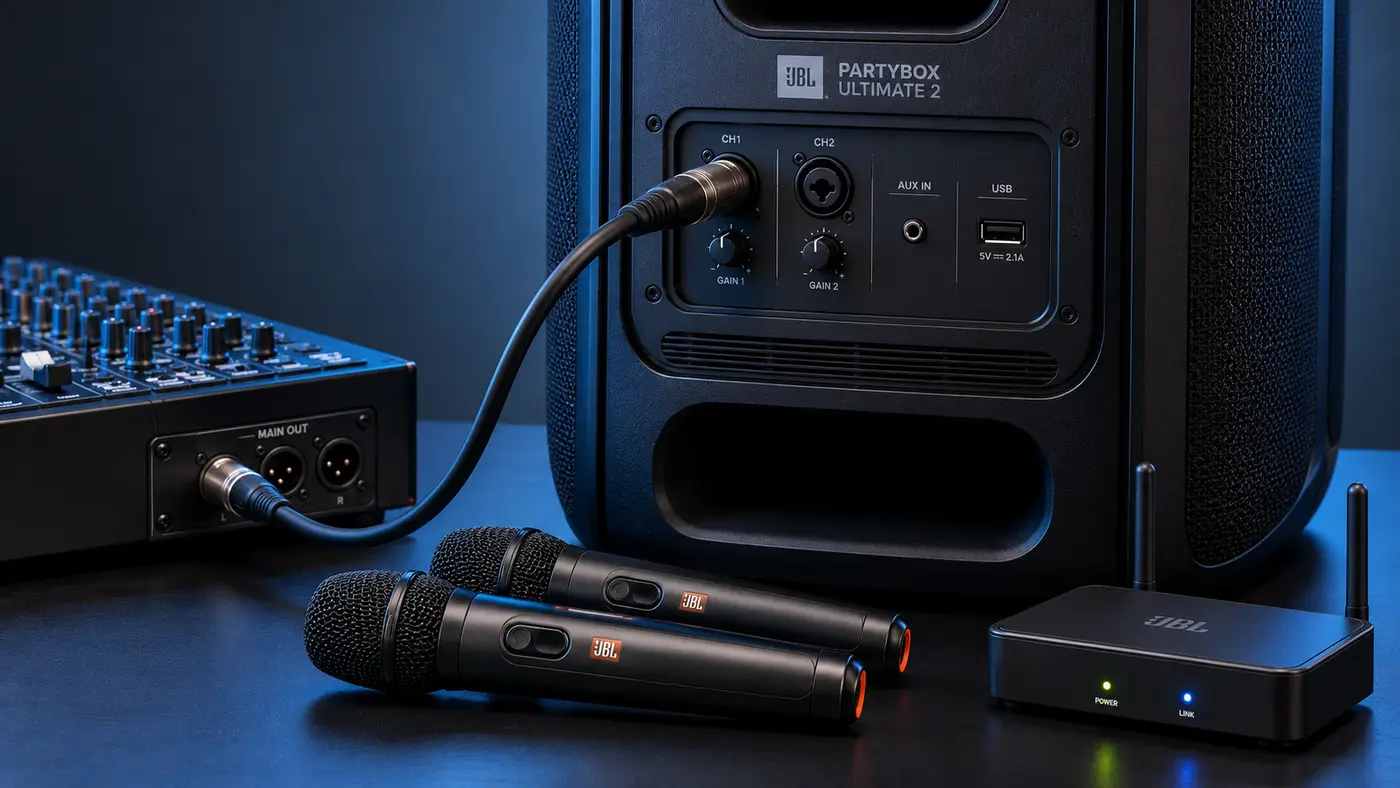
JBL’s specification sheet identifies the input as:
Line-In: 250mVrms, XLR connector
The manufacturer promotes this connection for compatible DJ consoles and other appropriate equipment.
This is an important distinction from the microphone ports.
An XLR connector does not automatically mean the input provides a professional microphone preamp or phantom power.
The connector describes its physical format; the input specification describes its intended signal level.
A professional condenser microphone requiring phantom power should not be assumed compatible with the XLR line input merely because its cable fits.
For normal karaoke microphones, use the documented microphone-capable inputs or a verified compatible microphone system.
How to Connect JBL PartyBox Ultimate 2 to a TV
The Ultimate 2 includes an optical digital audio input, making TV-based karaoke an important use case.
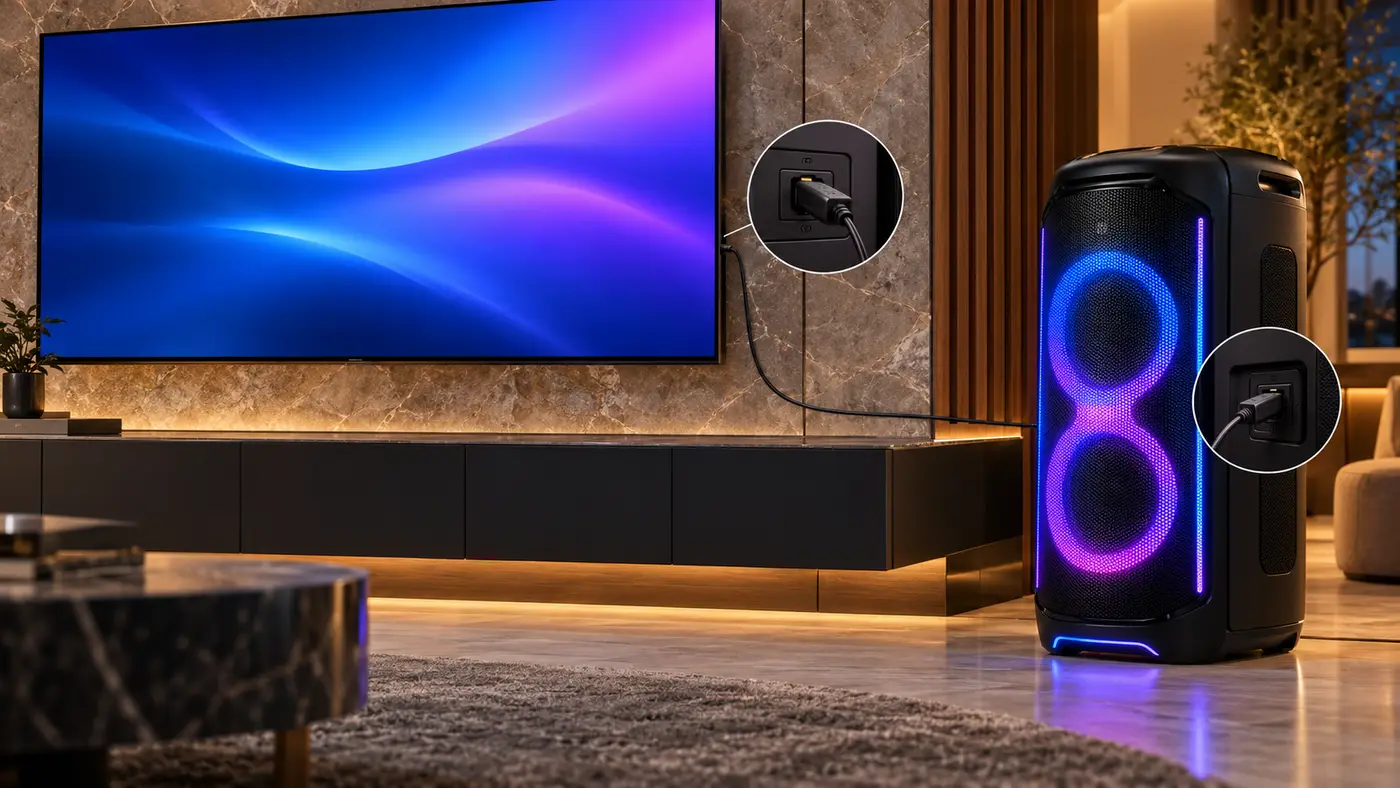
JBL’s official quick-start guide illustrates connecting the speaker to a television’s optical output.
It specifically instructs users to select PCM as the television’s digital audio output format.
Optical TV Connection Steps
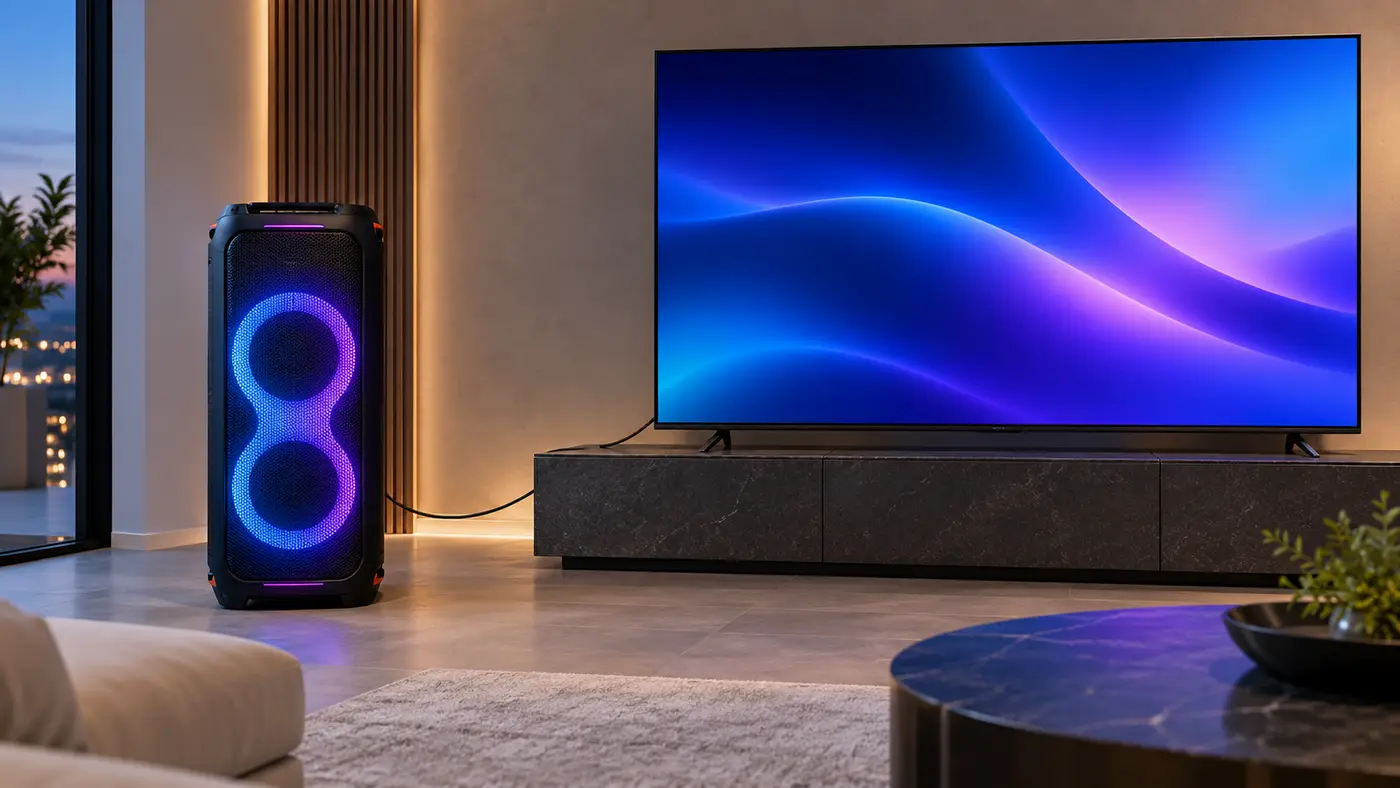
- Confirm that the television has a compatible optical digital audio output.
- Obtain an appropriate optical audio cable, which JBL does not include.
- Connect the cable from the TV’s optical output to the PartyBox Ultimate 2 optical input.
- Turn on both devices.
- Open the TV’s sound or audio-output settings.
- Select the optical audio output where required.
- Set the TV’s digital audio format to PCM.
- Select the appropriate source on the PartyBox Ultimate 2.
- Play audio and verify that it is heard through the speaker.
- Connect a compatible microphone for karaoke.
The exact menu names vary between television manufacturers.
Why Does the TV Need PCM?
PCM is a digital audio format commonly supported by external audio equipment.
Some televisions can output encoded surround formats that a connected device may not accept through a particular input.
JBL’s guide explicitly specifies PCM for the Ultimate 2 optical connection.
If the speaker produces no audio, checking this setting is an appropriate troubleshooting step.
Does the Optical Connection Show Lyrics?
No.
An optical connection carries audio, not a video picture.
The television continues to display the karaoke interface or lyrics from the connected playback device.
The Ultimate 2 reproduces the audio through its speaker system.
A practical arrangement is:
Phone, streaming device, or compatible playback source → TV display
TV optical output → PartyBox Ultimate 2 optical input
Microphone → PartyBox Ultimate 2
That provides a separation between the visual display, audio playback, and microphone input.
Does the JBL PartyBox Ultimate 2 Have a Touchscreen?
Yes, but it is important to understand the type of touchscreen.
JBL describes a touch-enabled top control panel with a central volume knob that also functions as a touchscreen controller.
The interface provides access to settings such as:
- Playback-related controls
- Vocal removal
- Lighting options
- Speaker settings
- Built-in party games
The control display can also show playback-related information.
However, this is not the same as a large integrated karaoke lyrics screen.
Someone looking for a complete karaoke machine with lyrics displayed directly on the cabinet should not confuse the Ultimate 2’s control interface with a dedicated touchscreen karaoke system.
For lyrics, use a compatible television or external display.
Bluetooth 6.0 Connectivity
JBL specifies Bluetooth 6.0 for the Ultimate 2.
The technical sheet lists A2DP V1.3 and AVRCP V1.5 profiles.
Bluetooth allows compatible phones, tablets, and other playback devices to send audio wirelessly to the speaker.
The quick-start guide shows the speaker appearing in Bluetooth settings as JBL PartyBox Ultimate 2.
For karaoke, Bluetooth may be useful when a phone or tablet provides the audio.
However, the Bluetooth specification alone does not establish zero delay.
When using an external screen for lyrics, any synchronization concerns will depend on the exact source device and connection route.
Bluetooth playback also should not be confused with the USB-C receiver-based connection used by compatible EasySing microphones.
Wi-Fi Streaming
The Ultimate 2 includes Wi-Fi connectivity on both:
2.4GHz
5GHz
The specification sheet lists support for Wi-Fi standards including 802.11ax.
JBL advertises several supported streaming technologies, including:
- AirPlay 2
- Google Cast/Chromecast
- Spotify Connect
JBL’s product announcement also identifies additional supported services, including Tidal Connect, Qobuz Connect, and Roon Ready.
Availability may depend on region, service support, and the relevant app.
Wi-Fi streaming can be attractive for buyers who use compatible network-connected playback services.
However, Wi-Fi is not required simply to connect a wired microphone.
Microphone input, optical TV audio, Bluetooth playback, and Wi-Fi streaming are separate functions.
USB-C Audio Playback and Charging
The Ultimate 2 includes USB-C connectivity.
JBL advertises compatible audio playback and external-device charging.
The technical sheet lists USB power-output profiles including:
- 5V/3A
- 9V/3A
- 15V/2A
- 20V/1.5A
The listed profiles support charging output up to 30W under suitable conditions.
For audio playback, JBL identifies supported formats including MP3, WAV, and FLAC, subject to regional qualifications.
The specification sheet notes that some USB format support differs for EMEA markets.
Therefore, it is better to check the supported formats for the exact regional model rather than assume universal compatibility with every file or USB-C device.
Does USB-C Power the Speaker?
No.
The USB-C charging function supplies power to compatible external devices.
The PartyBox Ultimate 2 itself requires AC mains power.
Auracast Multi-Speaker Connection
JBL includes Auracast support on the Ultimate 2.
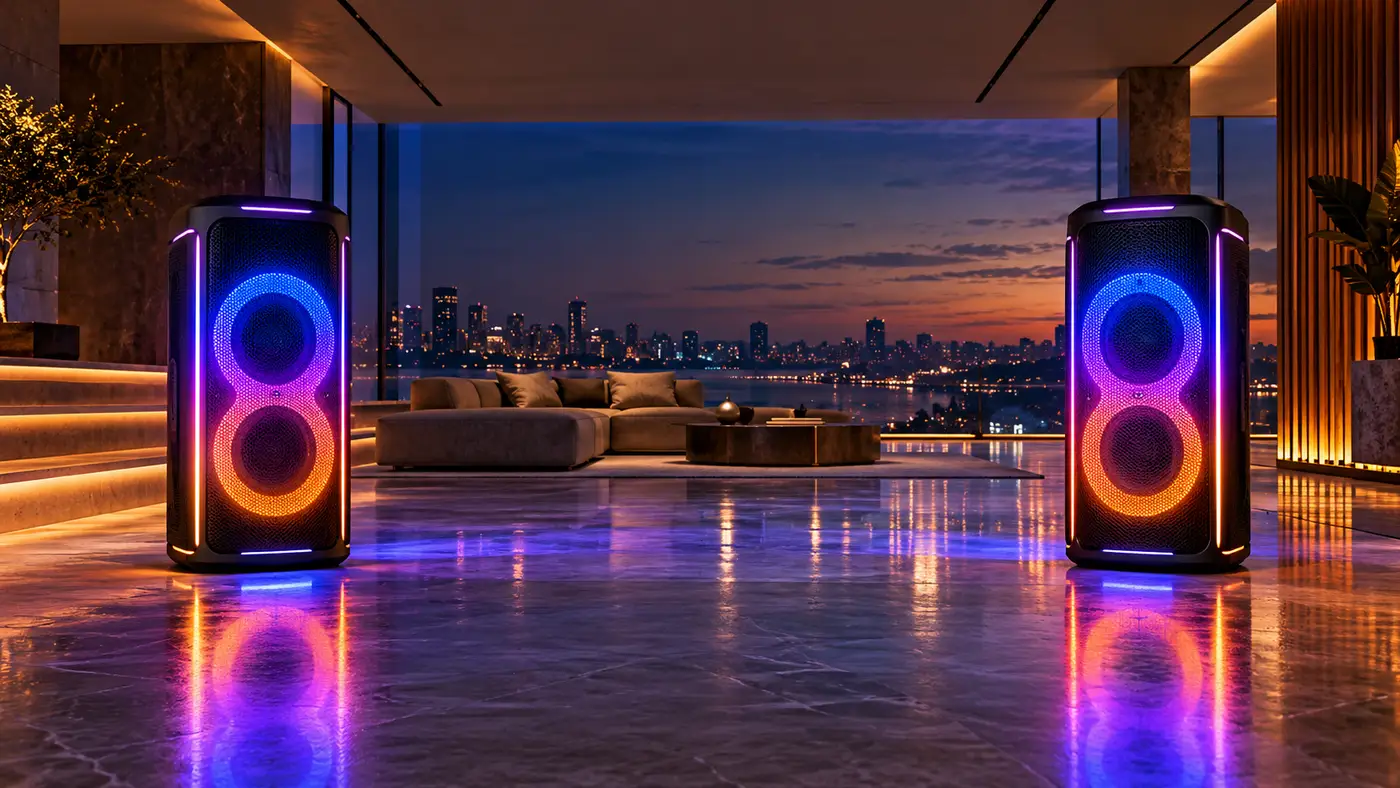
Auracast allows compatible speakers to participate in supported wireless audio-sharing arrangements.
JBL promotes the feature for connecting supported PartyBox and other Auracast-enabled JBL products.
This can be useful when buyers want to expand beyond one speaker.
However, compatibility should always be checked by model.
The original PartyBox Ultimate uses an earlier documented multi-speaker connection system, so its presence in the same product family does not automatically establish compatibility with Ultimate 2’s Auracast arrangement.
For the most reliable setup, follow the current JBL compatibility list.
Smart EQ Mode
The Ultimate 2 includes Smart EQ Mode.
JBL describes it as an automatic system that analyzes incoming audio and adjusts equalization in real time.
The goal is to manage tonal balance according to the audio being played.
This is different from manual EQ adjustments.
It is also different from EasySing and AI Sound Boost.
The three technologies serve separate functions:
Smart EQ Mode: adjusts tonal balance.
AI Sound Boost: manages output behavior.
EasySing: reduces the original lead vocal.
Using these terms precisely gives buyers a clearer understanding of what the Ultimate 2 actually does.
JBL PartyBox Ultimate 2 Lightshow
The Ultimate 2 features an updated lighting system with effects extending across the front panel.
JBL describes:
Ripple-wave lighting
Multi-layer illumination
Floor projection
These effects are intended to create visual movement around the speaker rather than limit the lightshow to a small illuminated section.
The lighting can be adjusted through the top controls and JBL One app.
For buyers creating a party or karaoke entertainment area, the built-in lighting may reduce the need for separate decorative lighting equipment.
However, the effects are a visual feature rather than a substitute for an external lyrics display.
Preference for lighting styles is also subjective.
JBL One App
The supported companion application is JBL One.
JBL describes app-based control over:
- Audio settings
- Playback
- Lightshow effects
- DJ-style effects
- Supported connected features
The quick-start guide also shows JBL One as part of the speaker’s Wi-Fi configuration.
The app provides a way to manage settings without relying entirely on the physical controls.
However, it does not eliminate the need for compatible microphones or a display device if those are part of the intended karaoke setup.
Does JBL PartyBox Ultimate 2 Have a Battery?
No rechargeable speaker battery is documented for the JBL PartyBox Ultimate 2. It requires AC power.
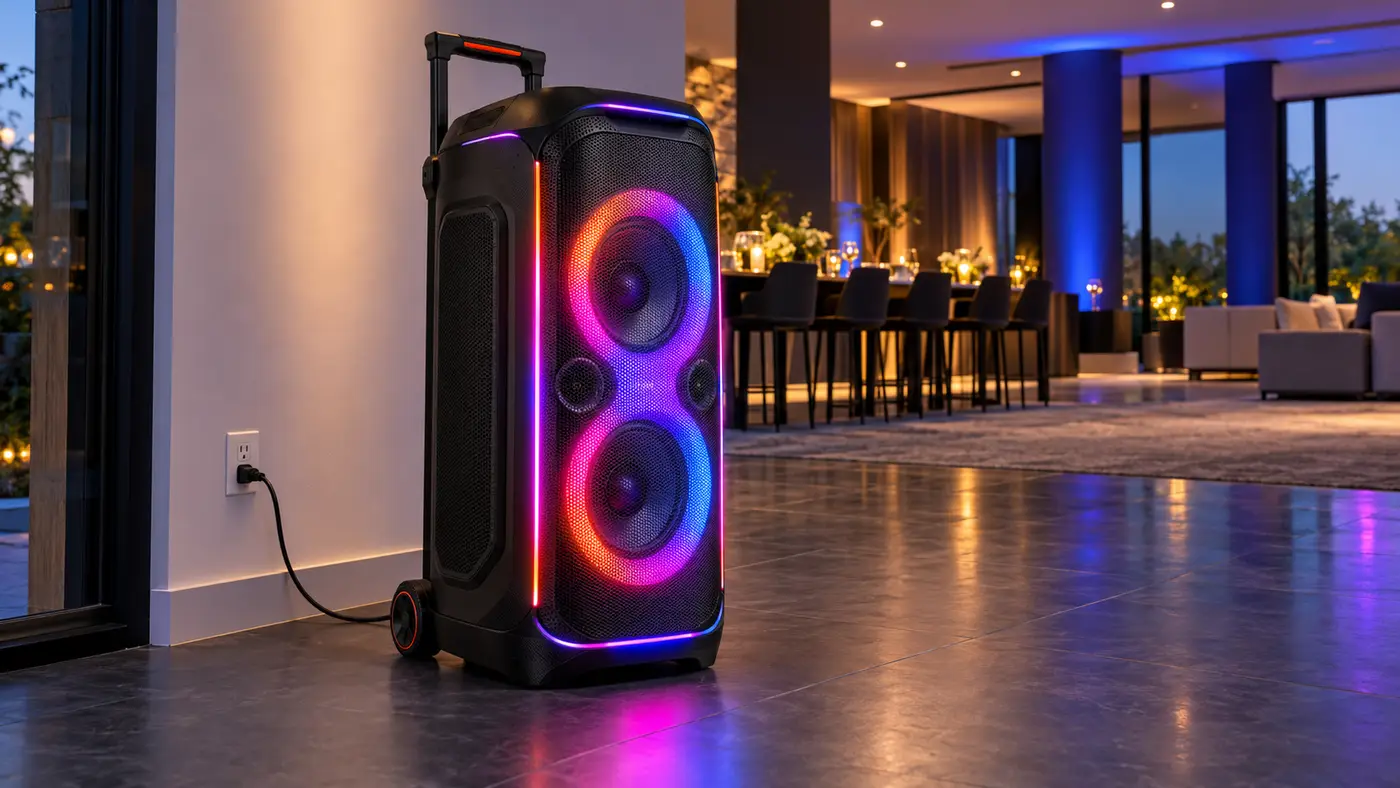
The official technical specifications list:
100–240V AC, 50/60Hz
The included right-angle power cord provides the mains connection.
This makes the Ultimate 2 different from smaller rechargeable PartyBox speakers.
It can be moved using its wheels and handle, but it still needs an electrical outlet wherever it is operated.
Do not confuse its USB-C charging output with an internal rechargeable speaker battery.
There is no manufacturer-listed cordless playback runtime.
JBL PartyBox Ultimate 2 Weight and Dimensions
The Ultimate 2 is a substantial piece of equipment.
Its dimensions are:
46.67cm wide × 105.25cm high × 49.33cm deep
Its weight is:
47.68kg/105.12lb
JBL has redesigned the transport arrangement with larger wheels and a sturdy handle.
These features are intended to make repositioning easier.
However, the weight remains a major consideration.
The official quick-start guide specifically warns that the product weighs more than 45kg and advises using both hands while rolling it on a flat surface.
That is important for buyers who regularly move speakers between rooms, transport them to venues, or need to navigate stairs.
The Ultimate 2 is wheeled and transportable, but it is not lightweight.
Its larger cabinet and need for AC power should be considered before purchasing.
Is JBL PartyBox Ultimate 2 Waterproof?
No.
JBL specifies an IPX4 splash-resistance rating.
This indicates protection against water splashes under the applicable test conditions.
It does not mean the speaker is designed for immersion or continuous exposure to heavy rain.
The mains-powered design also means that the electrical connection needs appropriate protection from moisture.
For outdoor use, place the speaker on a stable surface and keep the power connections protected.
Do not interpret splash resistance as complete weatherproofing.
JBL PartyBox Ultimate 2 vs Original PartyBox Ultimate
The original Ultimate and Ultimate 2 are both substantial party speakers, but their documented features differ in several important ways.
| Feature | JBL PartyBox Ultimate 2 | JBL PartyBox Ultimate |
|---|---|---|
| Output power | 1,500W RMS | 1,100W RMS |
| Subwoofers | Two 10-inch | Two 9-inch |
| Midrange drivers | Two 5-inch | Two 4.5-inch |
| Tweeters | Two 1-inch | Two 2.75-inch |
| Bluetooth | 6.0 | 5.3 |
| EasySing AI | Yes | Not documented |
| Optical TV input | Yes | Not documented |
| XLR line input | Yes | Not documented |
| Auracast | Yes | Not documented |
| Touch control | New touch-enabled panel | Different physical controls |
| Lightshow | Updated full-panel effects | Original multi-dimensional system |
| Rechargeable battery | No | No |
| Weight | 105.12lb | 87.1lb |
| Water resistance | IPX4 | IPX4 |
| US price, Oct. 27, 2026 | $1,799.95 | $1,499.95 |
Is Ultimate 2 More Powerful?
Its rated output increases from 1,100W RMS to 1,500W RMS.
That is an increase of approximately 36% in the published wattage figures.
However, this does not establish a 36% increase in perceived loudness.
Speaker sensitivity, acoustic design, placement, and other factors also influence the final sound pressure and listening experience.
The newer model also uses a different driver arrangement, which makes simplistic wattage comparisons less useful.
Is Ultimate 2 Better for Karaoke?
Based on the documented features, Ultimate 2 offers more built-in karaoke functionality.
EasySing AI is the clearest difference.
It also introduces optical TV audio connectivity, which gives users a documented route for sending audio from a compatible TV to the speaker.
Those are practical additions for karaoke setups.
The original Ultimate provides microphone inputs and karaoke EQ controls, but the reviewed original-model documentation does not establish the same AI lead-vocal reduction feature.
Which Model Is Easier to Move?
The original Ultimate weighs approximately 87.1lb.
Ultimate 2 weighs 105.12lb.
That is a difference of about 18lb, or 8.18kg.
Although JBL has improved the newer model’s wheels and handle, it is heavier overall.
Buyers who regularly relocate the speaker should consider that trade-off.
What About Dolby Atmos?
JBL explicitly advertises Dolby Atmos through compatible Wi-Fi streaming on the original PartyBox Ultimate.
The supplied Ultimate 2 product page and specification sheet do not identify Dolby Atmos as a supported feature.
Therefore, it would be inaccurate to automatically transfer the original model’s Dolby Atmos claims to Ultimate 2.
The available documentation establishes the original model’s advertised feature but does not confirm equivalent support for the new model.
Is Ultimate 2 Worth the Extra $300?
For buyers who want EasySing AI, optical TV connectivity, XLR line input, or Auracast, the added functionality may justify the higher current price.
For those primarily interested in high-output playback, lighting, and conventional microphone input, the original Ultimate may remain a compelling alternative.
Read our JBL PartyBox Ultimate review for a closer look at the earlier model.
JBL PartyBox Ultimate 2 Pros and Cons
| Potential advantages | Potential limitations |
|---|---|
| 1,500W RMS manufacturer-rated output | Requires AC power |
| Six-driver speaker system | No rechargeable battery |
| Two 10-inch subwoofers | Heavy at 105.12lb |
| Built-in EasySing AI vocal reduction | Vocal separation is not guaranteed perfect |
| Two microphone-capable ¼-inch ports | Microphones sold separately |
| Compatible EasySing microphone support | No dedicated lyrics screen |
| Optical TV audio input | Optical cable not included |
| XLR line input for suitable equipment | XLR input is line-level |
| Bluetooth 6.0 | Bluetooth version does not guarantee zero latency |
| Dual-band Wi-Fi | Some connected features depend on compatible services |
| Auracast multi-speaker support | Compatibility depends on receiving speaker |
| Smart EQ Mode and AI Sound Boost | Processing performance not independently measured |
| Touch-enabled controls | Control screen is not a karaoke display |
| Updated full-panel lightshow | Lighting may not matter to every buyer |
| Improved wheels and handle | Large cabinet needs adequate space |
| IPX4 splash resistance | Not waterproof |
Who Should Buy the JBL PartyBox Ultimate 2?
The Ultimate 2 is best suited to buyers who specifically want a powerful premium party speaker with expanded karaoke functionality.
It may appeal to people who:
- want adjustable AI lead-vocal reduction;
- plan to connect a television through optical audio;
- own compatible microphones or intend to buy EasySing microphones;
- need a suitable line-level XLR connection for external audio equipment;
- value Auracast speaker expansion;
- want extensive streaming and lighting options;
- have enough room for a large mains-powered cabinet.
The Ultimate 2 is less suitable for buyers who:
- need a rechargeable portable speaker;
- want a complete karaoke system with microphones included;
- need a built-in lyrics display;
- have limited floor space;
- frequently carry equipment up stairs;
- require guaranteed perfect vocal removal;
- only need an inexpensive home karaoke setup.
For buyers who prioritize simplicity, a dedicated all-in-one system may be a better match.
Our home karaoke machine guide covers that broader category.
Is the JBL PartyBox Ultimate 2 Worth It?
The PartyBox Ultimate 2 provides several meaningful improvements over the original model.
Its increased rated output, updated driver system, Bluetooth 6.0, Auracast, touch controls, and full-panel lighting all contribute to a more extensive feature set.
However, EasySing AI and optical TV connectivity are arguably the most relevant improvements for karaoke buyers.
EasySing introduces adjustable reduction of existing lead vocals, while the optical input gives users a documented way to send television audio to the speaker.
These functions address two common needs in home karaoke setups: obtaining suitable backing audio and connecting a large display.
The main drawbacks remain substantial.
At 105.12lb, the speaker is heavy. It requires continuous AC power, microphones must be purchased separately, and the top touchscreen does not replace a full lyrics display.
Its $1,799.95 manufacturer-listed US price also places it well above many simpler karaoke systems.
Therefore, the Ultimate 2 makes the most sense for buyers who will actually use its advanced playback, microphone, and connection features.
For someone interested primarily in powerful sound and lighting, the original Ultimate may offer better value at its current discounted price.
Frequently Asked Questions
How many watts is the JBL PartyBox Ultimate 2?
JBL specifies 1,500W RMS under IEC 60268. That is a manufacturer-rated output figure rather than a generic peak-power claim.
Is the Ultimate 2 more powerful than the original Ultimate?
Yes, according to the published RMS ratings. Ultimate 2 is rated at 1,500W, compared with 1,100W for the original. This does not mean it is proportionally louder to the listener.
Is JBL PartyBox Ultimate 2 good for karaoke?
Yes. It provides EasySing AI vocal reduction, external microphone connectivity, an optical TV audio input, and touch-based controls. However, microphones and a lyrics display are not included.
Does PartyBox Ultimate 2 have EasySing AI?
Yes. JBL advertises EasySing as a built-in AI feature that reduces the original lead vocal in supported playback.
Can Ultimate 2 completely remove original vocals?
JBL advertises adjustable vocal reduction, but the reviewed materials do not establish perfect separation for every recording.
Does EasySing have Auto-Tune?
Automatic pitch correction is not established in the reviewed Ultimate 2 documentation. EasySing is described as reducing the original lead vocal.
Does PartyBox Ultimate 2 come with microphones?
No. The standard package does not list any handheld microphones.
How many microphone inputs does PartyBox Ultimate 2 have?
JBL’s current support documentation identifies two ¼-inch microphone-capable ports. Supported EasySing microphones can also use the USB-C receiver arrangement.
Can wireless microphones connect to Ultimate 2?
Yes, with compatible equipment. JBL documents support for its EasySing microphone system, including a receiver connection through USB-C.
Does Ultimate 2 have an XLR input?
Yes. JBL specifies an XLR line input with a rated input sensitivity of 250mVrms.
Can I connect an XLR studio microphone directly?
Do not assume so. JBL identifies the XLR connection as a line input, not a documented phantom-powered microphone preamp. Check the requirements of the microphone and any external equipment.
Can JBL PartyBox Ultimate 2 connect to a TV?
Yes. It has an optical digital audio input that can receive audio from a compatible television.
What TV audio format should I select?
JBL’s quick-start guide specifies PCM for the television’s optical digital audio output.
Does an optical cable come in the box?
No. JBL’s official guide states that the optical cable is not included.
Does PartyBox Ultimate 2 have HDMI?
The supplied JBL documentation establishes optical TV audio and other audio inputs, but not an HDMI video connection.
Does Ultimate 2 have a touchscreen?
Yes. It has a touch-enabled control interface built around the top-panel control knob.
Can the touchscreen display karaoke lyrics?
A dedicated full-size lyrics display is not documented. The touchscreen is intended for speaker controls and related functions.
Does Ultimate 2 support Bluetooth 6.0?
Yes. Bluetooth version 6.0 is listed in JBL’s official technical specifications.
Does Ultimate 2 support Wi-Fi?
Yes. JBL specifies both 2.4GHz and 5GHz Wi-Fi network compatibility.
Does Ultimate 2 support Auracast?
Yes. It can participate in supported Auracast speaker arrangements with compatible devices.
Does JBL PartyBox Ultimate 2 support Dolby Atmos?
Dolby Atmos is not confirmed by the provided Ultimate 2 product page and specification sheet. JBL explicitly advertises that feature on the original Ultimate, but it should not automatically be assumed for the newer model.
Does JBL PartyBox Ultimate 2 have a battery?
No rechargeable speaker battery or cordless operating runtime is documented. The Ultimate 2 requires an AC power connection.
How much does JBL PartyBox Ultimate 2 weigh?
JBL specifies 47.68kg, approximately 105.12lb.
Is JBL PartyBox Ultimate 2 waterproof?
No. It is rated IPX4 splash resistant, which is not equivalent to waterproofing or immersion protection.
Is JBL PartyBox Ultimate 2 better than the original?
It provides additional documented features, especially EasySing, optical audio, XLR line input, Auracast, and newer controls. However, it is also more expensive and heavier. The better choice depends on the features the buyer needs.
Final Verdict
The JBL PartyBox Ultimate 2 is a significant upgrade in functionality over the original PartyBox Ultimate, particularly for karaoke.
Its 1,500W RMS rating, redesigned six-driver system, Bluetooth 6.0, dual-band Wi-Fi, Auracast, and advanced lighting position it as a premium party speaker.
More importantly for karaoke buyers, it introduces EasySing AI lead-vocal reduction and optical TV audio connectivity.
Those features make it easier to build a karaoke experience around ordinary playback and an external television.
The documented microphone connections and compatibility with EasySing microphones further strengthen its practical karaoke capabilities.
However, Ultimate 2 remains a large, mains-powered speaker rather than a complete karaoke system.
The 105.12lb weight, lack of bundled microphones, separate optical cable requirement, and absence of a dedicated lyrics display should all be considered before purchasing.
The JBL PartyBox Ultimate 2 is most compelling for buyers who want a powerful premium party speaker with built-in vocal-reduction technology and flexible external connections.
For buyers who only need simple home karaoke, a smaller all-in-one system may be more convenient and economical.
For buyers deciding between the two Ultimate generations, the important question is whether EasySing, optical TV integration, XLR input, Auracast, and newer controls are worth the extra price and weight.
Last checked: October 27, 2026.
This review uses published manufacturer information. It does not claim independent audio testing, measured loudness, or verified vocal-separation accuracy.